


Photoshop "save as jpg/png" file sizes too big
hi everyone.
i've been having this issue since photoshop cc2017, and now having upgraded to cc2019, i found out that the problem still persists...
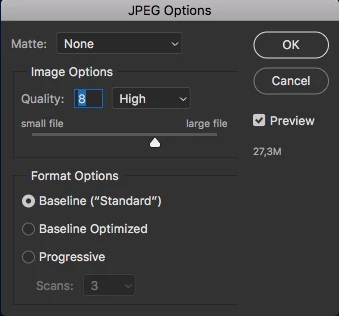
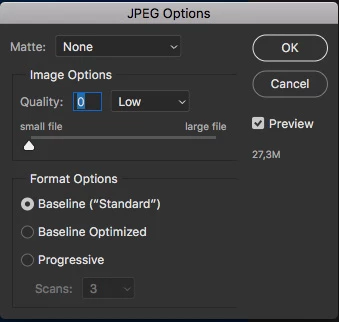
whenever i want to save a file using "save as > jpg" the file size is too large, and also remains fixed whether i set the quality to 0(min) or 12(max).
let's say, i want to save a 1080x1920 @14451451 RGB file (which i do quite frequently)... regardless of the content on the design (even if it's a blank white page), the file size is always 27,3MB which is both erroneous and extremely large. when i do the same operation with "safe for web" command, it's usually under 1MB.
this problem also occurs when trying to save as png, with almost exactly the same file size as 24,7MB regardless of the content...
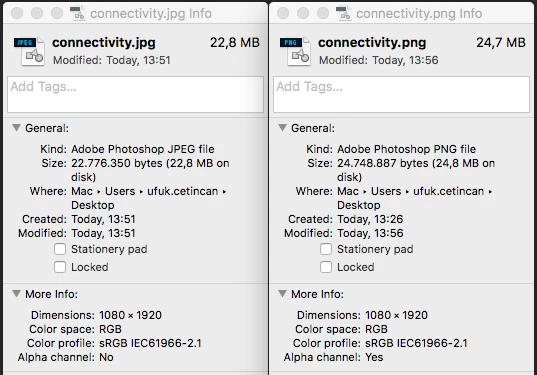
this happens ONLY when i try to export photoshop files. if i open another file type which is made OUTSIDE PHOTOSHOP, save as functions as it should... but after exporting my files, even reopening and saving again does not reduce file size.
I ALREADY KNOW THE SAVE FOR WEB FUNCTION, so please only recommend a solution that will fix this problem. as i search the forum for previous entries, people seem to have that problem for nearly 4 years and yet no solution or update has been presented.
thank you!
 AdChoices