
PhotoShop Rotate Glitch in 2021 Version
I have been using Adobe Suites Software for about 15 years now and have never had this happen before. I have an ETSY shop and sell digital downloads. I rely heavily on Illustrator and PhotoShop to create my digital files. To prevent customers from using my images without paying for them I tilt them on a diagnoal and add a watermark. (I realize this is not foolproof because the watermark is not over most of the image but ETSY frowns on that, so this solution is enough of a deterrant for most people and satisfies ETSY.) Sometimes I need to put a drop shadow behind the product image so customers can see the edge of the paper. I updated to the 2021 version of Adobe Suites and now when I create a drop shadow and tilt the image, it looks perfectly fine on the screen but when I save the image, it looks like a piece of white paper is over a portion of the drop shadow on the bottom. I have checked every layer on the panel to be sure there is no unaccounted for layers and there aren't any. Puzzled why it looks fine on screen but not when saved. It has happened several times now. If I leave the image straight with a drop shadow and do not rotate it on an angle it is fine when saved. It is only when rotating an image with a drop shadow that there is an issue. Anyone know a fix? Pic included.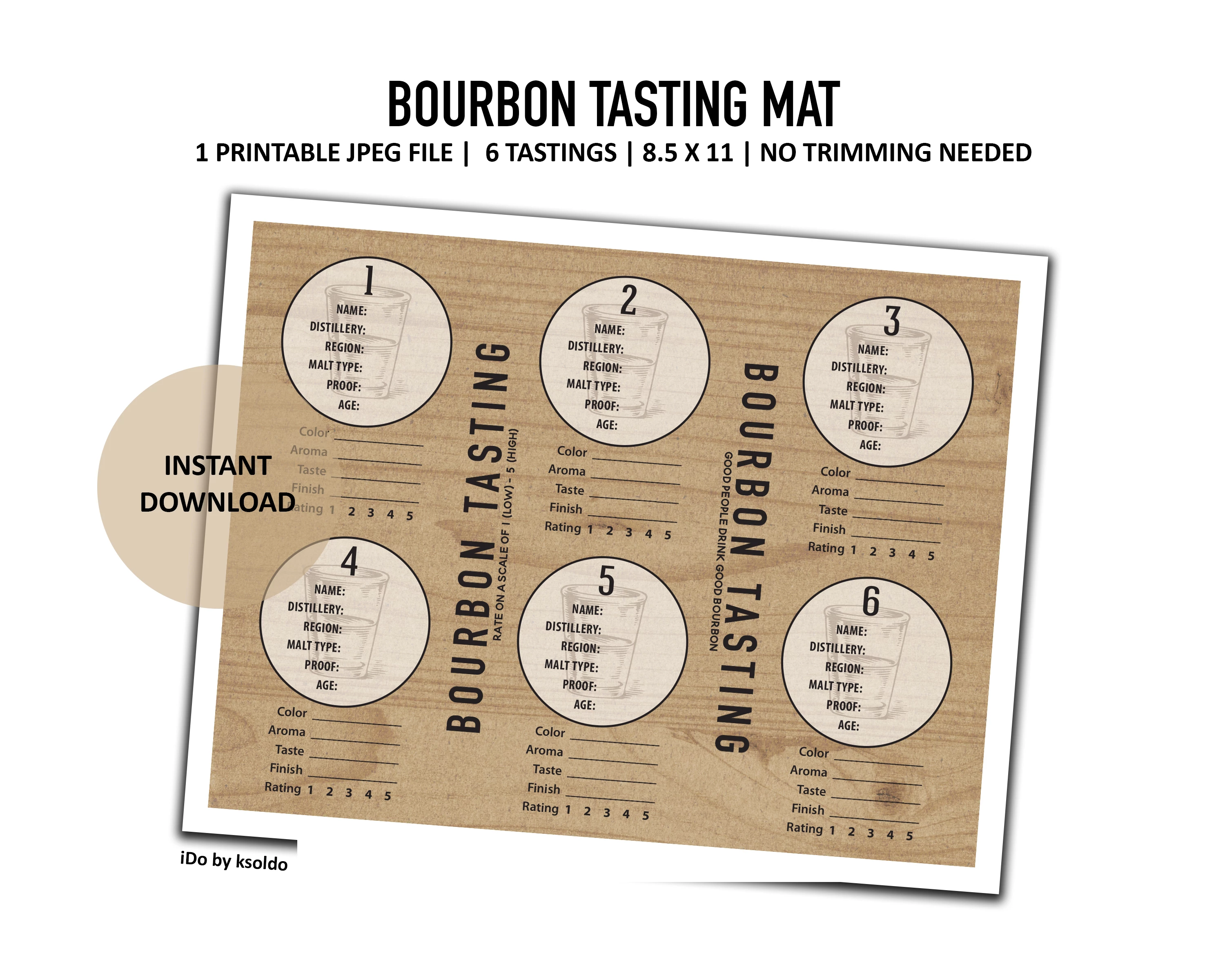
 AdChoices