

Answered
Photoshop - Save for Web (Legacy) - saving as CMYK color space
So hopefully this might be an easy one for some folks. I am opening a jpg already setup with a CMYK color space. When I go to save this image using Photoshop's Save for Web tool, it's saving all of my images as RGB. I thought the only thing I'd need to do in order to get around this was to uncheck 'Convert to sRGB' (since this has worked for other people).
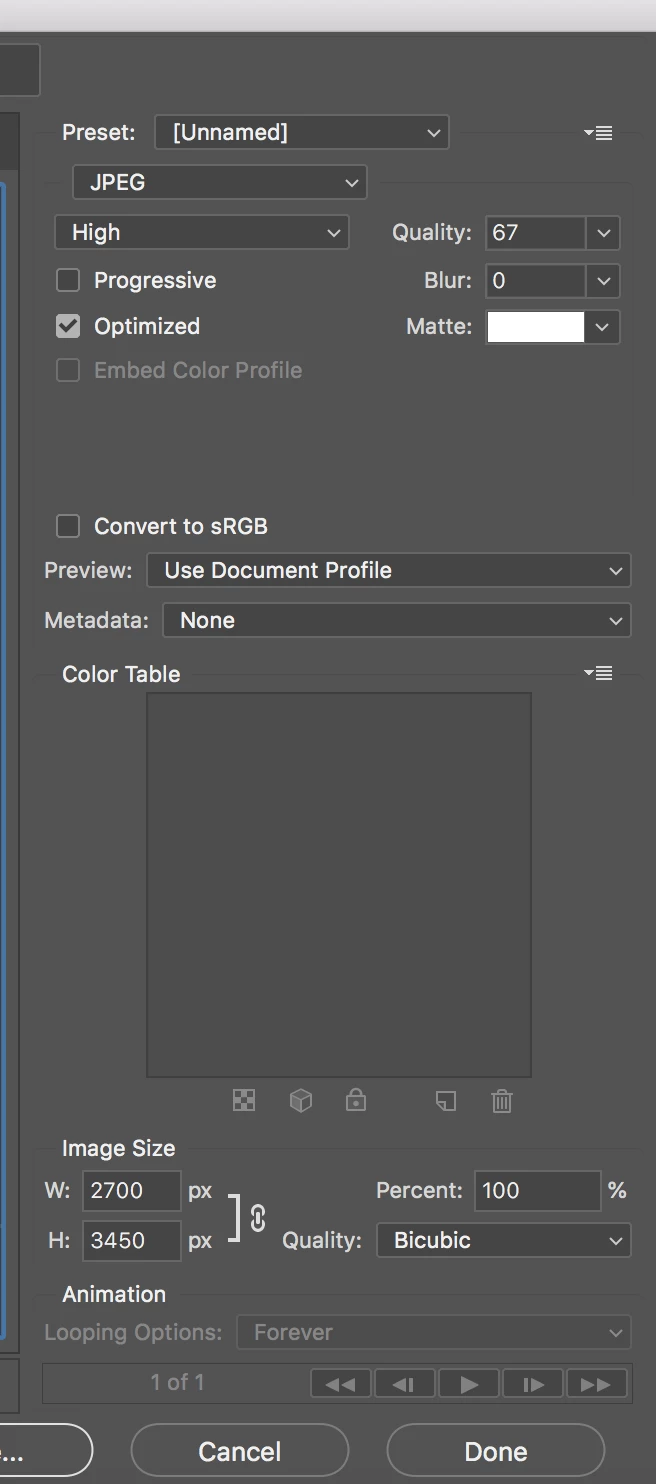
However everything is still coming out as RGB. I can verify that the color space of all the jpgs I open in Photoshop are indeed set to CMYK. Does anyone have any thoughts?
Thanks!
 AdChoices