
davidicusVR
Participant
September 5, 2017
Question

Photoshop text looks rough now--settings?

  • September 5, 2017
  • 2 replies
  • 1317 views

text used to look smoother at any zoom level. are there any settings i'm missing?

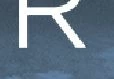
there appears to be roughness on anything vector; here's an example of a Smart Object from Illustrator:
Adobe Photoshop Version: 2017.1.1 20170425.r.252 2017/04/25:23:00:00 CL 1113967  x64

System architecture: Intel CPU Family:6, Model:13, Stepping:6 with MMX, SSE Integer, SSE FP, SSE2, SSE3, SSE4.1, SSE4.2, AVX, HyperThreading

Logical processor count: 12

Processor speed: 3302 MHz

Built-in memory: 32707 MB

Free memory: 2 MB

Memory available to Photoshop: 29479 MB

Memory used by Photoshop: 60 %

OpenGL Drawing: Enabled.

This topic has been closed for replies.

2 replies

JJMack
Community Expert
Community Expert
September 7, 2017

Photoshop image is not resized size when you zoom it just quickly scaled to an other different image your not viewing you actual image at any zoom level other then 100%. You know this so why are you upset if you know your actual image is good.

AI is a vector application from the ground up. Photoshop is not. How AI zooms is unknown to me.  I do not install it. I do not want to learn an other complex Adobe product.

AI is Adobe vector editing application I do not know inDesign. I do not care if their scaling is better than Photoshop's scaling.  I know how Photoshop scaling works and what I can expect from it.  It does not upset me. I want good performance.

Photoshop may change some day. With todays powerful GPU Photoshop may be able to scale quicly and do it better. And have two way to scale with and without GPU support.

CRT can do vectors LCd can not  You need a good numbet if pixels to have good text on a display.

JJMack
davidicusVR
Participant
September 7, 2017

it's great that you're satisfied. i don't work in print, so the viewability of these documents matters to me.
if anyone knows what "Font Preview: Medium" means (Help -> System Info) i'd appreciate it--wondering if a higher level would improve things, and how that's governed.

JJMack
Community Expert
Community Expert
September 7, 2017

If viewability matters work at 100% view and use a sufficient amount of pixels and a font that work well on displays at the size you want. Its your work created the way you expect it to be used.

JJMack
JJMack
Community Expert
Community Expert
September 6, 2017

Your problem most likely is related the the size and resolution of your document.  For good quality text you need to edit a high resolution print size document.

JJMack
davidicusVR
Participant
September 6, 2017

well, that first screenshot is over a thousand pixels wide in the document. should be plenty for detail and antialiasing purposes, but it's more about the display distortion. Photoshop used to render it smoothly at any zoom level for display. i should have noted that it exports and prints as you'd expect based on resolution.

JJMack
Community Expert
Community Expert
September 6, 2017

All we can see are the scale down  images the you posted. One is 455 pixels wide 77 pixels high with quite a bit of text the other 114 pixels wide with part of a large size character R.  Post the actual image so we can see the size and resolution you editing your document

A 1000 Px document wide would be good for a 3" wide print resolution document.

Photoshop zooms for performance not quality at some zoom percentages Photoshop scaling look awful.  You should only judge quality at 100% zoom when the images actual pixels are being displayed.

JJMack