bethl83526289
Participant
August 13, 2019
Question

Photoshop Transparency Background Showing Blue - Help!

  • August 13, 2019
  • 3 replies
  • 4018 views

Hi all,

I was hoping I could hive mind the Adobe forums to see if anyone understands the issue that I'm currently having (Photoshop CC v. 19.1.9)

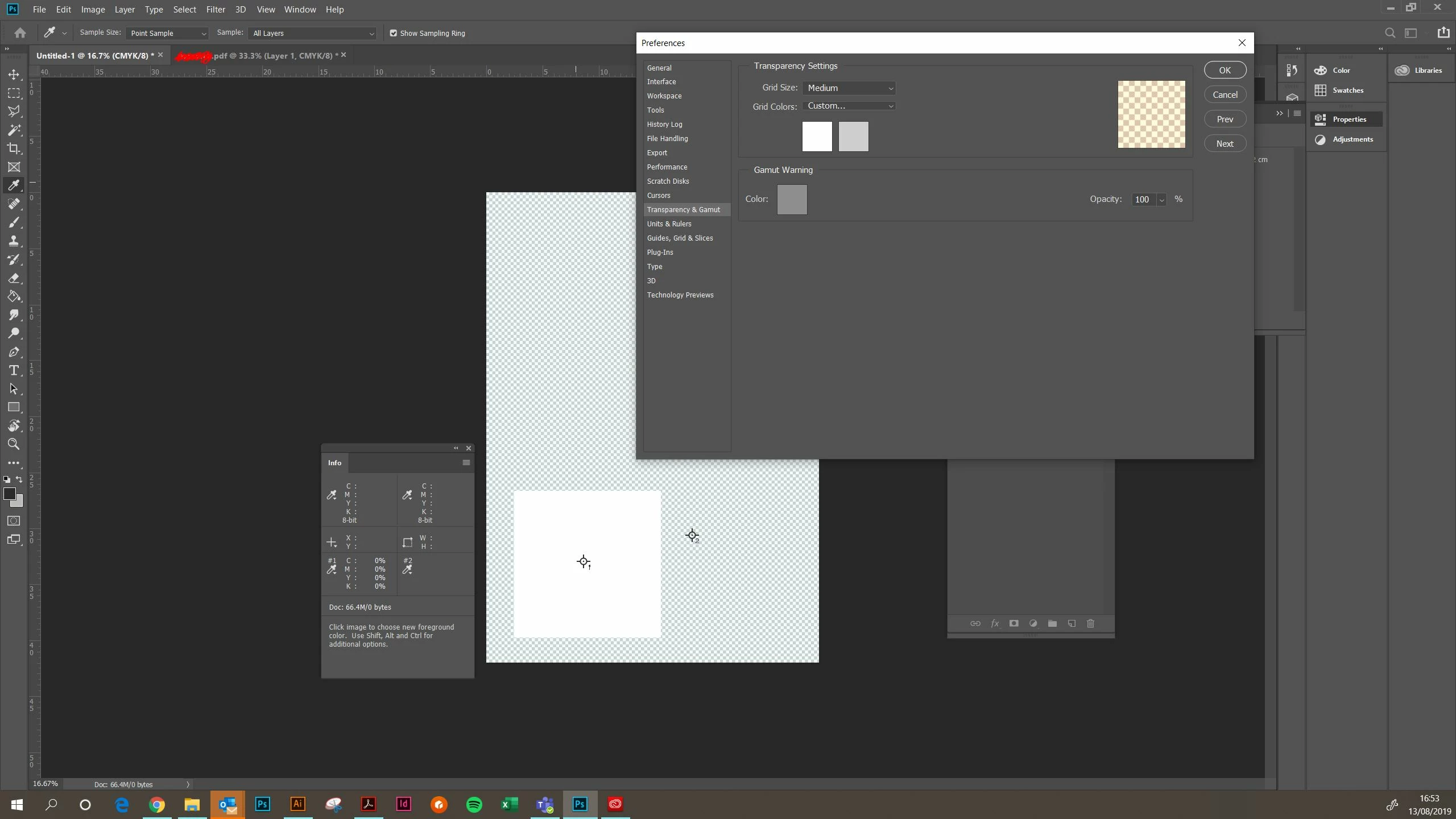
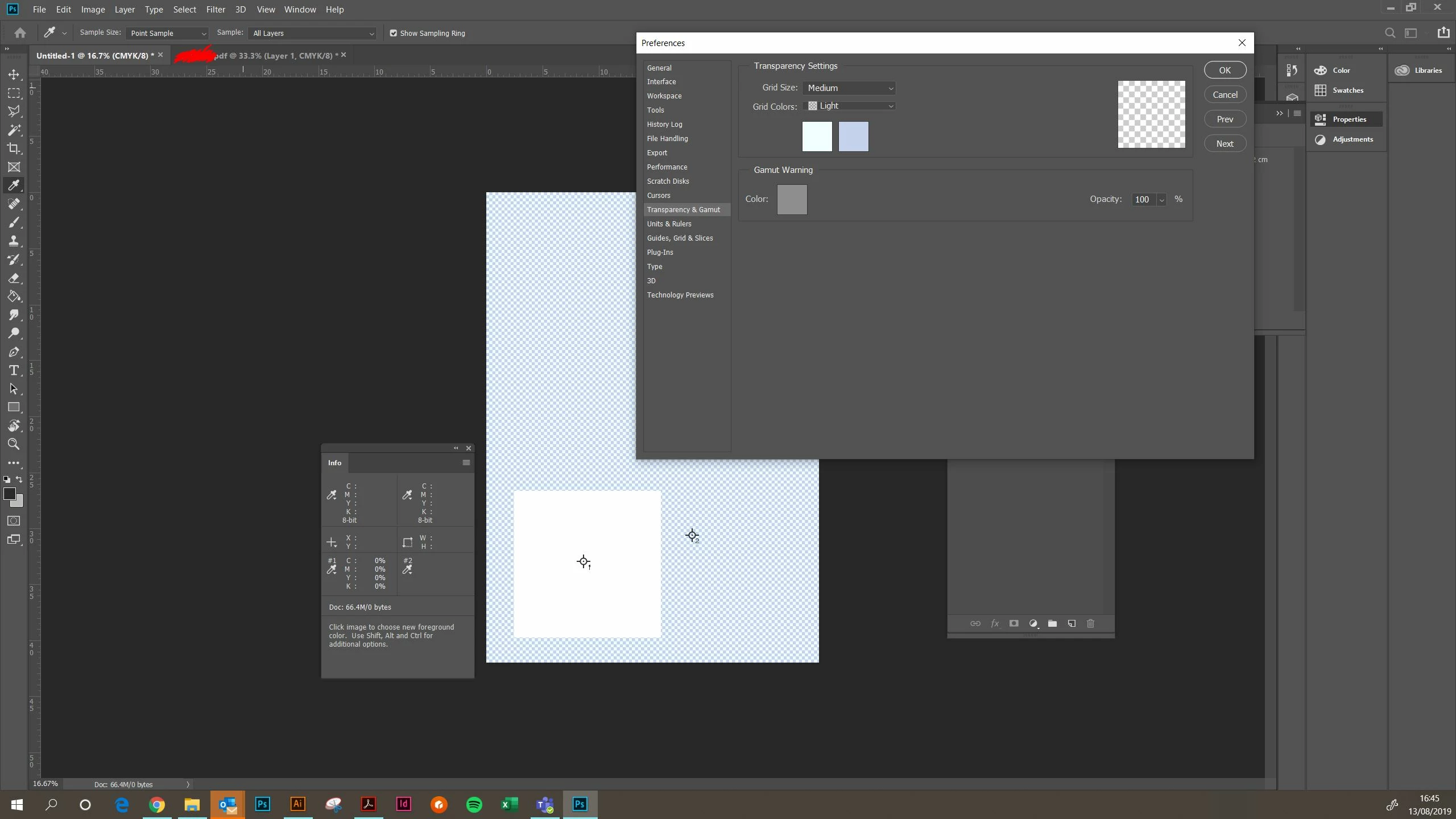
For some reason, my transparency background tiles are showing as shades of blue. When I go into Preferences > Transparency & Gamut the grid colours are showing as two shades of blue (although I swear when I first opened this preference box when having this issue it was showing as grey and white) yet the preview box shows as grey and white.

If I change the custom colour values to grey and white the preview shows yellow, and actual background goes a different shade of blue.

It doesn't seem to be affecting the colour values of other layers (eg. the white rectangle) although I was having issues yesterday with trying to use curves to make an image 100% K so not sure if that's related.

Please see below two screenshots of the variations of this issue.

Any advice is hugely appreciated

Beth
This topic has been closed for replies.

3 replies

zenginejulia
Participating Frequently
August 14, 2019

Hey,

simple suggestion from me: if possible change monitors and see if it's a hardware problem.

Mohammad.Harb
Community Expert
Community Expert
August 13, 2019

Make sure you have the most recent graphic card driver.

Also reset preferences:

edit -> preferences-> general

click on reset preferences on quit, then restart photoshop

Barb Binder
Community Expert
Community Expert
August 13, 2019

Hi Beth:

An easy fix should be to reset defaults in preferences. Be sure to save any custom brushes, presets, etc first.

~Barb

~Barb at Rocky Mountain Training
bethl83526289
Participant
August 13, 2019

Hi Barb,

A very sensible suggestion!

Alas I'm having the same issue even after resetting preferences

It's my work computer so I'm not sure about the graphic card driver but it's a relatively new PC and I've not had other issues

Barb Binder
Community Expert
Community Expert
August 13, 2019

Hmmm, then next I'd follow up on Mohammad's suggestion of checking the driver for your graphics card.

~Barb

~Barb at Rocky Mountain Training