

Participant
March 24, 2017
Answered

Pixelated text in Photoshop

  • March 24, 2017
  • 4 replies
  • 13551 views

Hello,

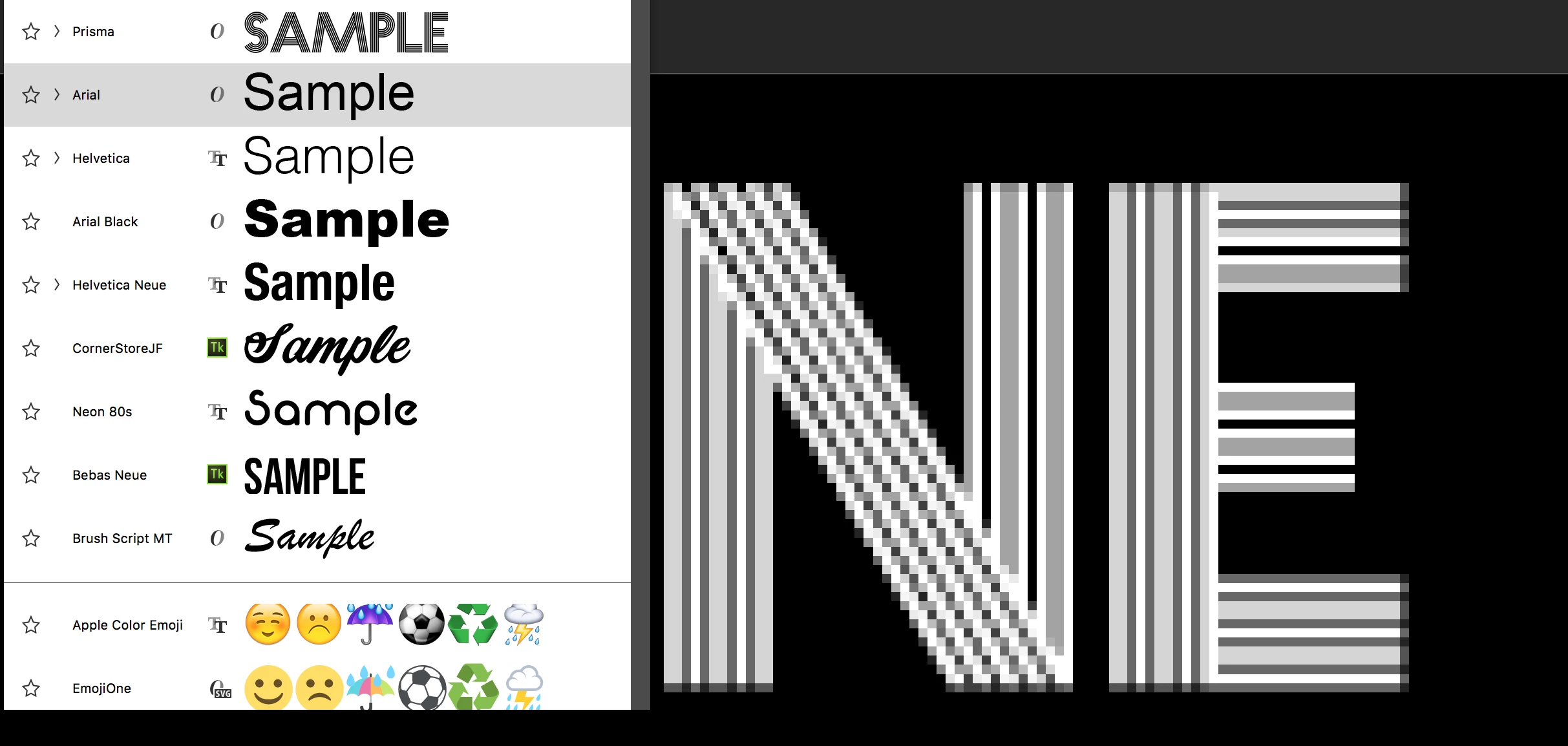
I've been using Photoshop for years now and have never had the problem of my text looking pixelated in 100% zoom. I've tried every setting on the anti-alias and have reset the tool. I just can't figure it out. I've attached a photo as an example. I'm using the font Prisma (at the top), but the text on the art board looks nothing like it. If anyone has information on how to remedy this I would appreciate it. I'm sure it's just a settings thing.
Thank you!!
This topic has been closed for replies.
Correct answer Trevor.Dennis

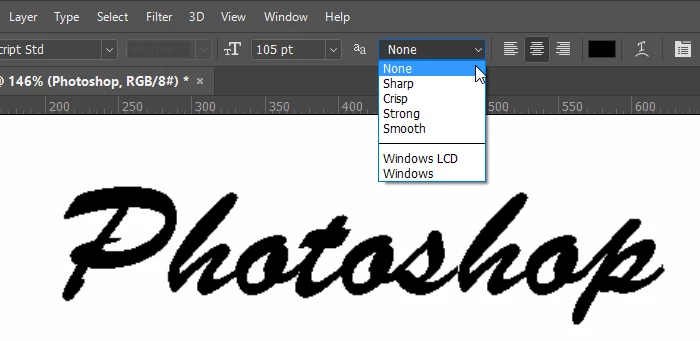
What have you got aa set to in the Options bar?  If ​None​ then that's the problem. Set to any of the other options and it will be fine

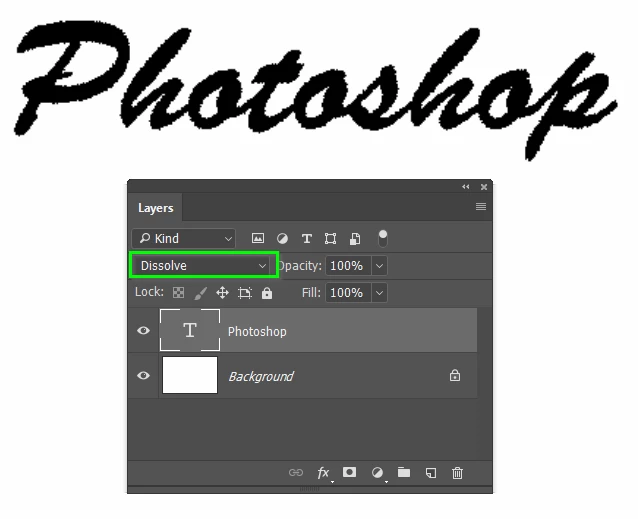
Also check layer blend mode.  Dissolve will produce a rough edged result like below

4 replies

splambo
Participating Frequently
March 31, 2021

Check that your Type units are set to pixels, Preferences > Units & Rulers > Type: Pixels


Check that antialiasing is not set to None, Type > Anti-alias > Crisp


In order to see the change, you may have to take a small action such as zooming in/out, creating a new text layer or close and reopen your file or photoshop.


Participant
June 22, 2017

I have severe pixelation only on text.  I have used the product for decades, it is not anti-aliasing. 

saeedalkarmi
Participating Frequently
March 24, 2017

Hi,

you are zooming too much on the image!!!!!

press CTRL+ALT+0 to set 100%

Trevor.Dennis
Community Expert
Trevor.DennisCommunity ExpertCorrect answer
Community Expert
March 24, 2017

What have you got aa set to in the Options bar?  If ​None​ then that's the problem. Set to any of the other options and it will be fine

Also check layer blend mode.  Dissolve will produce a rough edged result like below

Trevor.Dennis
Community Expert
Community Expert
March 24, 2017

Actually, forget what I have said above, because looking at your screen shot properly, it looks like you have the zoom ratio set crazy high.  What does it look like with zoom set to 100%