
Participating Frequently
November 12, 2017
Question

pixelation of png file/illustrator smart object in photoshop

  • November 12, 2017
  • 3 replies
  • 9978 views

I've created a logo in illustrator and need to place it into photoshop. I save the illustrator file as a png at 300 dpi and then place it in photoshop, but it is super pixelated and it almost seems worse when i scale it down.
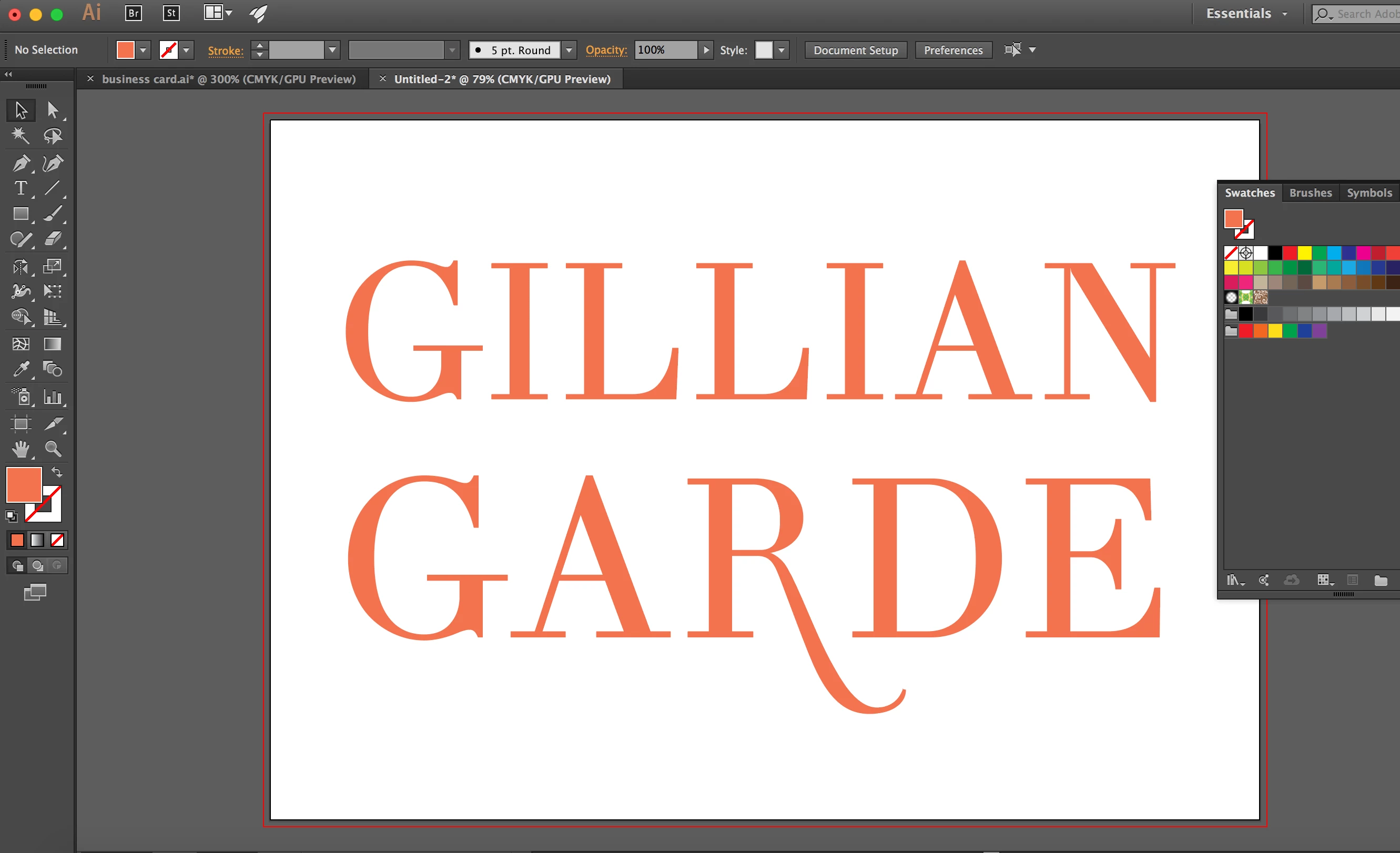
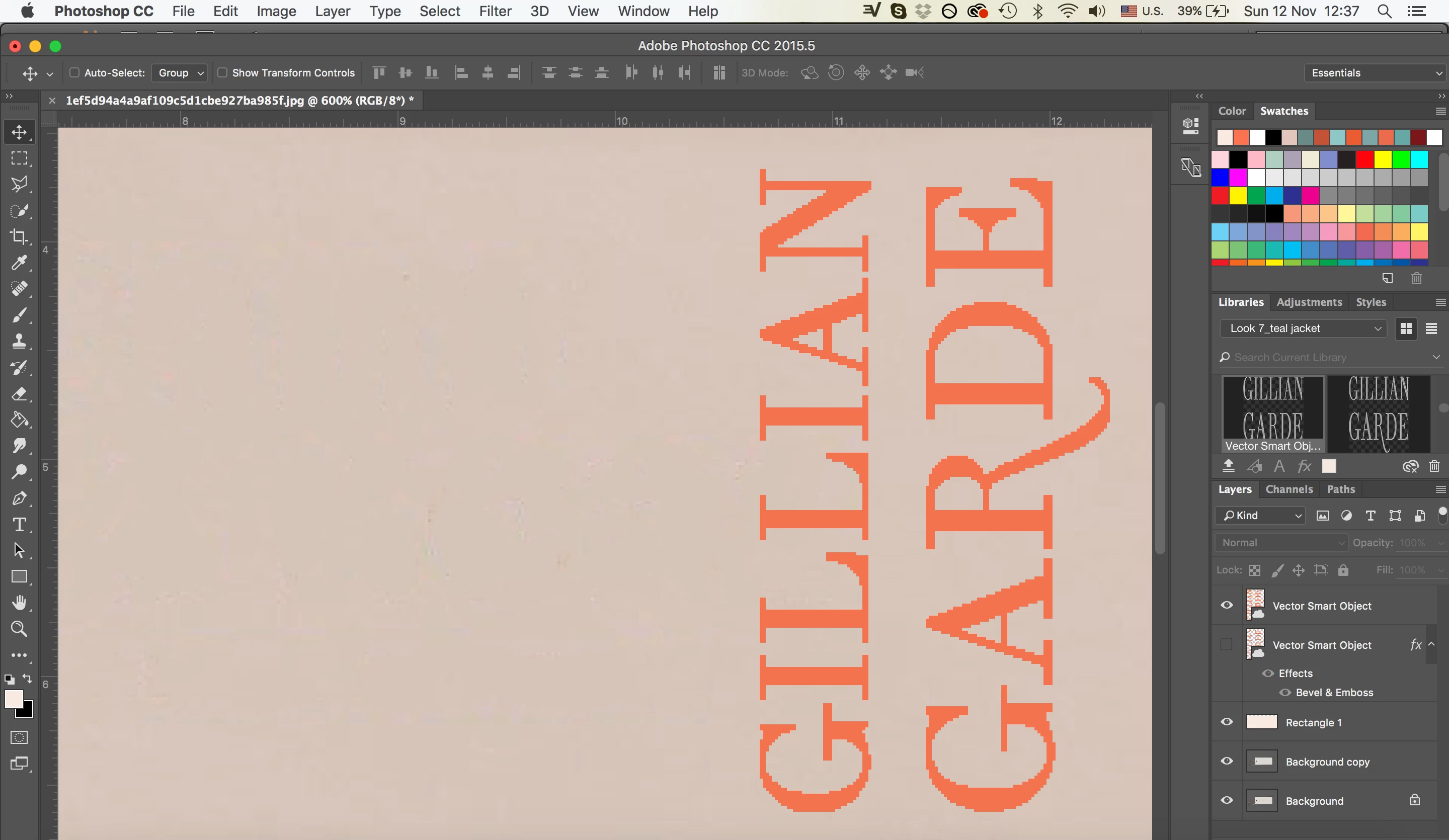
The same thing is happening when I paste it as a smart object/pixels etc.

Any advice would be greatly appreciated!!

This topic has been closed for replies.

3 replies

Participating Frequently
November 17, 2017

Hi, we are getting spotty jaggies on our imported graphics.

Method: Placing vector AI as a smart object into Photoshop CC

Notes: Anti-aliased is checked and we tested all the different preferences for image interpolation.

Anyone else getting this issue? We noticed it yesterday, so it's been going on for about 2 days. These graphics have been used before in the same workflow/setting without issue. Both programs are up to date. Changing viewing/preview mode doesn't seem to do anything. They're importing and exporting this way.

JJMack
Community Expert
Community Expert
November 12, 2017

If you place the AI or Illustrator SVG saved file they will be a vector smart object and Photoshop will scale then well. Other Photoshop smart object are scaled by interpolating the pixels rendered for the smart object when you place them in.  If you place in a small image it will contain a small number of pixels when Photoshop renders the object these will not scale up well.

If you scale your AI image up in size in AI and  save a very Large PNG file that image will contain many pixels and will scale down in size well in Photoshop.   Scaling many pixels down in number  will lose some image quality you will loose some details but work well.   Scaling up a small number pixels to many pixels will not work well to much detail needs to be created the image will become soft and pixelated.

JJMack
rayek.elfin
Legend
November 12, 2017

Place the Illustrator file (not a PNG!) as a smart object instead. Keep it vector and avoid exporting as a PNG. You are probably exporting a low resolution PNG file set at a high ppi. But ppi is merely a relative value, not an absolute one. Always check the pixel dimensions.

Participating Frequently
November 12, 2017

thanks for your response.

I already did that and it is still pixelated.

rayek.elfin
Legend
November 12, 2017

It would be handy if you could share a PSD sample file for us to examine (via DropBox, for example).