Participant
June 3, 2019
Question

Polygonal Lasso Tool with Feather - Not Working

  • June 3, 2019
  • 4 replies
  • 1156 views

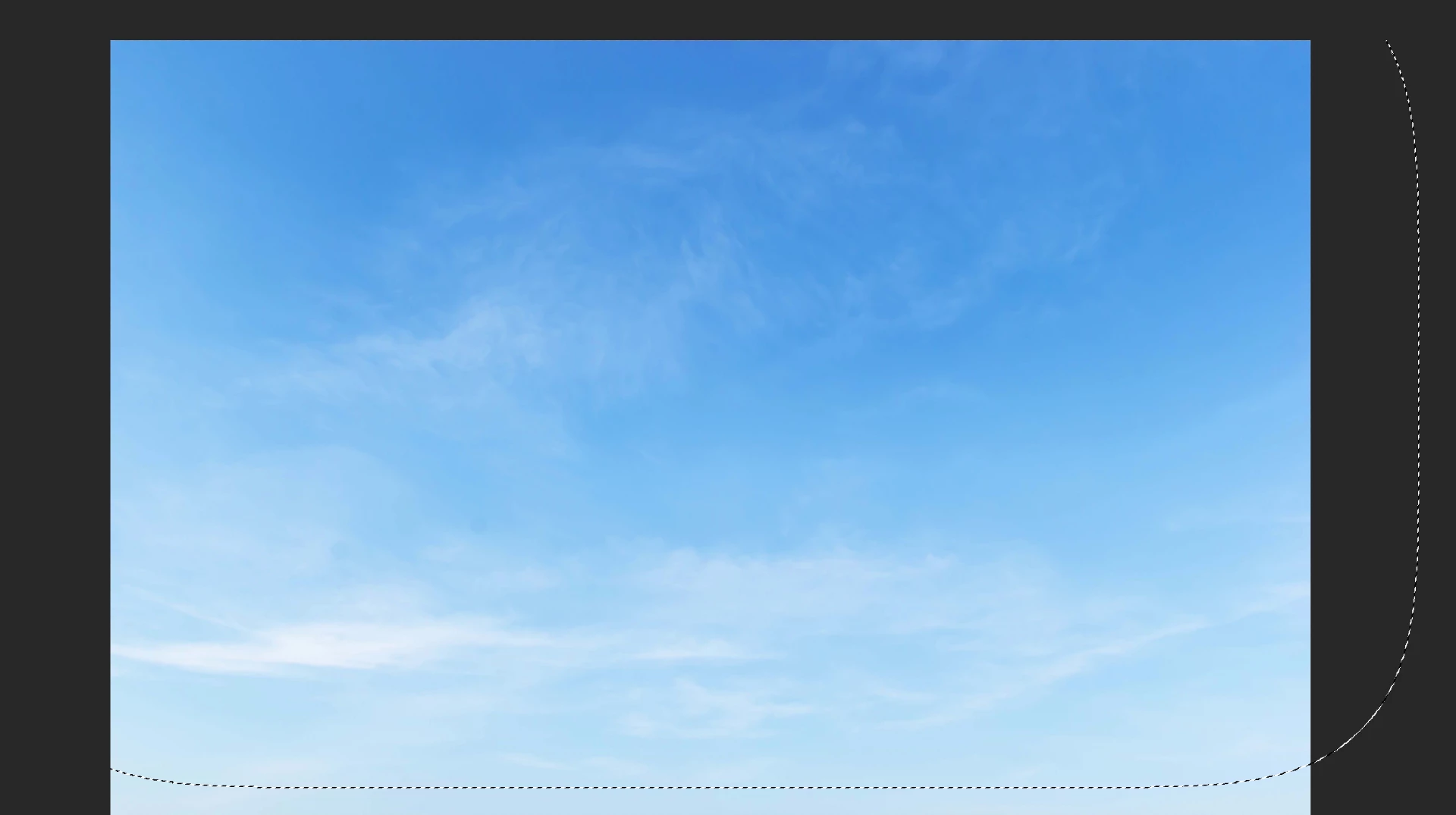
When I select an image with the Polygonal Lasso Tool with Feather of 150 px, it only shows the selection at the bottom and right side. Is this a glitch? (See Image Below)

Thanks!
This topic has been closed for replies.

4 replies

Jeff Arola
Community Expert
Community Expert
June 4, 2019

Some similar posts:

Re: Show selection outside canvas?

Photoshop: Selection not visible outside canvas size | Photoshop Family Customer Community

What is lacking in these posts is any comment from adobe that change in photoshop was actually made on purpose or inadvertently.

c.pfaffenbichler
Community Expert
Community Expert
June 3, 2019

If I create a Selection with the Rectangular Selection Tool, then move it partially off-canvas the same thing happens for me.

jonmcd , why are you creating a feathered Selection anyway?

If it’s for use as a Layer Mask one can apply a Feather in the Properties Panel non-destructively or, if that isn’t enough, apply Filters.

JonMcDAuthor
Participant
June 3, 2019

I'm creating a composite image - adding sky to another image.

Thanks!

c.pfaffenbichler
Community Expert
Community Expert
June 3, 2019

What is the Selection good for then?

Placing the sky as a Smart Object on the other image and applying a Layer Mask to it might be advantageous.

Community Expert
June 3, 2019

Are you making a selection that goes beyond the left and top edge of the image? If this is the case, it could be that you're too zoomed in to see the other edges of the selection. Try zoom out.

If it's still not working, can you give a screenshot that shows a more zoomed out part of the image and show where the edge of the selection should be.

JonMcDAuthor
Participant
June 3, 2019

Yes, I use the Polygonal Lasso Tool outside the image. I zoomed out and it's not showing the top and left side of the selection.

(See Image Below)

Thanks!

June 3, 2019

Hi

Try setting the Drawing Mode to Basic in Advanced Settings and restarting Photoshop to see if that helps

c.pfaffenbichler
Community Expert
Community Expert
June 3, 2019

The behaviour appears to be consistent for Selections regardless of feathering; display of Selection boundaries that are off-canvas are clipped left- and top-side.
