
Charismatic_parent5D66
Participant
March 3, 2019
Question

Possible to create Prequel's twinkle light flare effect?

  • March 3, 2019
  • 4 replies
  • 4035 views

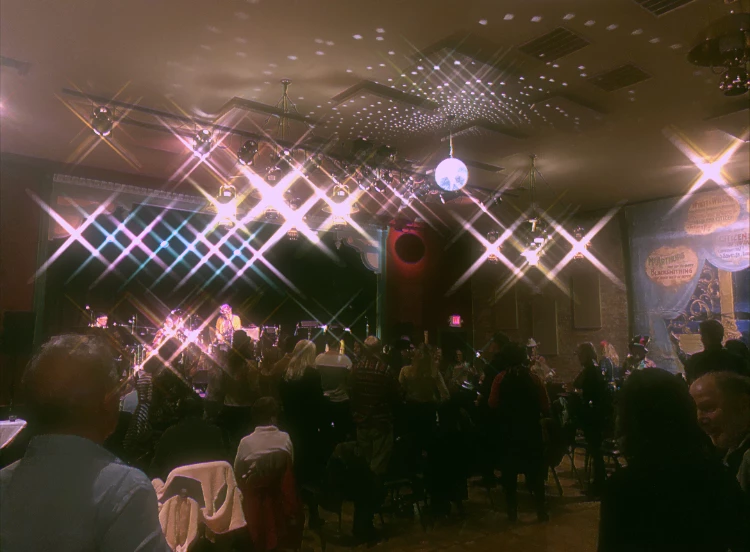
I recently downloaded the iPhone app Prequel and am wondering if it is possible to re-create the "Stellar" and "Mia" effects in Photoshop? The effects both do basically the same thing, but with different colors/intensities. They make all points of bright light flare out into a twinkly "x" shape. I can't figure out any way to do this besides going in and creating the x's one by one, but the app generates them automatically. Any ideas?
This topic has been closed for replies.

4 replies

KShinabery212
Community Expert
Community Expert
March 4, 2019

I agree.  I think using a custom brush would help you out.

Just make sure you tweak the brush slightly for each light.  Or make sure you download a pack of custom brushes.  As every light should be slightly different.  Not by much... but just enough to make it more realistic looking.

Let's connect on LinkedIn. https://www.linkedin.com/in/kshinabery/
Trevor.Dennis
Community Expert
Community Expert
March 4, 2019

If we are talking brushes, then see if you can find the 'Flare brushes by Karl S2'

They used  to be my goto flare  brushes before Starfilter Pro.   I've just had a wee hunt for it and couldn't find it,  but I'll email the abr file to anyone who PMs me their email address.   It would be easy to create those presets from scratch now  I look at them.

Chuck Uebele
Community Expert
Community Expert
March 3, 2019

There are ways to do this in PS manually with a lot of effort, or you could buy Star Filter Pro. It's a great plugin to create star effects with lots of ways to tweak the results.

https://prodigitalsoftware.com/StarFilterPro4.html

Trevor.Dennis
Community Expert
Community Expert
March 4, 2019

Plus one for Star Filter Pro.  The more I use it, the more I like it.  It is completely reliable, has a great UI, and produces the best star effects I know of.  If you want a single star in a particular point, fill a new layer with black, and set it to any of the lighten blend modes.  Stamp a tiny white dot where you want the effect centered, and run SFP.

jane-e
Community Expert
Community Expert
March 4, 2019

Trevor.Dennis  wrote

Plus one for Star Filter Pro. 

Three people have mentioned Star Filter Pro, and I have heard great things about it, but it should also be mentioned somewhere in this thread that it is Windows only.

~ Jane

davescm
Community Expert
Community Expert
March 3, 2019

Hi

You can create a brush to do that or use a fading brush stroke with brush symmetry.

However, for a more automated approach across an image I would recommend the StarFilter Pro 4 plug in from Pro Digital Software. It offers excellent control over multiple star effects.

Dave

Nancy OShea
Community Expert
Community Expert
March 3, 2019

Watch this video on creating a custom sparkles brush.

Nancy O'Shea— Product User & Community Expert