

PS increases digital file size (kb , mb) ?
Excuse basic question. I'm seeking clarity on file sizes in photoshop. The digital file size, in KB or MB. I need to optimise images for web delivery. All I want to do is open an image and reduce file size by reducing quality.
If I open an image in PS (CC) that multiple apps in windows tell me is 250 kb file size, PS tells me the image is much larger. What is going on?
Example -
File size via windows -

Same file via filezilla

At this point I believe image to be c. 280 kb .
Open same image in PS and PS tells me -
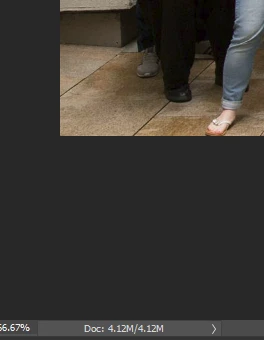
'Document size' is 4.12M
This 'M' I understand to be size of paper required to print image. Where can I see the info that tells me the file size of the image in kb? Adobe 'help' pages say -
"You can view the file size information for an image at the bottom of the application window." - Photoshop image size and resolution and that article refers to digital (file) sizes. But this appears to be fantasy.
To reduce size I select File > Export > Export as . PS reports the image to be 765.1 kb

Somehow the image has tripled in file size even though I made no changes to image. Exported with no changes it's 750kb -

The legacy 'export for web' does the same. Reducing image quality via 'export as' to get back to the original file size gives very poor quality , much worse than the original image.
Surely this is basic workflow, why is PS increasing the file size? What basic insight am I missing here?
Any clarification would be much appreciated. thanks.
 AdChoices