
Participant
June 6, 2017
Answered

Quick Select can't find edges and selects everything.

  • June 6, 2017
  • 2 replies
  • 1678 views

I thought I was getting the hang of Select and Mask until a few minutes ago. I used Select and Mask on one image successfully and then went back and added a tiny bit of blur to a face. No problem. Then I closed that file and opened a new one to do the same thing. Now Quick Select doesn't seem to be able to recognize edges anymore. When I pull the brush down from the top of the image to the left side it highlights background, hair, face and all just like it was a solid fill. If I pull down a tiny bit farther it selects the entire canvas. I've tried clicking options on and off to see if one is causing the problem but QS still acts the same. I've deleted all the layers except the original and the background in case that was the problem. I even tried starting over from scratch but I got the same result. I can't figure out what I've changed that is wrecking Quick Select.
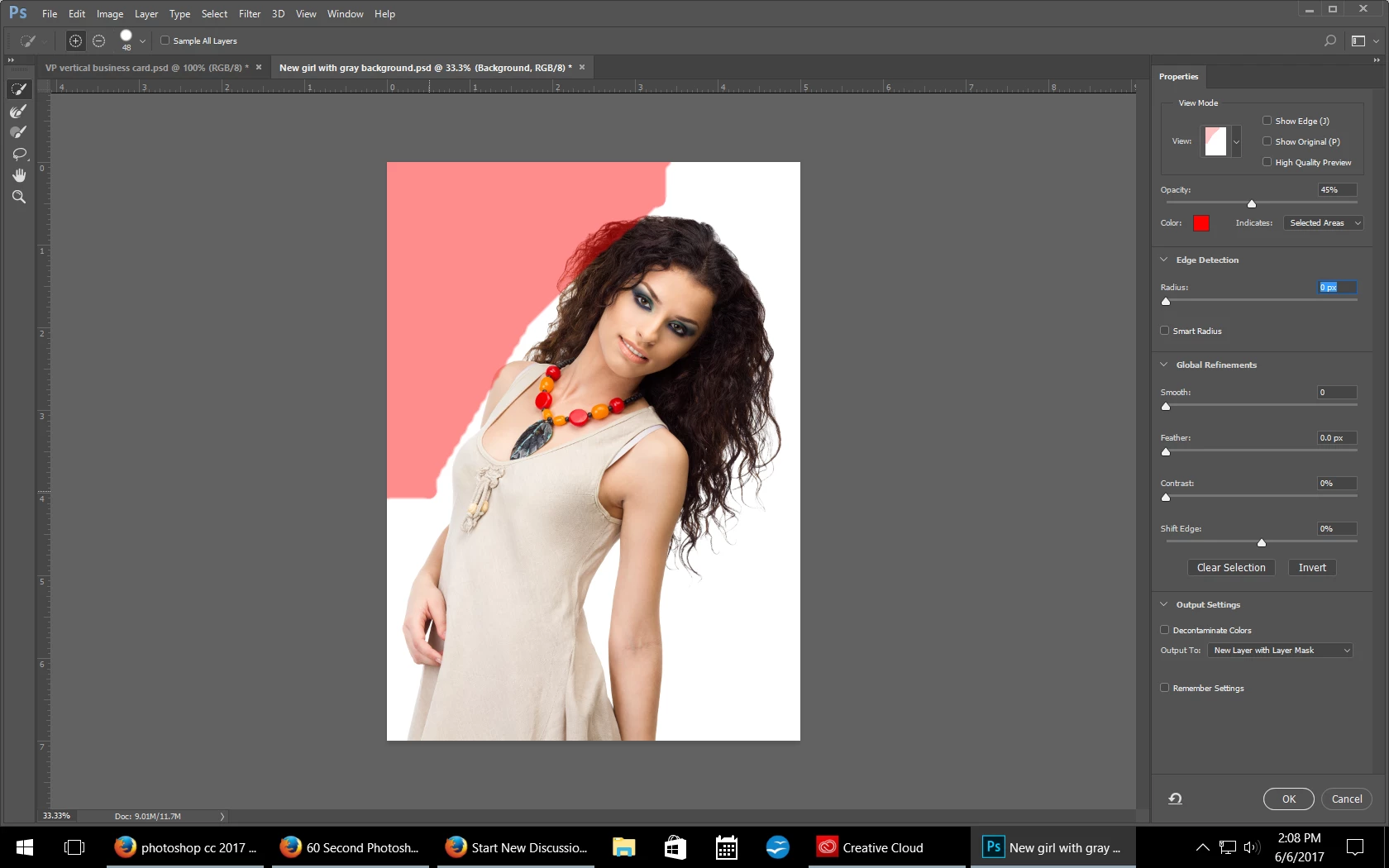
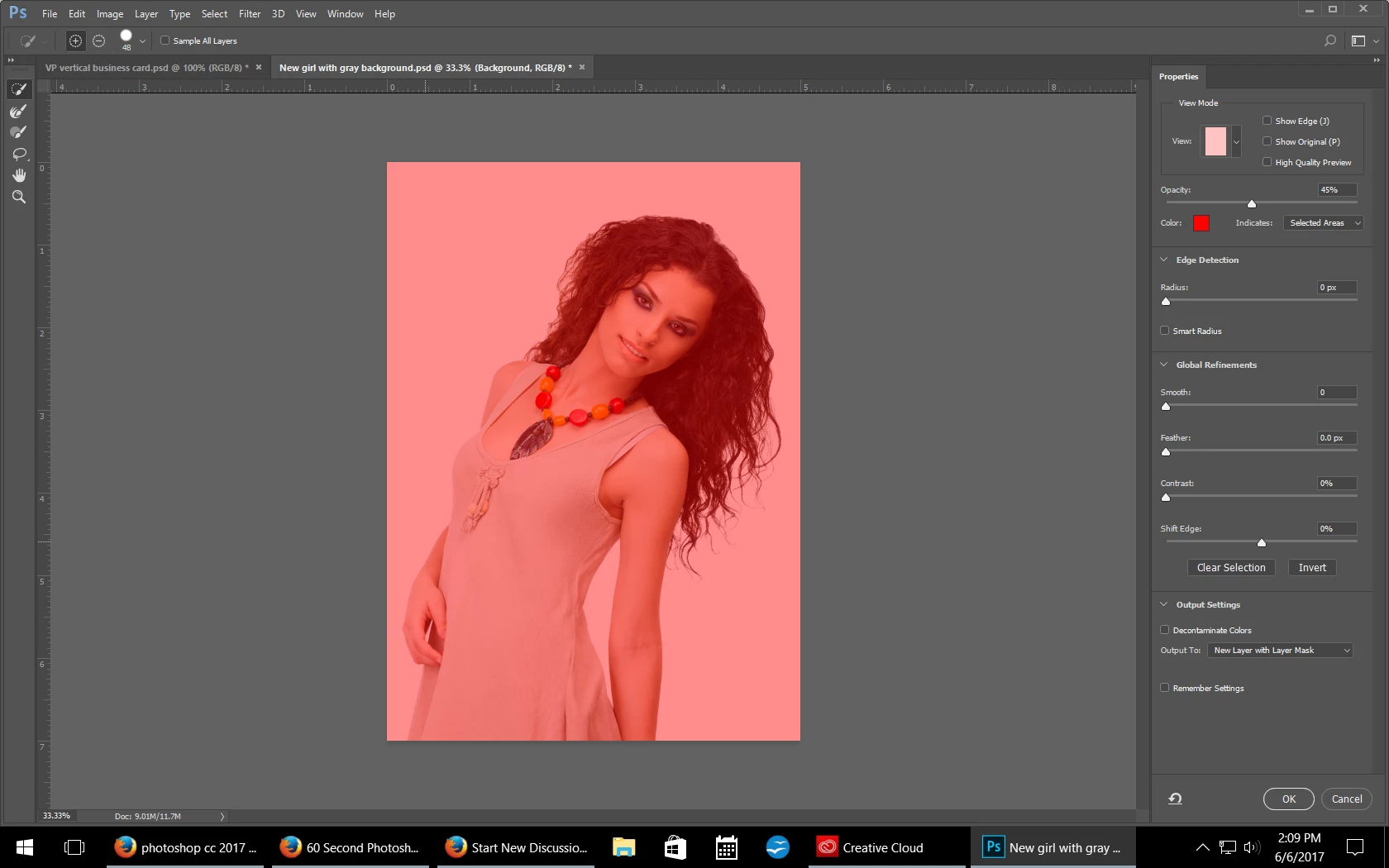
Can you see what I'm doing wrong?

    This topic has been closed for replies.
    Correct answer davescm

    It sounds like you had  the background layer selected before entering Select and Mask

    Dave

    2 replies

    davescm
    Community Expert
    Community Expert
    June 6, 2017

    Hi

    Are you working on the layer with the girl ? I ask as the small preview at the top right seems to indicate an empty layer?

    Dave

    JJMack
    Community Expert
    Community Expert
    June 6, 2017

    Without being able to see you layer palette we can not see what layer is currently targeted or what you document layer stack looks like.  So we have no Idea of what you quick selection tool is selecting in your layered document you opened from a psd file.  We can not see what your doing wrong either.

    JJMack
    Participant
    June 6, 2017

    I only have the image layer and the background layer. But I just tried to Quick Select again and it worked. I have no idea why it wasn't working before. I'm just glad it's doing what its supposed to. Thanks for looking.

    davescm
    Community Expert
    davescmCommunity ExpertCorrect answer
    Community Expert
    June 6, 2017

    It sounds like you had  the background layer selected before entering Select and Mask

    Dave