

octane7
Participant
November 19, 2019
Question

random variable pattern

  • November 19, 2019
  • 3 replies
  • 619 views

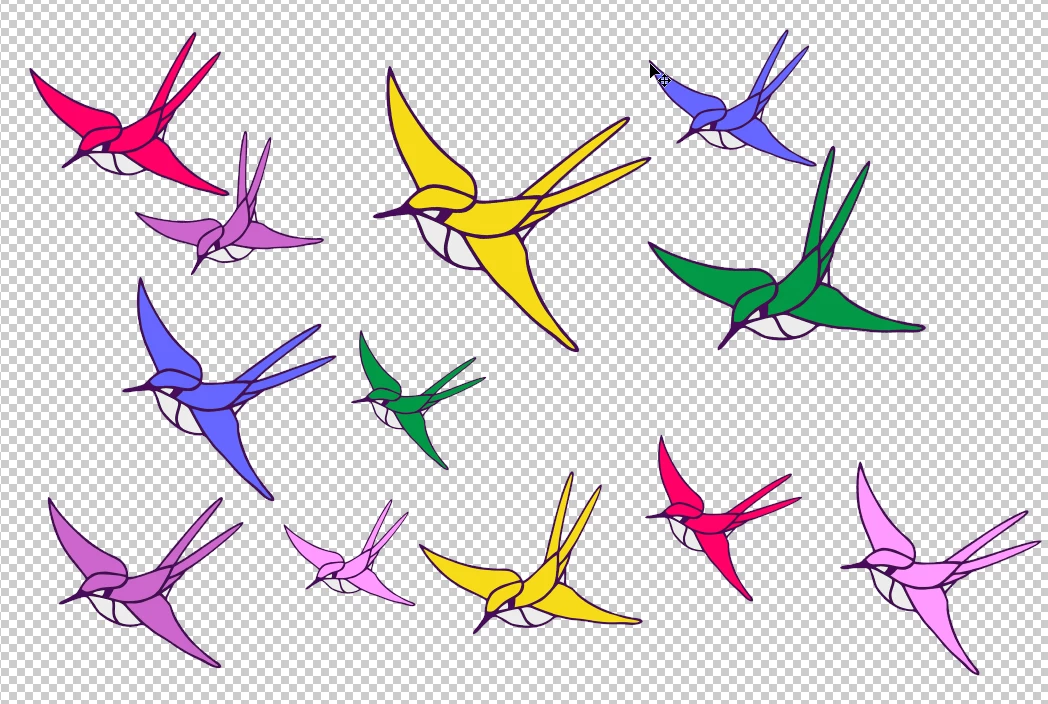
Goodday, could anyone advise me how to make a random pattern in Photoshop, based on a few (free standing) images, a kind of random pattern, where the size and location of each image differs and where the do not overlap. This has to be possible in Photoshop; also in Corel Painter, but Painter is way too complex for incidental users. Thanks in advance for your help .

Here an idea of what I need and want:
 

This topic has been closed for replies.

3 replies

PECourtejoie
Community Expert
Community Expert
November 27, 2019

Hello, try this random scatter script: https://www.textures.com/photoshop-scatter-script.html

JJMack
Community Expert
Community Expert
November 19, 2019


JJMack
octane7
octane7Author
Participant
November 27, 2019

Thank you, very interesting and clear video.
A bit difficult to apply to my pattern, but I created a tile with a few birds and that image I converted into a pattern with the method shown in the video.

Chuck Uebele
Community Expert
Community Expert
November 19, 2019

There is not really something that can do that easily in Photoshop. The scripted fill has a random feature, but it only allows one pattern, and you will get overlaps, unless you modify the script to record where the images are placed. You can also do this with a script with multiple images, but again, having them not overlap can be tricky.

PECourtejoie
Community Expert
Community Expert
November 27, 2019

Chuck I did contact the creator of the scripted fills, asking for exactly the same function, input of different images.

Chuck Uebele
Community Expert
Community Expert
November 27, 2019