



Reducing Drag Between Hand & Tablet ???
I started thinking about this when seeing people with those SmudgeGuard gloves which look like this, but there are lots of people offering similar products from as little as $7 right up to someone who paid £37 in the UK!
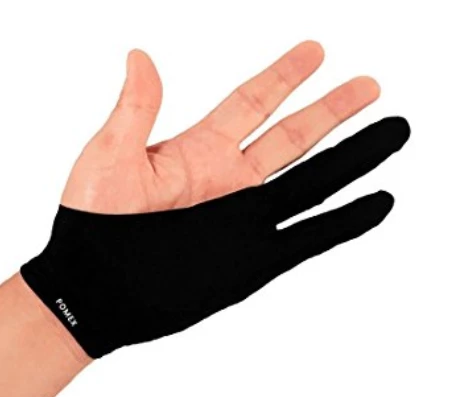
There is no doubt that I get drag moving my hand across the tablet, and I really think it can compromise your brush strokes. I try to keep my Intuos 4 clean, and even use furniture polish. Strangely it seems to work better on the slightly textured edges of the tablet, then the smooth drawing area. I have to say my tablet is _very_ worn though. I don't use those stick on protectors, but only because I don't have any.
So I tried making a two fingered glove, and while it definitely improved drag, I hated that my hand was that little bit further from the tablet surface. Probably due to my cutting up one of those knitted gardening gloves (If my wife finds it I'm toast  ) It also felt horrible when hitting keyboard shortcuts, and the mouse. The purpose made gloves are made from Lycra, so I'm guessing they are much thinner.
I also tried a strip of kitchen paper towel on the tablet, which worked perfectly, and was not as hard to hit with my hand each time I used the table, but not ideal. So I am thinking of s sticky plaster from the first aid box, on the edge of my right hand, but it needs to be the old cloth type and not the plastic Bandaid — to be fair I have not tried that yet, and I am struggling with a weird mind picture of Bob Geldof stuck to my hand, and I'm going to have 'Do They Know It's Christmas' buzzing in my head for the next few hours.
I've tried rotating my hand a bit, so it rests on the middle knuckle of my little finger, and that kind of works, but is going to take forever to get used to
So does anyone use a SmudgeGuard type product, and has it changed your life? Or do you have any other tips on reducing hand/tablet drag? This crucial stuff guys, so give it serious thought. 
 AdChoices