
Reducing file to 5 MB
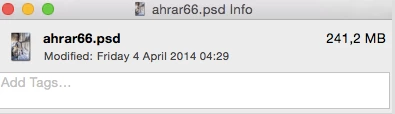
Hi, my files are, let's take one, approx 4000 pixels width, sadly I need to upload to a site that takes max 5 MB per file, image size window says 120M, info panel (control click on file name) says 241 MB, the latter is - I think - only available to Mac users. Adobe (will correct me if I am wrong) said that the latter is the true MB.
Is there a shortcut to figure out the new width? I googled and they said to experiment, that is what I am trying to avoid, because I am not in a hurry.
The percentage field in Save for web is intriguing and I think is made for that, but how do I use it?
Also if the file will upload with a '5" in the image size window (pixel dimension) I will have to reduce less, I suppose.
Also I remember I have to check Constrain proportions and Resample image, uncheck Scale styles.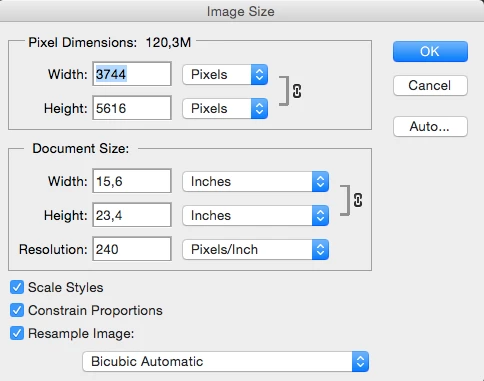
 AdChoices