Hi
I masked that using the following steps
1. I opened Select and mask and made a selection of the bird using the quick select tool
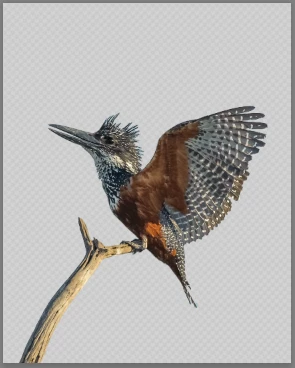
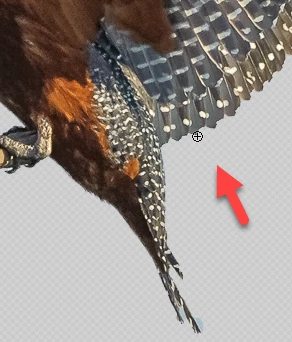
2. I switched to the refine edge brush and zoomed to 100% . I set the brush to 10 pixels, 1 % spacing and 100% hardness. In edge options I used radius 0px and left smart radius unchecked
I then brushed around the soft edges only - I top of the head the tips of the wings and the tail. Keeping the brush half on the wanted and half on the unwanted areas.
I did not use the refine edge brush on the "sharp" edges such as the top of the wings and beak at all
3. I set the output settings as below and clicked OK. Note I did not check decontaminate colors.
4. I added an empty layer above the masked bird and set its blending mode to color. I then Alt clicked on the boundary so that the layer is clipped to the layer below (as indicated by the small down arrow)
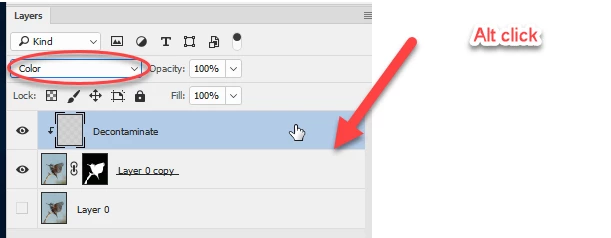
5. I selected a soft brush and picked up colour from the bird and brushed just around the edges. To pick up colour Alt click with the brush
6. If you need to tidy any tiny areas of mask just brush with black or white directly on the mask.
I have added a white color fill below just to show the result:
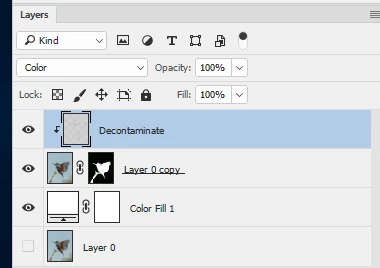
Click to view at 100%
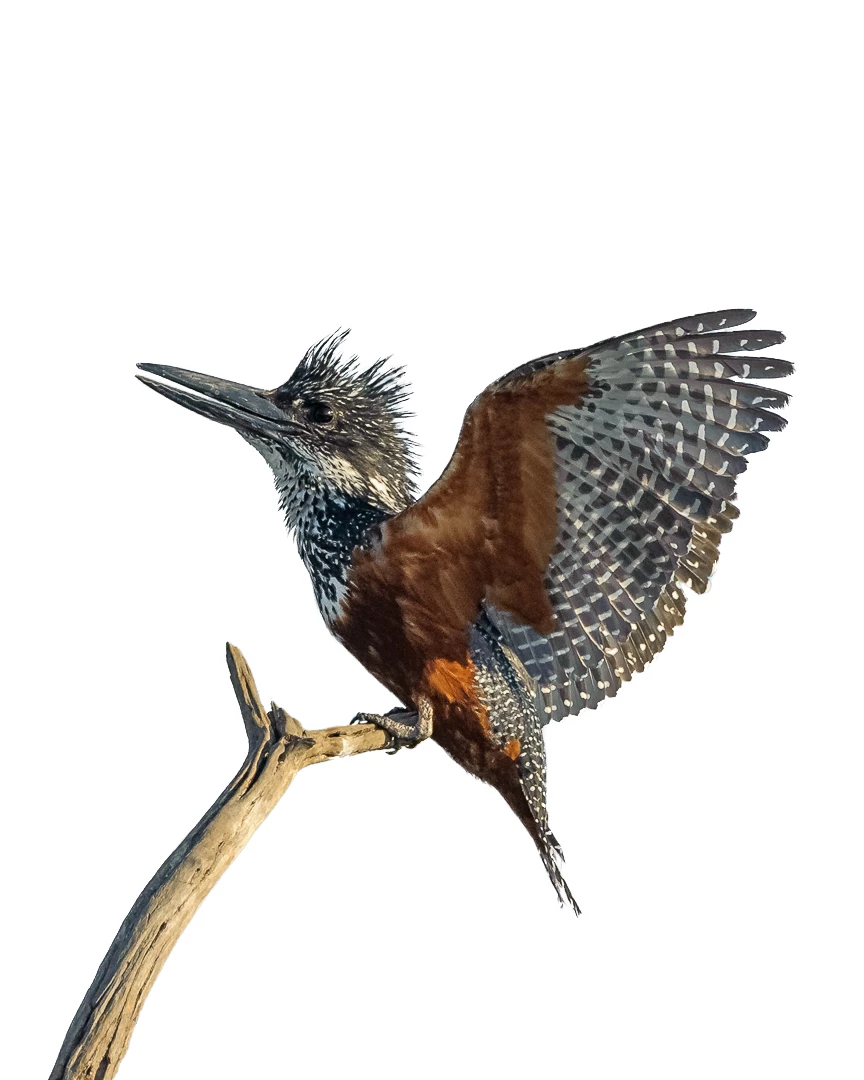
I hope that helps you
Dave
Many thanks Dave for your comprehensive and quick response.

 AdChoices