

Refine Edge Tool not working after update
I have been using the refine edge tool for a while now without problem. But after the recent update, it is not working the way it used to. How can I fix it?
Now, the (+) refine edge tool doesn't add to the edge (such as on hair) but takes away everything, leaving gaping holes.
I know it's not a computer problem, because, as I said before, I have been using the tool for a while now, and it works fine.
On a related note, the "old" refine edge tool (Select > [Hold Shift] Select and Mask) works fine... I would like like access to some of the features in the new Select and Mask workflow screen...
Any ideas?
After Photoshop automatic "Select and mask"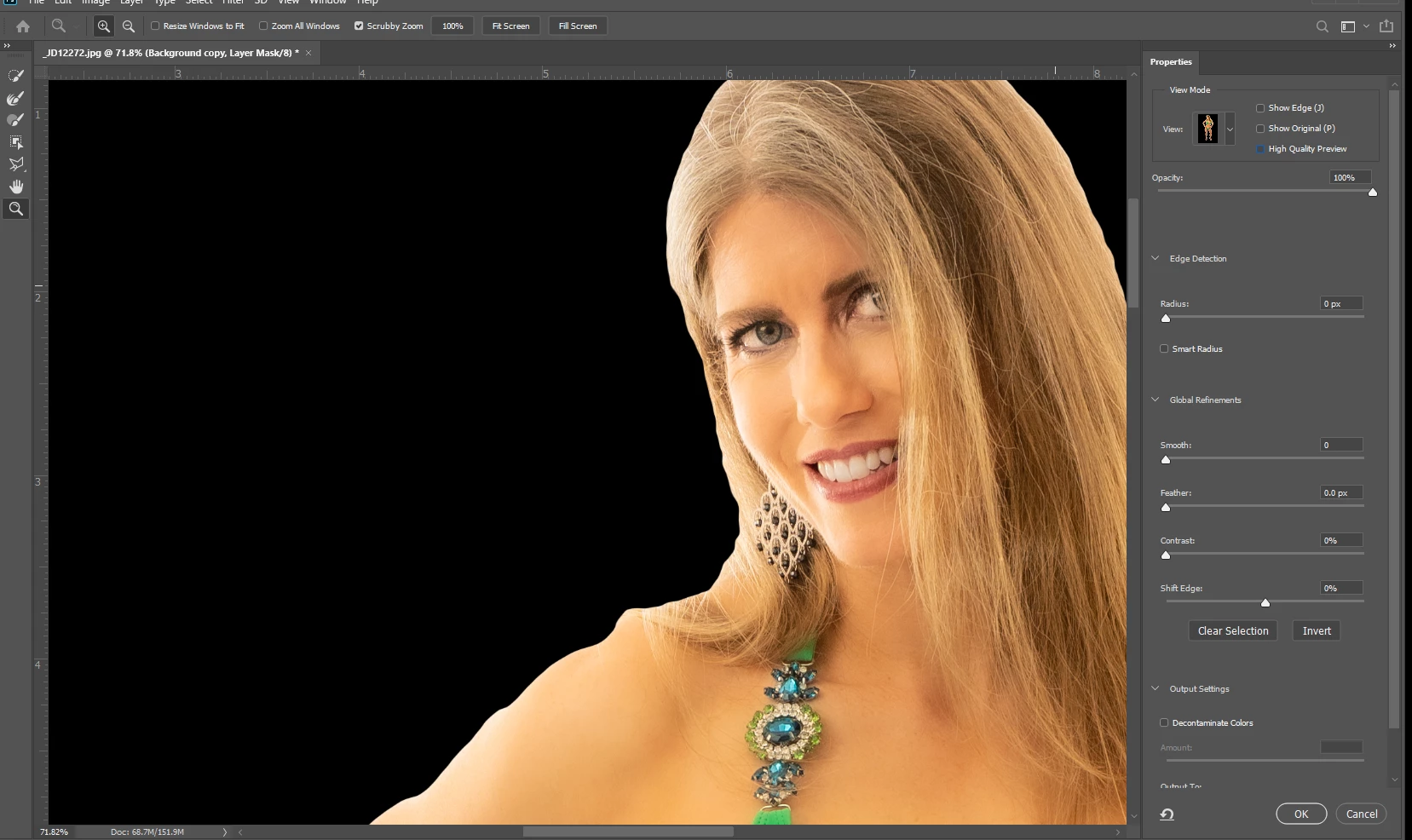
After using the (+) Refine Edge brush a bit on the model's hair... Rather than add hair to her, it started to take away hair and eat away at her face.
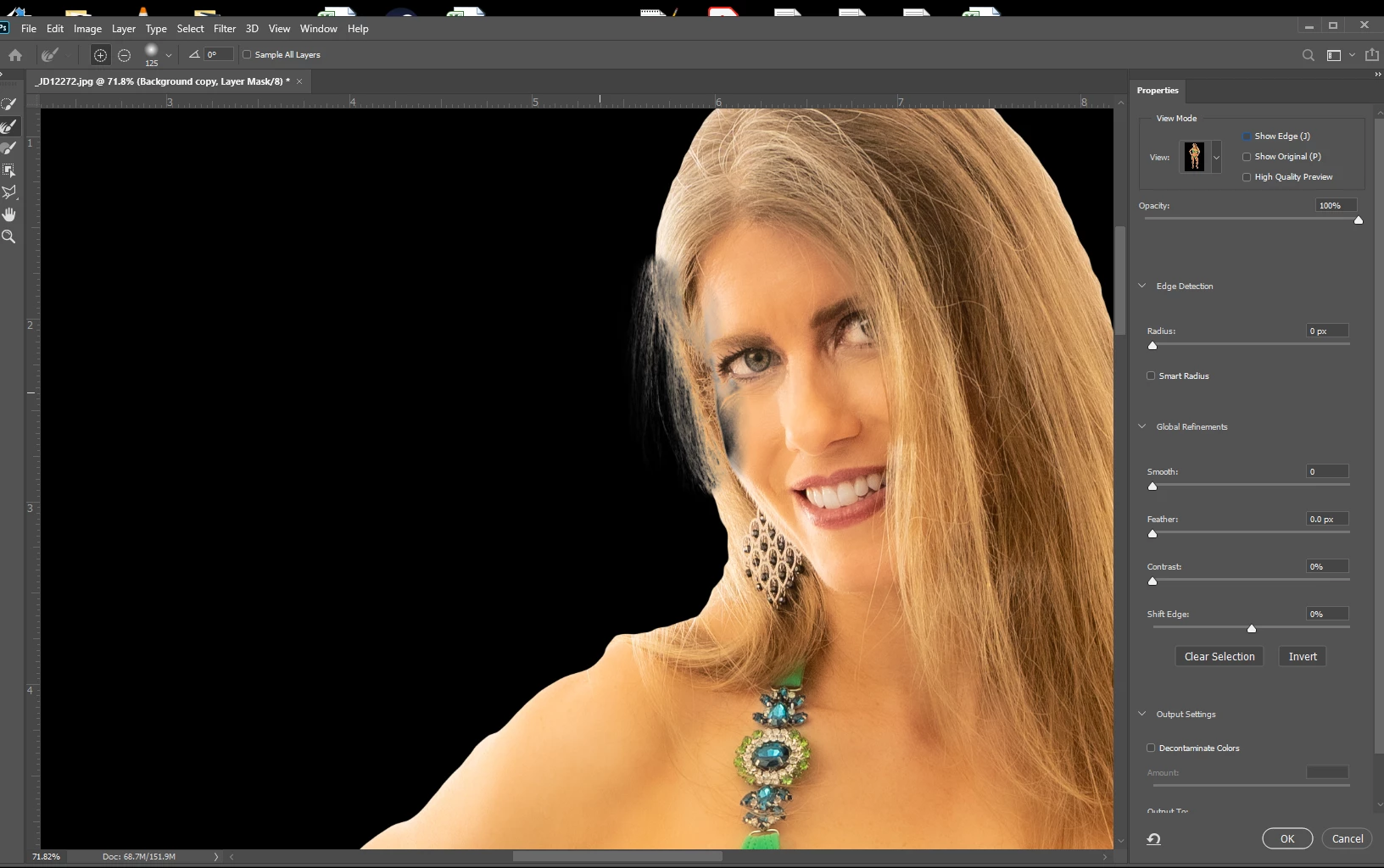
I wasn't using an overlarge brush, and in the picture above, the edge of the brush didn't even get near her temple or eye, but for some reason, Photoshop started to remove those sections anyway.
Also, it doesn't show in these screen shots, but the Refine Edge brush tool is now super laggy and show. When I try to brush with it, it doesn't create a nice brush shape, but jumps around, making circles here and there that are not connected with a nice brush stroke. This also did not happen before, and does not happen with the legacy refine brush tool.
 AdChoices