
Participant
February 21, 2018
Resuelto

Safe for web, clip to artboard

  • February 21, 2018
  • 1 respuesta
  • 862 visualizaciones

I want to use the function safe for web to export an artboard,

Photoshop cc 2018 is NOT cropping to artboard edges, i'm having a hard time to understand why you made this change.

Please let me know how to do this.
export artboard function is not giving me export options so this is not a solution.

Why im not getting the export functions when i export an artboard is also a riddle.
This really makes no sense.

Please stop making changes/update thats NOT properly tested.
it's becoming an endless headache to be an Adobe customer these days.
    Este tema ha sido cerrado para respuestas.
    Mejor respuesta de Raimundo Illanes

    Hi, I pretty sure that only Illustrator got the clip to artboard function.

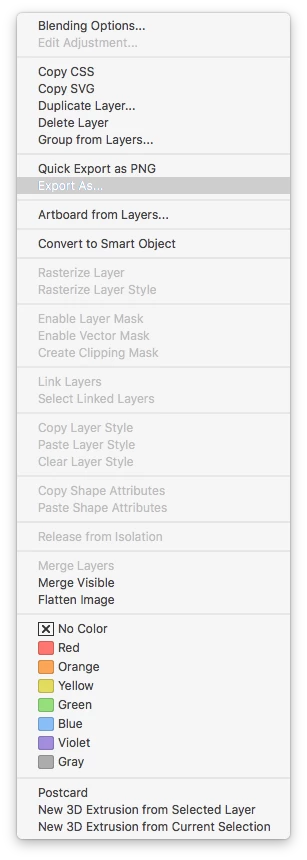
    If you want a full artboard, you can select it and got to the name and right click to export as or Quiclk Export as the format you select on your preferences, from Preferences > Export. If you want to export only a layer (clipping the size) you just need to select it and make a Quick Export.

    1 respuesta

    Raimundo Illanes
    Inspiring
    February 21, 2018

    Hi, I pretty sure that only Illustrator got the clip to artboard function.

    If you want a full artboard, you can select it and got to the name and right click to export as or Quiclk Export as the format you select on your preferences, from Preferences > Export. If you want to export only a layer (clipping the size) you just need to select it and make a Quick Export.