
Inspiring
May 18, 2017
Answered

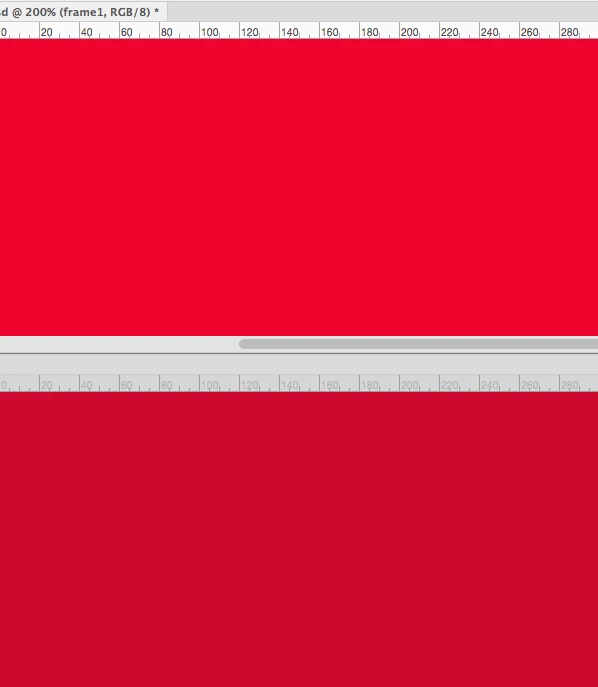
Same color, looks different in my 2 documents

  • May 18, 2017
  • 5 replies
  • 10927 views

Hello,

I have a file that was supplied to me. I am remaking it from scratch. The RGB colour that was supplied to me, when I use the same colour in a new document, it looks different. I'm sure it's a colour settings thing, but I'm not sure where to look.

Any advice?
Thx!
    This topic has been closed for replies.
    Correct answer c.pfaffenbichler

    If you create the new document from scratch you can simply start with an image you assign the correct profile to (in the New Document-dialog or via Edit > Assign Profile).

    5 replies

    SideShowScott
    Participating Frequently
    September 16, 2021

    Thx for posting! I had a set of files I use to make 3 different shaped files for various social media posts. With some lighter colors, 1 file would look weird, like really bright green vs a more pastel green in the other 2 files. 


    I made a new file with the correct color profile and dragged all my layers over from the old file. The colors stayed weird, so I reapplied the correc color, it updated and looked correct. 


    From here on out, those files will all look the same on updates. THANKS!! 


    umagurl77Author
    Inspiring
    May 18, 2017

    Great. Thanks. Done!

    umagurl77Author
    Inspiring
    May 18, 2017

    I'm not sure how to convert my offending image to match the  profile I want...

    c.pfaffenbichler
    Community Expert
    c.pfaffenbichlerCommunity ExpertCorrect answer
    Community Expert
    May 18, 2017

    If you create the new document from scratch you can simply start with an image you assign the correct profile to (in the New Document-dialog or via Edit > Assign Profile).

    c.pfaffenbichler
    Community Expert
    Community Expert
    May 18, 2017

    If an RGB- or CMYK-image is untagged then it will be displayed as if using the respective Working Space (see Edit > Color Settings).

    If an image has an embedded ICC Profile it will be displayed on the basis of this.

    c.pfaffenbichler
    Community Expert
    Community Expert
    May 18, 2017

    What are the two images’ Color Spaces?

    I recommend you set the Status Bar to indicate that.

    umagurl77Author
    Inspiring
    May 18, 2017

    Thanks. They are both different. I guess that is the problem? How do I fix that?

    c.pfaffenbichler
    Community Expert
    Community Expert
    May 18, 2017
    They are both different. I guess that is the problem?

    Yes, the same RGB-values can appear differently in different Colour Spaces.

    You can either assign the same profile to the offending image or you can convert (a copy of) the original image to the Color Space you want to use and read the new values.