Adobe Photoshop CC 2018 Latest updates loaded on my PC. I'm running Windows 7. Sorting works fine if I open up Windows Explorer.
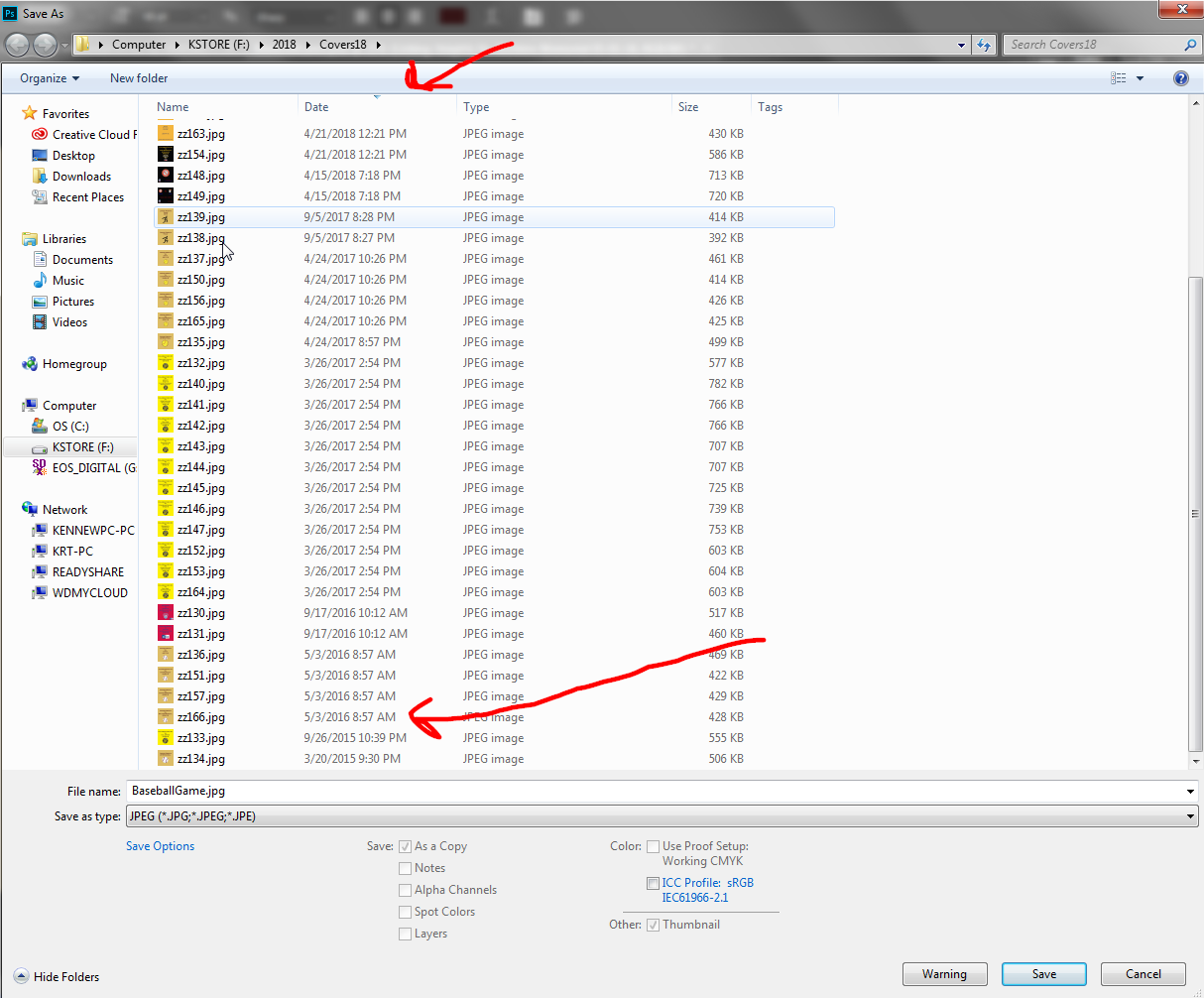
I'm working in Photoshop and want to save my work as a jpg to a directory. A pop/up window comes up which shows me the directory that I plan to write my jpg file. I always just sort the directory by Date/Time to see what number file I used last. I start files with zz proceeded by number. For some reason the adobe pop up window will not sort by date/time. This used to work and might have broke in a recent update.
Here is a window shot where I wrote zz166.jpg and went back to save my next jpeg and can't sort by date/time. Anyone have this same problem.





 1
Reply
1
Reply


 AdChoices