Participant
December 6, 2019
Question

Save for web error - Mac OS Catalina

  • December 6, 2019
  • 42 replies
  • 81297 views

Hello everyone,

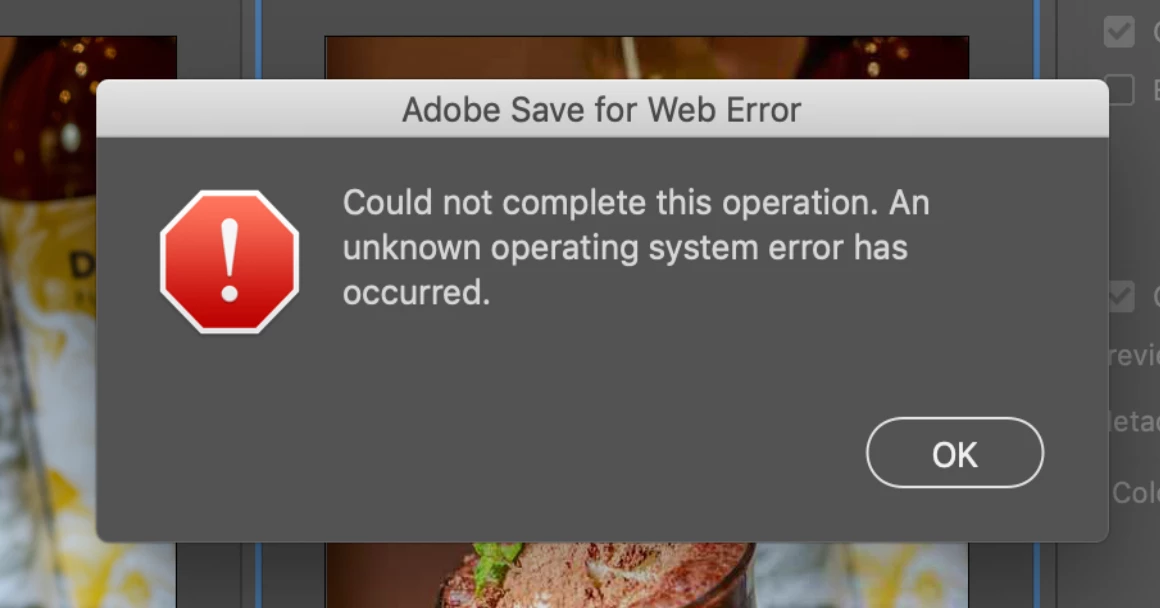
I have an issue saving gif for web with my OS to Catalina (10.15.2).

When I try to save, there's a message saying :

"Adobe save for web error. Could not complete this operation. An unknown operating system error has occured."

I tried to delete "save for web prefs.psp" but nothing has changed.


42 replies

Participant
December 15, 2019

Hello everone,

I have an issue saving gifs for web with my photoshop. I recently updated my OS to Catalina.

When I try to save the gif, there's a message saying


"Could not complete this operation
An unknown operating system error has occurred."


I've uninstalled and reunstalled my photoshop but it stilll didn't work. and I also resetted PRAM but it still didn't work. I've also reduced the image size but it didn't work. I also resetted photoshop preferences It didn't help. This problem happens after I updated my OS to Catalina. I've googled it but I couldn't find solution. If anyone knows how to solve this problem that would be really helpful, thank you!

Akash Sharma
Legend
December 16, 2019

Hi there,


That isn't a great user experience as Photoshop is crashing when using the Save for Web command, we're sorry to hear about this. Let us help make it right.


Could you try resetting Photoshop's preferences & see if it helps? 
https://t.co/ulJI7cGn1G

You may want to backup your settings beforehand: 
https://t.co/4dX7gkr36D


Thanks,

Akash

alisaw35408364
Participant
December 17, 2019

I tried this too, and it didn't work.

Participant
December 6, 2019

I have a map image that I've sliced into separate areas, so that each can have its own hyperlink when the image is reassembled as an invisible "mosaic" on a web page. I've done this successfully with previous versions of Photoshop -- using Save for Web / Legacy to generate a folder of images slices that I then bring into a web page or wiki page for display and linking, 


Now, however, in my new installation of PS 21.01, when I try to use Export > Save for Web / Legacy to generate the component sub-images from a single image that I've sliced, all I get is an error message saying "The operation could not be completed. An unknown system error has occurred."


I need to complete this procedure for a time-sensitive project, and I was relying on Photoshop's previous dependable Export functions to meet a deadline. What's the workaround in 21.01 please? 

nikunj.m
Community Manager
Community Manager
December 6, 2019

Hi there,


We are sorry about the error you are getting in Photoshop while trying to Save for Web.


Would you mind sharing the operating system version you are using? Do you get the same error when trying to use Export As or Save As?


You can try resetting the preferences of Photoshop to check if that helps.

https://helpx.adobe.com/in/photoshop/using/preferences.html


Note: Please back up your actions, presets, etc. before resetting the preferences. You can check: https://helpx.adobe.com/in/photoshop/using/preset-migration.html


Regards,

Nikunj


Participant
December 6, 2019

Thanks for your quick reply, Nikunj.


I'm running Mac OS Mojave -- 10.14.16. That's pretty current.


I get the error with the Export - Legacy option. "Save As" is irrelevant. It offers no option for exporting Slices. All it gives me is a complete version of the source image -- which I already have. I need the divisions as individual files. That's the whole point of Slices.


I viewed the Julianne Kost video on the Reset Prefs page you referenced. Nikunj, that's ancient! It's based on PS CS6! Please get your team to generate something more current. The Photoshop Prefs folder is enormously more complex now than it was in those days.


With that said, and with Photoshop not running, I located the Save for Web prefs file and removed it from the folder, then restarted Photoshop. The change made no difference. I still got the error. Moreover, when I quit Photoshop again to replaced that prefs file, I saw that Photoshop hadn't regenerated a fresh copy. There was no replacement for the file I'd temporarily removed.


Advice on next steps would be appreciated. Thanks again.