
smithcgl9043167
Inspiring
March 27, 2016
Answered

Script to automate an option "Save Template"

  • March 27, 2016
  • 3 replies
  • 6124 views

I have a very great workflow with photos Layout and would facilitate my work finding a way to "SAVE FOR WEB" each "Layout" in its own folder on my system (C: \ Program Files (x86) \ Adobe \ Adobe Photoshop CC \ Plug-ins \ Panels \ Diagramais) and each model "file" have an automatic naming when executed. Example: tmpt-00001.png, tmpt-00002.png, 00003.png tmpt-........

If it possible:

Save for Web:

(C: \ Program Files (x86) \ Adobe \ Adobe Photoshop CC \ Plug-ins \ Panels \ Diagramais \ tmpt-00001.png)
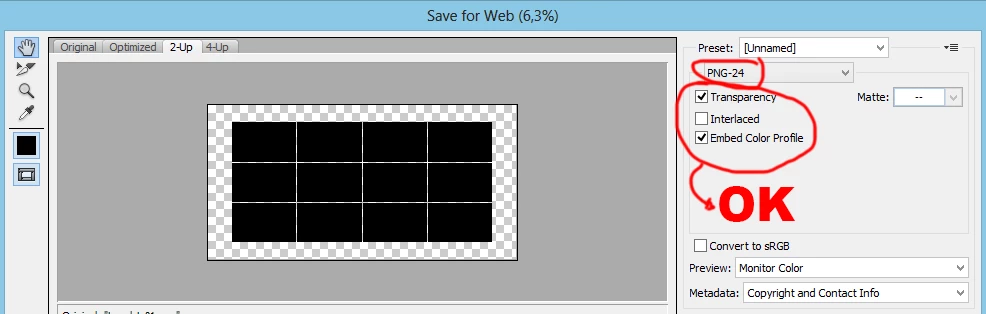
This topic has been closed for replies.
Correct answer SuperMerlin

Please try this.

Wikisend: free file sharing service

Read the "Read Me" file first!

3 replies

mauricior6328708
Inspiring
March 28, 2016

I really enjoyed the script! Genial, it will be a great script that will be very useful in my work.SuperMerlin you could try to put a dialog box informing the completion of the operation?

SuperMerlin
Inspiring
March 28, 2016
mauricior6328708
Inspiring
March 28, 2016

Perfect! SuperMerlin, Thanks for the speed, efficiency and dedication to help us. . A big hug.

SuperMerlin
SuperMerlinCorrect answer
Inspiring
March 28, 2016

Please try this.

Wikisend: free file sharing service

Read the "Read Me" file first!

smithcgl9043167
Inspiring
March 28, 2016

Wow, perfect!!! Wonder phenomenal. SuperMerlin you as always, he made another perfect job, surpassed all my expectations. Thank you brother.

Jack, thanks for the support!

Stephen Marsh
Community Expert
Community Expert
September 3, 2022

@smithcgl9043167 - can you share the script?

JJMack
Community Expert
Community Expert
March 27, 2016

My Batch Template populating scripts save  Populated templates PSD files to a folder optionally they can also be saved in Jpeg and PDF files.  The scripts do not save PNG files because for Templates compatible with my scripts are requited to have a Background layer,  Photoshop Background layer do not support transparency.   However you can open the Saved populated PSD file and turn off the background layer visibility and save out a PNG with transparency.  Jpeg are saved using Save as jpeg quality 10 not save for web and includes the template color profile. So you templates should be sRGB if you will use the saved files in the web. Templates do not have metadata like exif data.

Photo Collage Toolkit

Photoshop scripting is powerful and I believe this package demonstrates this A video showing a 5 image collage PSD template  being populates with images:

The package includes four simple rules to follow when making Photo Collage Template PSD files so they will be compatible with my Photoshop scripts.

  1. Size the photo collage templates for the print size you want - width, height and print DPI resolution. Or your Web size requirements.
  2. Photo collage templates must have a Photoshop background layer. The contents of this layer can be anything.
  3. Photo collage templates must have alpha channels named "Image 1", "Image 2", ... "Image n". These map your collages Image locations and shapes.
  4. Photo collage templates layers above the background layers must provide transparent areas to let the images that will be placed below them show through.

There are fifteen scripts in this package they provide the following functions:

  1. HelpPhotoCollageToolkit.jsx - Online Help
  2. TestCollageTemplate.jsx - Used to test a Photo Collage Template while you are making it with Photoshop.
  3. CollageTemplateBuilder.jsx - Can build Templates compatible with this toolkit's scripts.
  4. LayerToAlphaChan.jsx - Used to convert a Prototype Image Layer stack into a template document.
  5. InteractivePopulateCollage.jsx - Used to interactively populate Any Photo Collage template. Offers most user control inserting pictures and text.
  6. ReplaceCollageImage.jsx - use to replace a populated collage image Smart Object layer with an other image correctly resized and positioned.
  7. ChangeTextSize.jsx - This script can be used to change Image stamps text size when the size used by the populating did not work well.
  8. PopulateCollageTemplate.jsx - Used to Automatically populate a Photo Collage template and leave the populated copy open in Photoshop.
  9. BatchOneImageCollage.jsx - Used to Automatically Batch Populate Collage templates that only have one image inserted. The Collage or Image may be stamped with text.
  10. BatchMultiImageCollage.jsx - Used to Automatically Batch Populate Any Photo Collage template with images in a source image folder. Easier to use than the interactive script. Saved collages can be tweaked.
  11. PasteImageRoll.jsx - Paste Images into a document to be print on roll paper.
  12. BatchPicturePackage.jsx - Used to Automatically Batch Populate Any Photo Collage template with an image in a source image folder.  Images Rotates for best fit.
  13. BatchPicturePackageNoRotate.jsx - Used to Automatically Batch Populate Any Photo Collage template with an image in a source image folder.
  14. PopulatePicturePackage.jsx - Used to Automatically populate a Photo Collage template Fill with the same single image and leave the populated copy open in Photoshop.
  15. PCTpreferences.jsx - Edit This File to Customize Collage Populating scripts default setting and add your own Layer styles.

Documentation and Examples

JJMack
smithcgl9043167
Inspiring
March 27, 2016

JJMack, I've been using the Photo Collage Toolkit there is a good temple, it is based on alpha channel, I love working in layers with masks and I am focusing all my main work tools in one panel created in Adobe configurator 4 using actions and scripts found here thanks everyone here's mainly their tips on how to post record some actions and scripts written or indicated by the "SuperMerlin". The templates saved in PNG take up little disk space and the good thing is that I have other scripts that separate all layers per pixel and then converts all layered with added shades. Maybe someone does not know a similar script. Thank you for your attention.

JJMack
Community Expert
Community Expert
March 28, 2016

A populated template save as a png is a flat image file no longer a template its a flat composite. Not something that is easy to manipulate and embellish on it is a finished end product. I gave up on extensions for ever version of Photoshop changed how extension must be implemented  extensions so extensions are not compatible from release to release. Who needs that kind of support where each version of Photoshop requires you to re-implement your extension..  I designed the Photo Collage Toolkit so you would have creative freedom making templates. I started with five simple rules you needed to foollow  making templates and I was able to eliminate one. The design process is very important.  This will not be useable without a sound design.

Actions are easer to record and edit. Still actions are better when they have a sound design and are well crafted.  Many actions are poorly done but work well for their maker for ether were developed for their workflow and habits. For others the action may fail to work for many action have dependencies their crater may not be aware of.

Crafting Actions Package UPDATED Aug 10, 2014 Added Conditional Action steps to Action Palette Tips.
Contains

Example
Download

JJMack