


Legend
April 18, 2020
Answered

Scripting: Photoshop crashes when I try to close dialog windows sequentially

  • April 18, 2020
  • 3 replies
  • 2829 views

I have a script that provides for editing parameters in a separate dialog box. This window provides 2 options for closing - close only the edit window and return to the parent and close both windows (parent and edit window) - this functionality is needed for the next part of the script to work. If the user himself controls the state of the windows by dialog buttons, then there are no problems with sequential closing of windows.


However, I have a problem if I try to initiate the opening and closing of a window inside a function: in certain cases, the script should be run immediately in edit mode (i.e., the parent window should be shown first, and then the edit window). In this case, the user can also decide to close both windows - in that case when i trying to close the child window first, then the parent window, Photoshop crashes (this happens in all new versions).
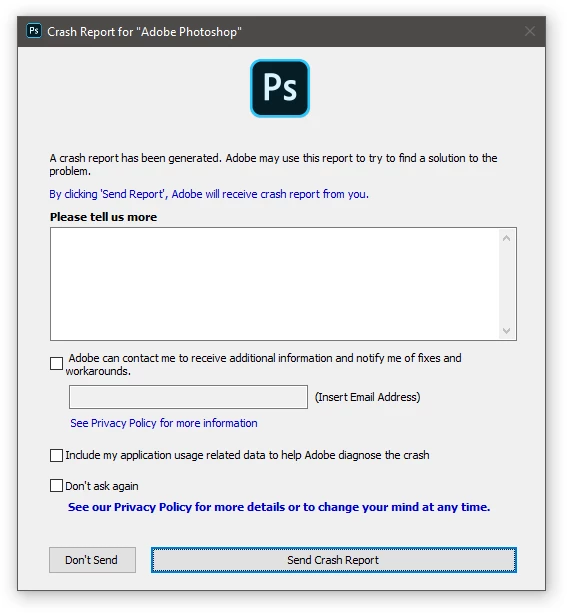
The easiest way to demonstrate this effect is with the following code:


var d = new Window ('dialog')
d.onShow = function () 
{
    var d1 = new Window ('dialog')
    var b = d1.add('button', undefined, 'close both windows')
    b.onClick = function () {d1.close (-1)}
    if (d1.show () == -1) d.close ()
}
d.show ()


Is there any other way to create two windows at once when script starts, and then by clicking one button close both of them?

This topic has been closed for replies.
Correct answer r-bin
Why show both dialogs at the same time? If you need to close the first dialog, you can simply not show it, otherwise show it.
 

3 replies

r-binCorrect answer
Legend
April 19, 2020
Why show both dialogs at the same time? If you need to close the first dialog, you can simply not show it, otherwise show it.
 
jazz-yAuthor
Legend
April 26, 2020

I wanted to make sure that the user did not notice that the script was actually restarted during the editing of the settings (that is, completely restore the state of the windows at the time the script was closed).


As a result, I had to make the main window with a list of settings appear after editing the option. This is not very logical, but could not find a better solution.

Kukurykus
Legend
April 18, 2020

Is -1 value correct?

jazz-yAuthor
Legend
April 18, 2020

This is just an example of problem. It can be represented even shorter:


var d = new Window ('dialog')
d.onShow = function () 
{
    var d1 = new Window ('dialog')
    d1.onShow = function () {d1.close(); d.close ()}
    d1.show()
}
d.show ()


The problem arises if the child window was created at one of the stages of creating the parent window (after the parent window became visible, but before the controls on it became available). If you create a child window before the parent has become visible - the problem does not arise. If you create a child window by pressing a button in the parent, the problem does not occur. The problem is that I need to create a child window without user intervention (that is, at the time the dialog was initialized), but preferably so that the parent window is visible.

This code crashes at least the last 3 versions of Photoshop.

Kukurykus
Legend
April 18, 2020

In ESTK it doesn't open Window on onShow() (or it's not visible) to close it, while in CS6 it opens Window, but it doesn't close it on onShow(). So differently to crash that happens in latest CC 2020.

jazz-yAuthor
Legend
April 18, 2020

I found that Photoshop does not crash if you show the second window after loading, but before the first appears (the exception is the onShow event). For now, I will leave this option as a temporary solution, but I would like to find a way to show both windows at the same time (because the contents of the first window show the user what is in the second)😞


var d = new Window ('dialog')
var b = d.add('button', undefined, 'open')
b.onClick = function () {
     var d1 = new Window ('dialog')
    var b1 = d1.add('button', undefined, 'close both windows')
    b1.onClick = function () {d1.close (-1)}
    if (d1.show () == -1) d.close ()
    }

d.addEventListener('resize', clickHandler) 

function clickHandler () {
        b.notify('onClick')
        }
d.show ()


Kukurykus
Legend
April 18, 2020