
Participant
May 20, 2019
Answered

Separating colors for screenprinting

  • May 20, 2019
  • 2 replies
  • 16444 views

Hi -

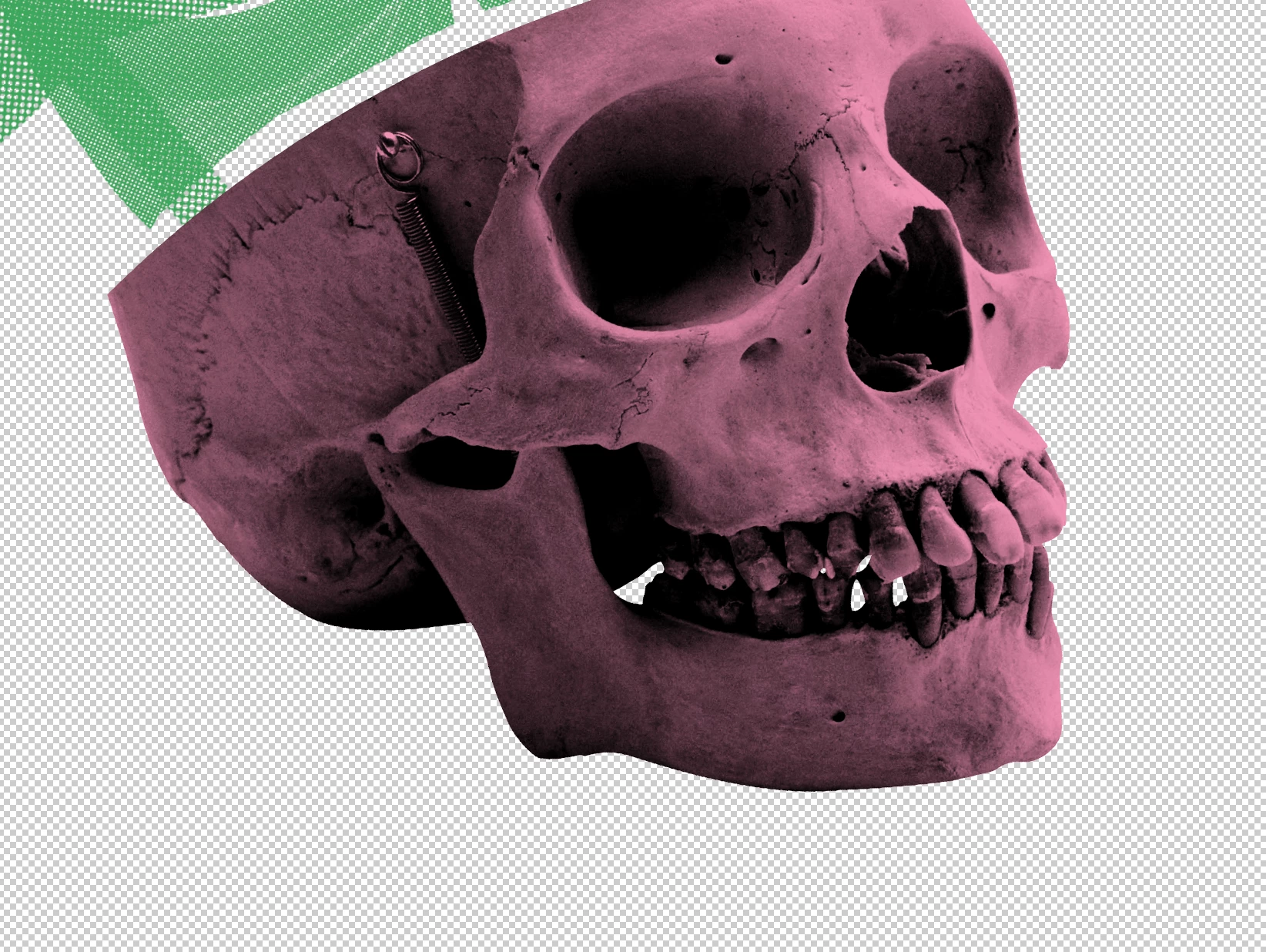
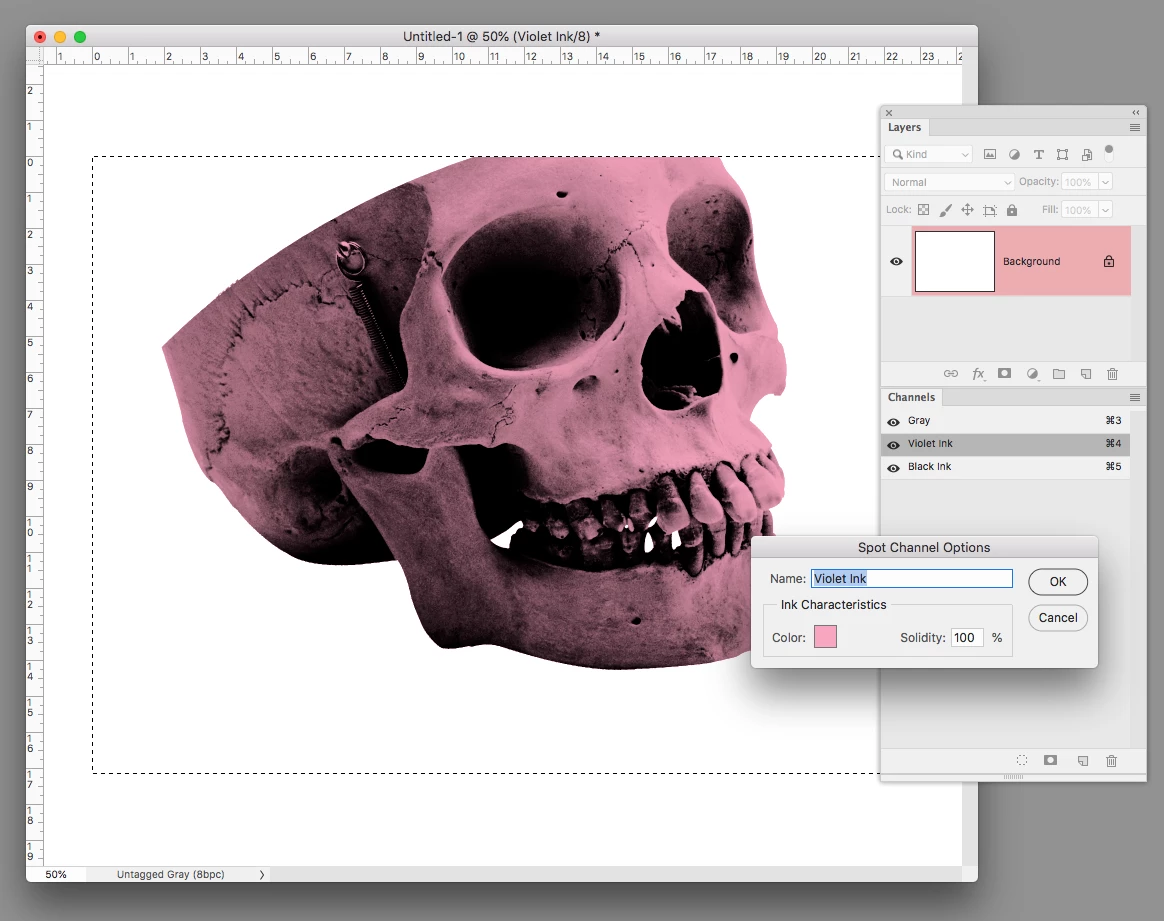
I am looking to create a design for screenprinting but am stuck in the process. I'm wondering what the processes are for having this (attached) as my final image. I am trying to separate the black and pink into two different layers.
This topic has been closed for replies.
Correct answer rob day

image. I am trying to separate the black and pink into two different layers.
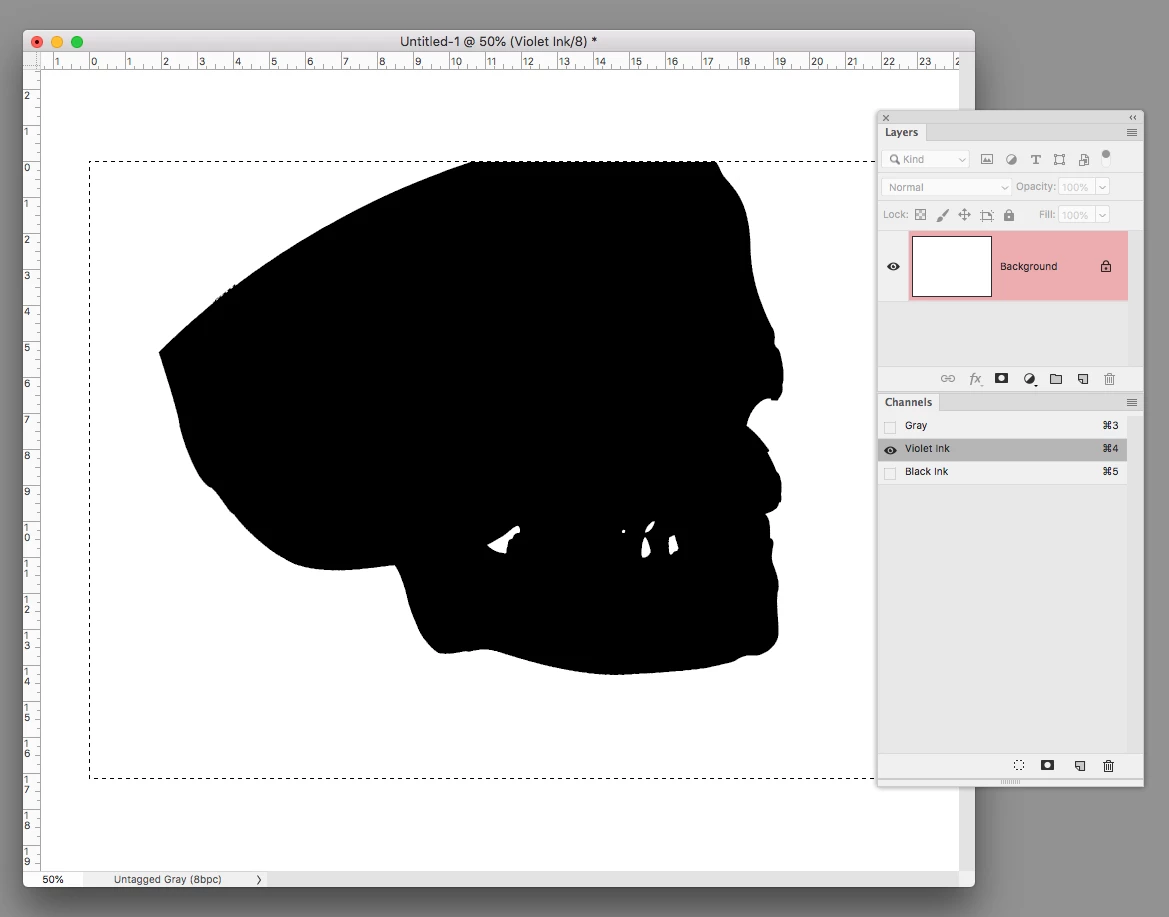
Usually with screen printing you want to use spot ink channels to make custom color separations. If you have art on layers the output will have to be to 4-color process CMYK using halftones.

So like this where the art is in Spot Channels, not Layers:

The output would be to Separations where you could print the two Spot Color Channels. I would place the two channel art into InDesign or Illustrator and print the separations from there.

2 replies

rob day
Community Expert
rob dayCommunity ExpertCorrect answer
Community Expert
May 20, 2019

image. I am trying to separate the black and pink into two different layers.
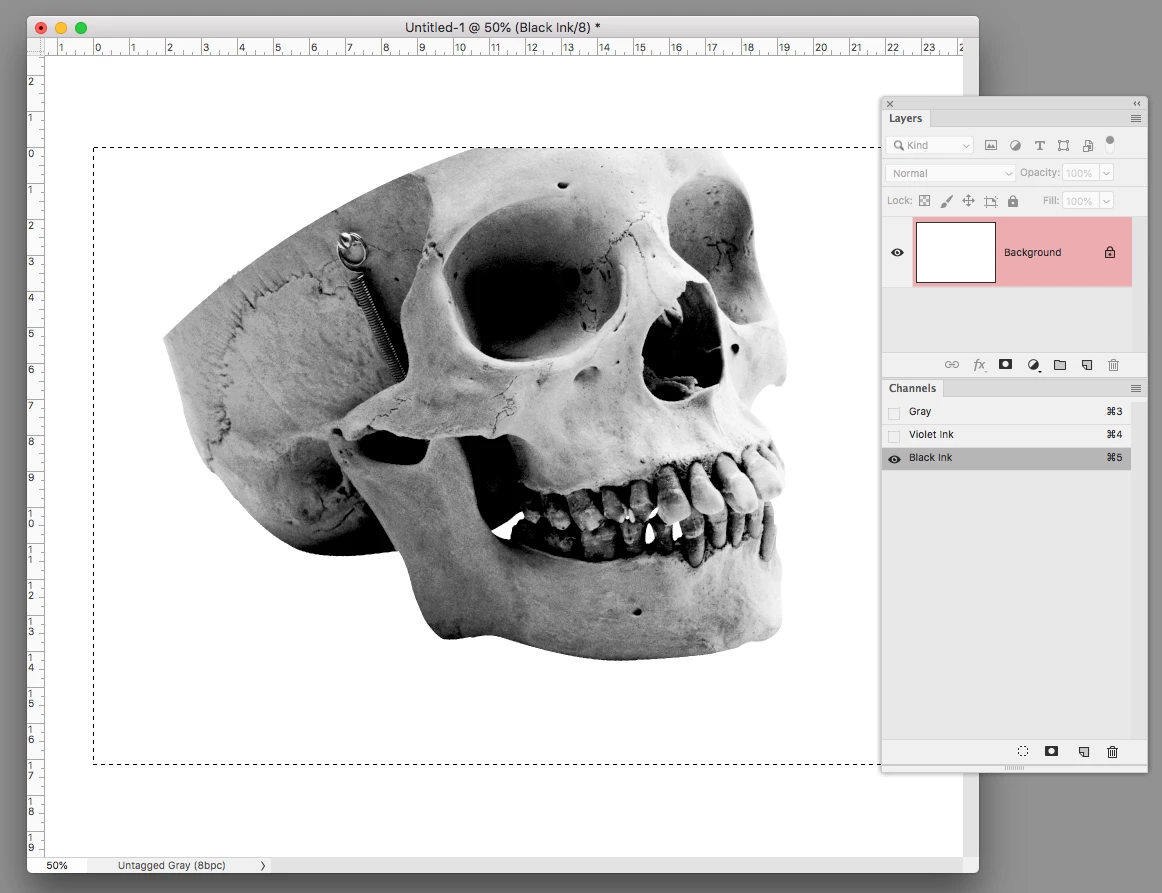
Usually with screen printing you want to use spot ink channels to make custom color separations. If you have art on layers the output will have to be to 4-color process CMYK using halftones.

So like this where the art is in Spot Channels, not Layers:

The output would be to Separations where you could print the two Spot Color Channels. I would place the two channel art into InDesign or Illustrator and print the separations from there.

Sahil.Chawla
Adobe Employee
Adobe Employee
May 20, 2019

Hi there,

As you're looking to separate colors in Photoshop, could you please check this video and see if it helps?

CMYK for screenprinting from photoshop - YouTube

Regards,
Sahil