
Smart Image- Help deconstructing how this was made
Hello,
I understand a little about how smart images are made but I am self taught so I've never used them much. At my job I've come across these and I'm trying to deconstruct how they were made. The bottles are made with different elements that link to the smart image of the label made in illustrator, the person who made them is no longer here. I know how to go into the smart image and change the label.
What I really want to know is how to make all our files the same which they are not. Some of the bottles are like the image of the eye dropper where you open it and it is the immediate smart image, this is ideal because we often make group shots and I can just drag it or copy it easily from the layers panel.
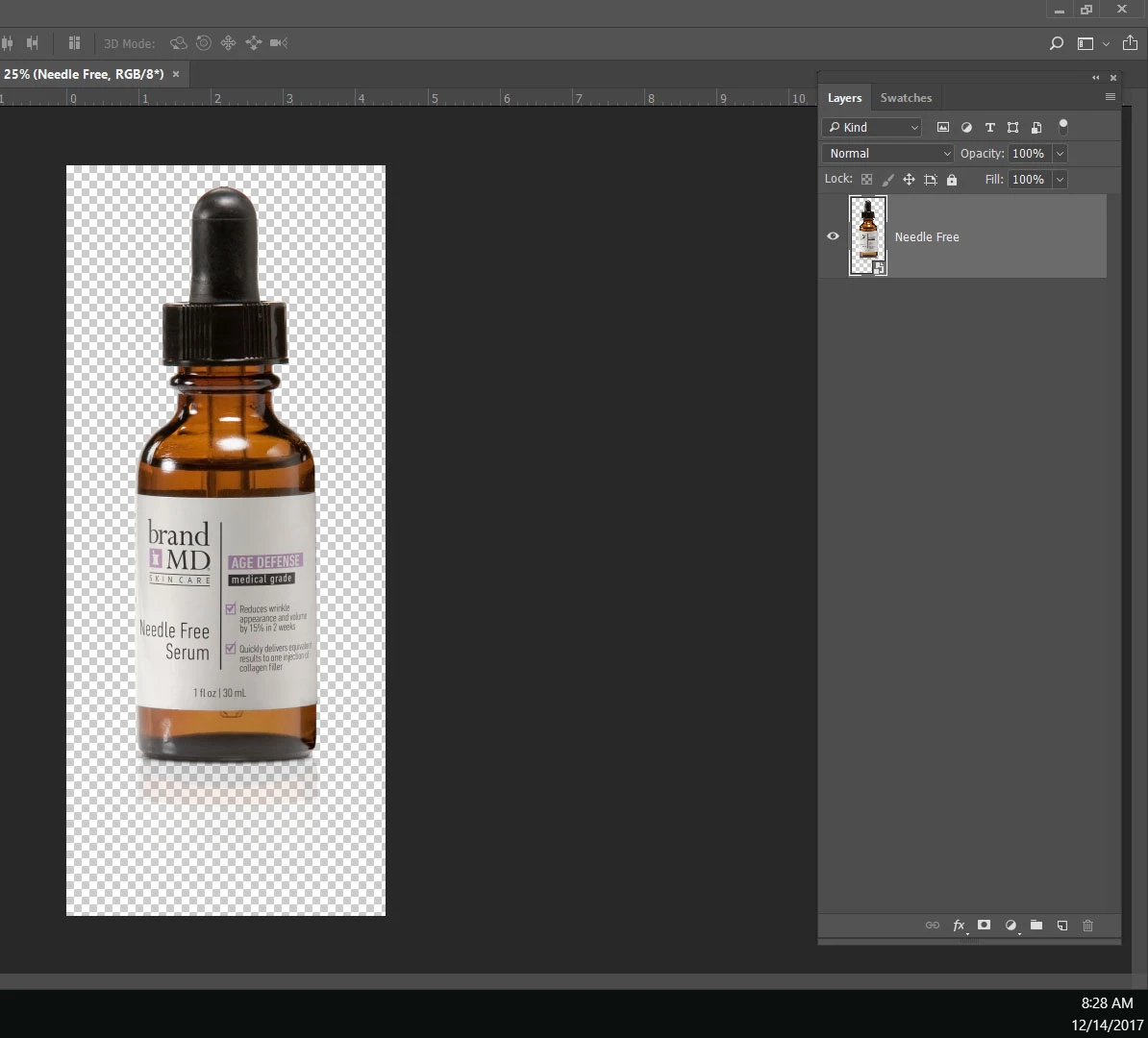
Some however when you open them they are not "compressed" into the one layer smart image, there are elements outside the smart image.
How do I get the files where the layers are not "compressed" inside the smart image to be "compressed" inside the smart Image?
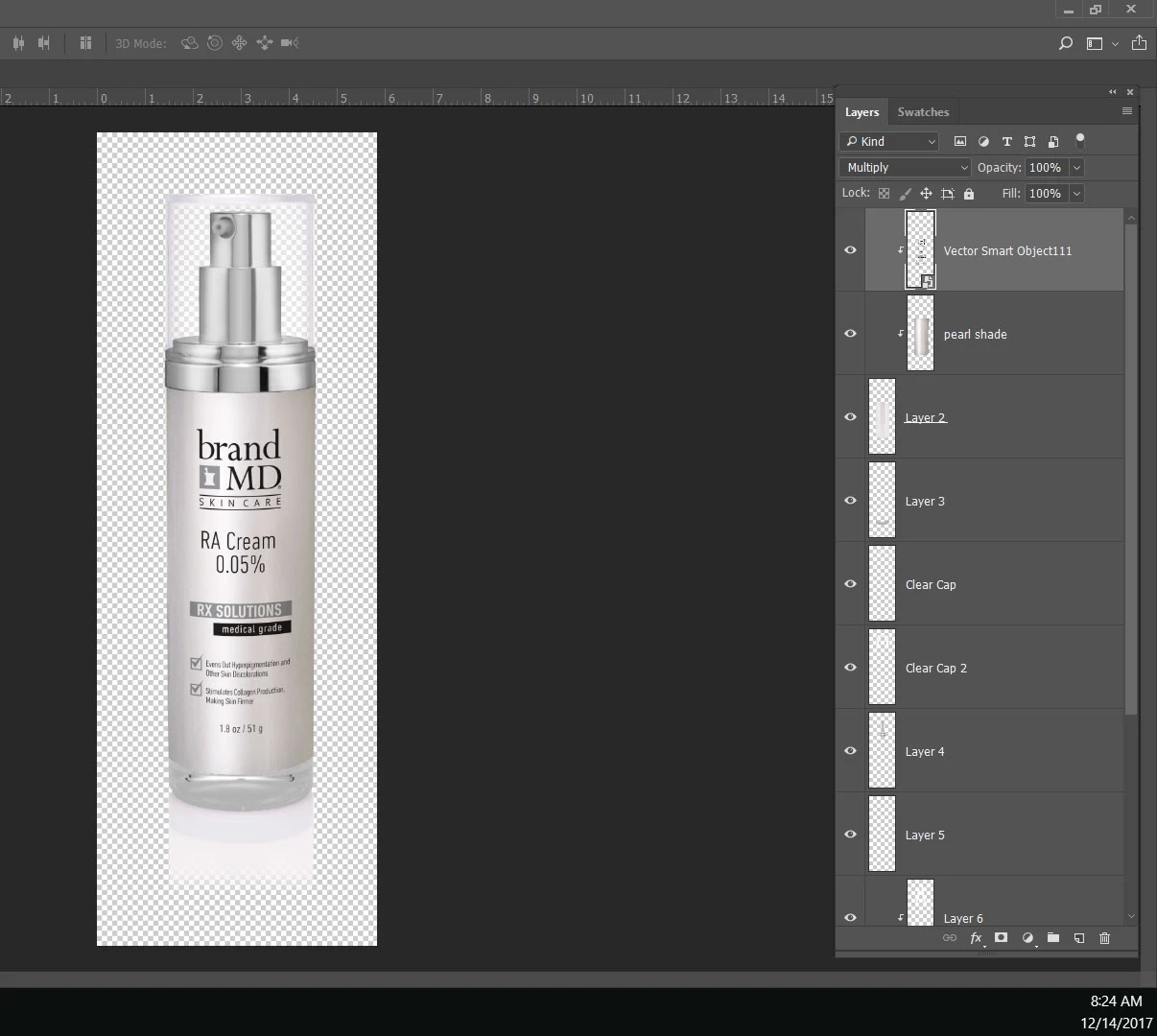
I've never known what the little arrows are either so if anyone can enlighten me on that, I would appreciate it. Thank you.
 AdChoices