bartonlew
Legend
January 19, 2019
Answered

Smart Object contents not updating

  • January 19, 2019
  • 2 replies
  • 4287 views

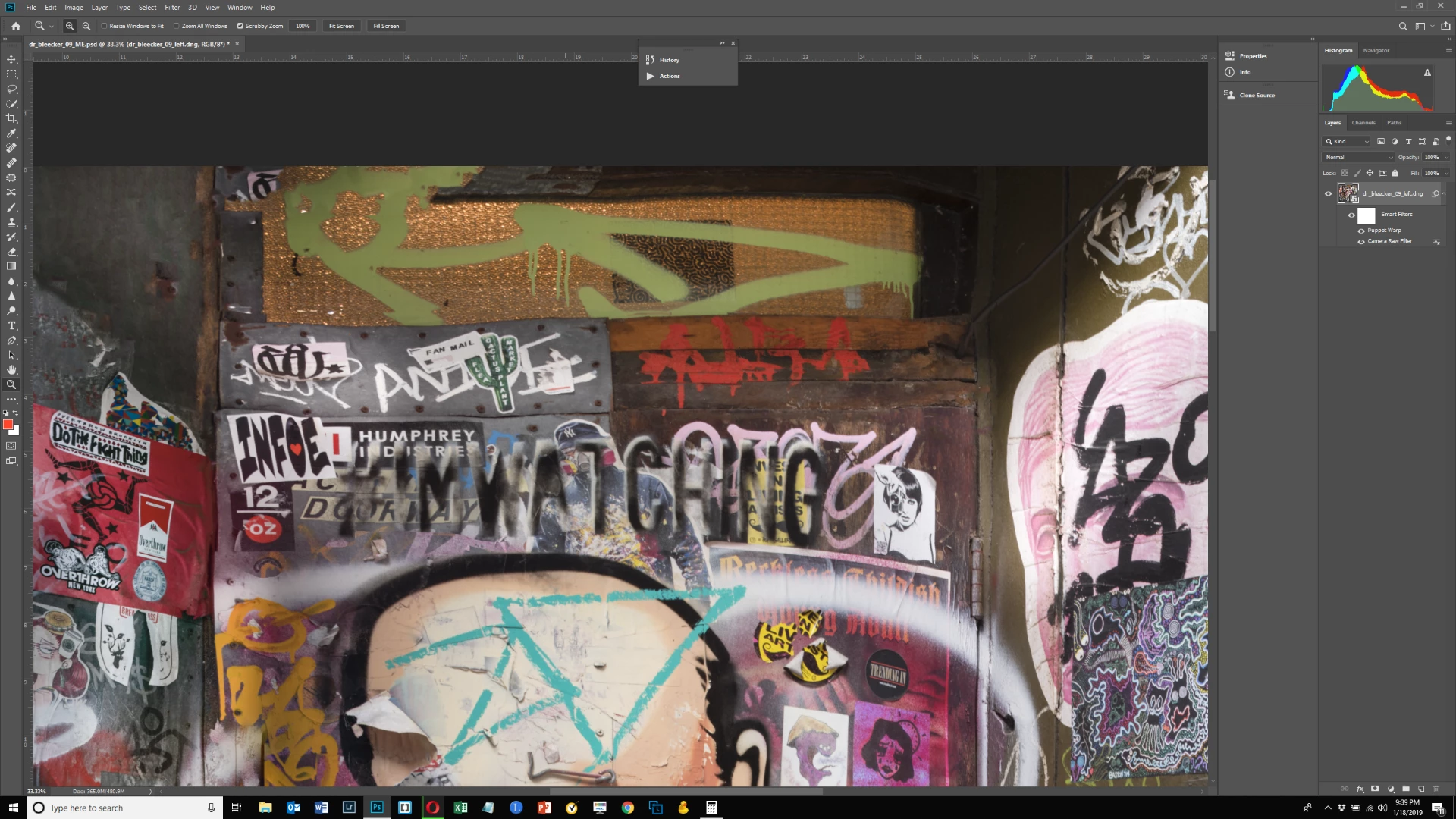
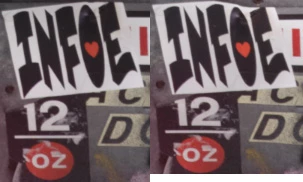
In the first image below, I have my Smart Object open and have edited the contents so that the gray metal plate on the top left of the door below the transom window as well as the wooden portion to its right are in a straight line across the top.  In the 2nd image, I have closed the Smart Object and you can see that this is no longer the case.  The gray metal plate has a dip in the middle which I had corrected.  Hopefully this is clear in the image.  If not, take my word for it - the contents did not update after making the pixel edits.  Does anyone know why?  If it helps, I made this correction using Transform>Skew, and then filling in the gaps with the Spot Healing Brush tool.  Thank you.
This topic has been closed for replies.
Correct answer JJMack

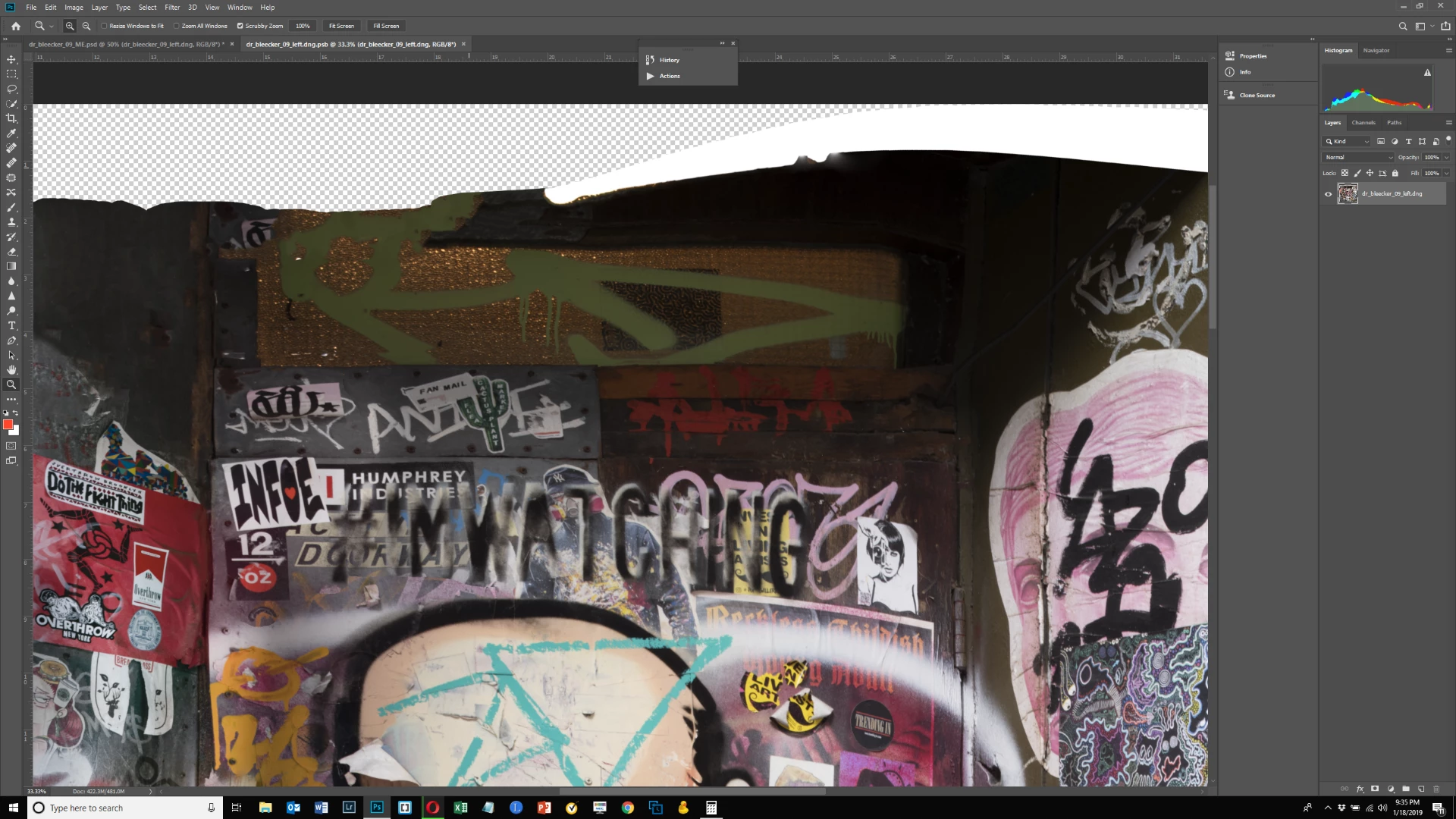
Your open Smart Object work PSB document shows the object is a pixels image layer with some transparent pixels in the top left layer area and some white area across the top.

The Smart Object layer you show looks like the same Image but a rectangle area across the top has be filled by resizing the image some way.  The smart Object Layer has to Smart filters added a Puppet Warp filter and a camera Raw filter.  The Filter mask is a reveal all mask.   If the top area was not filled using Puppet Warp or Camera RAW filter  I would have to conclude it was filled when you opened and edited the smart object layer object. When you committed your changes  Photoshop updated your smart object layers object. I also do not understand why you would use puppet Warp on the smart object layer.

Image distortion was done somewhere in you process

2 replies

JJMack
Community Expert
JJMackCommunity ExpertCorrect answer
Community Expert
January 19, 2019

Your open Smart Object work PSB document shows the object is a pixels image layer with some transparent pixels in the top left layer area and some white area across the top.

The Smart Object layer you show looks like the same Image but a rectangle area across the top has be filled by resizing the image some way.  The smart Object Layer has to Smart filters added a Puppet Warp filter and a camera Raw filter.  The Filter mask is a reveal all mask.   If the top area was not filled using Puppet Warp or Camera RAW filter  I would have to conclude it was filled when you opened and edited the smart object layer object. When you committed your changes  Photoshop updated your smart object layers object. I also do not understand why you would use puppet Warp on the smart object layer.

Image distortion was done somewhere in you process

JJMack
bartonlew
bartonlewAuthor
Legend
January 19, 2019

Thank you.  I don't doubt what you are saying but don't know enough to understand it.  I created this image and started working on it shortly after learning Photoshop basics.  I did things then I would not do now.  Fortunately I have all the RAW files and can recreate the panorama and start from scratch, which I assume would be the best thing to do.  Do you agree?

JJMack
Community Expert
Community Expert
January 19, 2019

I would use menu File>Open select all the RAW files for the Panorama and click Open. Here I user JPG files RAW files will also work. When ACR opened I selected All the thumbnails and used Merge to Panorama.  Here I used Cylindrical Projection and then Boundary warp all the way to 100 and clicked Merge and saved the merged DNG file which I Open it.  I was satisfied with the job ACR did. There  is no camera RAW data in the DNG ACR is not a camera sensing light using a sensor and optics.  Here there was no RAW Data at all that data was converted into Jpg images in Camera. Right click on the image and open in a new window to see the full resolution jpg expand the image to 100% .  It does have too many sun flairs

Menu File>Automate>Photomerge...  is slower but will give you a layers stitch image. You can work on the seams and you may be able to improve the automated  stitching some.

JJMack
chanaart
Community Expert
Community Expert
January 19, 2019

need to get more information or a link to the file itself.