richardm14908994
Participating Frequently
May 4, 2018
Answered

Smart Objects moving when changing profiles!

  • May 4, 2018
  • 2 replies
  • 995 views

Hey, can anyone help?

If I have a file with smart objects in, and then convert profile (SWOP to Fogra for example), the image can move or even scale once the conversion is complete. Rasterizing the object fixes it but negates the purpose.

Any insight?

This topic has been closed for replies.
Correct answer c.pfaffenbichler

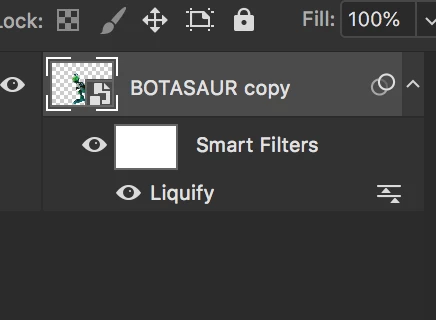
The liquify is on the SO yes, and inside the SO is a simple image on a single layer with no other effects at all.

The page size is not altering - as per the video, I'm only changing the colour profile.


The way I can reproduce this is by moving the SO after Liquifying and before the conversion.

So I suspect you (or someone else) moved the SO after applying the Filter Liquify.

In which case the whole issue is moot and you should trash the existing Liquify and do it anew at this position.

2 replies

selondon
Community Expert
Community Expert
May 18, 2018

Hi....... which version of Photoshop are you using? Out of interest, is it happening with the latest release?

Omar.Fathy
Community Expert
Community Expert
May 4, 2018

Try to enter inside the smart object content by Double click the smart object and see what happened in it .

richardm14908994
Participating Frequently
May 4, 2018

It's a flat image in a PSB, but the smart object has a liquify on it. When the conversion happens, the effect of the liquify is undone although remains on the layer.

PECourtejoie
Community Expert
Community Expert
May 17, 2018

Hello! Undone? you mean the liquefy mesh is not applied? no way to reapply it?

Does it happen on all conversions? RGB_RGB or Only CYMK-CYMK? or RGB_CYMK?