
Some basic questions
Hi, I haven't had to use Photoshop in awhile, and I feel like I am not able to work as quickly as I used to...not sure if I'm used to a different workspace setup or if the App just updated & changed some things, but I am having a hard time!
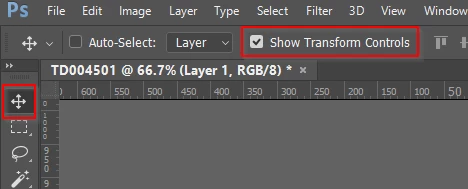
First off, how can I just click on a layer or object and automatically have the transform controls show up? I placed an .eps over a photo and I click on it but nothing happens. I know I can hit command+T, but I'm used to it just automatically doing that and it's not. And once I do transform it, I thought there used to be a green check mark and a red "no" symbol to accept or reject the changes you just made?
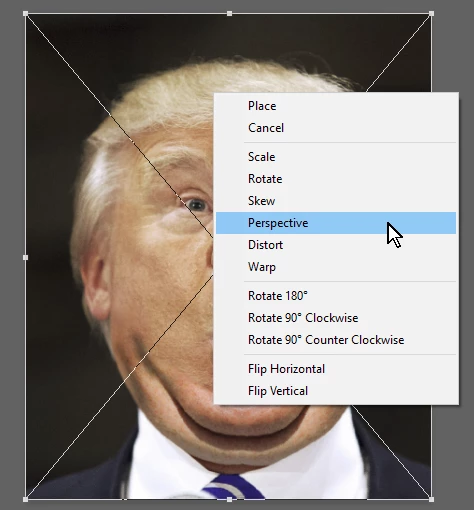
Along the same lines, why can't I do transform > perspective on placed objects?
When I am done editing or transforming a layer, why doesn't clicking off it (in the gray space) deselect it & everything else?
If I am using the selection tool, why can't I double-click on a text layer and edit the text?
Thanks in advance! As I said, I haven't used photoshop in awhile other than for quick lighting adjustments to photos, but now I am doing some mockups with some company logos/graphics.
Thank you!

 AdChoices