
Startup/scratch disk full, what's the problem? [PS CC]
Hello, on photoshop i was just cropping a picture (500x500px) when this message started appearing on the program: "Could not complete your request because the scratch disks are full", and as a normal computer message "Your startup disk is almost full. To make more space available on your startup disk, delete some files."
I looked it up on the internet and i tried some of the solutions i've seen, but nothing seems to have solved it. I've tried to look for "photoshop temp" files, but i'm not sure my Mac can find any of them (i read that they're supposed to end in .tmp):
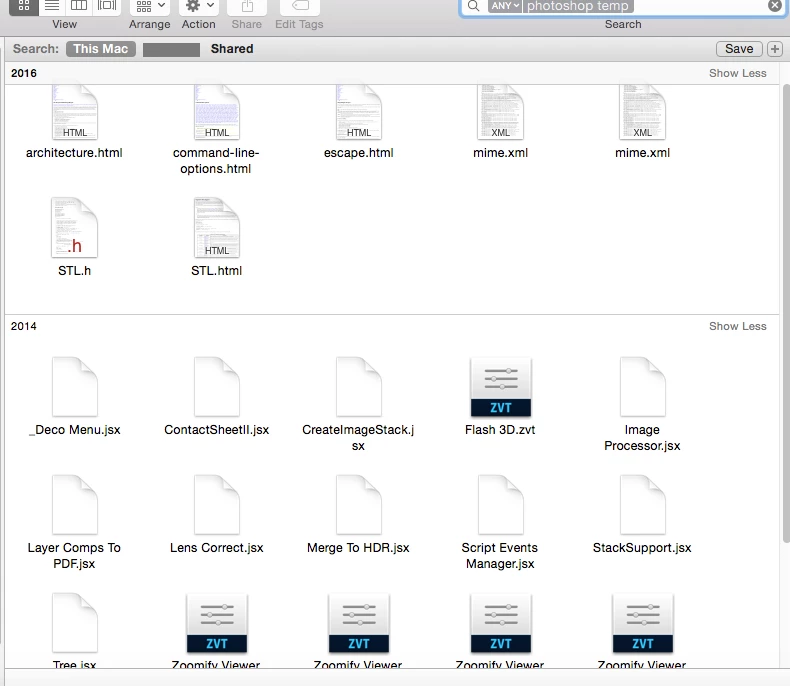
I tried deleting some cache on the program going to Edit -> Purge, it didnt work. And also, i have over 250 GB of storage free on my computer, i don't understand why i'd need to delete files. That's plenty of storage still, isn't it??
Does anyone know why this is happening and what can i do about it? Thank you
 AdChoices