

straighten a horizontal line using Ruler, Options, Straighten
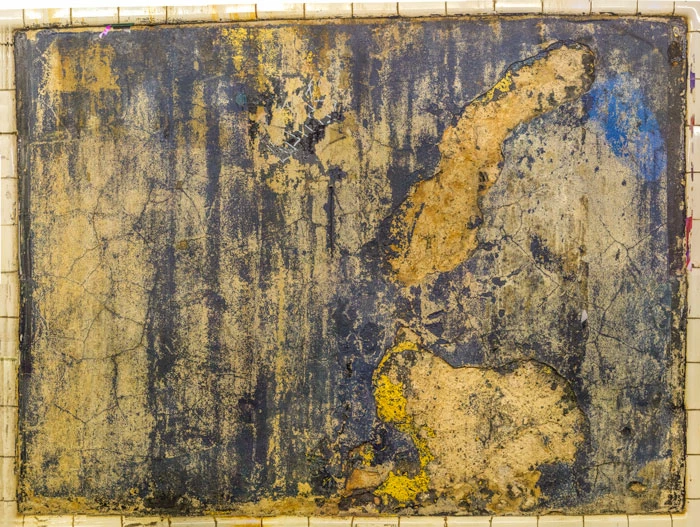
I want to do something that I thought would be easy: straighten the inner borders between the tile and the image panel for all sides in this image, though it's the worst at the top. I read that I could choose the Ruler and then Options, Straighten but I can't find the Options button anywhere. None of the images I found online correspond to what I have in PS. I am using Photoshop CC and presumably the latest version since I am a new user. I saw possible options for doing this using Transform>Skew but that did not straighten the inner border but rather skewed the entire image, maintaining the crookedness of the inner border with the skew. Once the inner border is straightened, I am fine cropping the outer borders to make those straight edges if need be. If anyone can help, I'd be most grateful.
 AdChoices