
illuminapple
Participant
July 28, 2019
Answered

Surface Pro 6 tablet mode

  • July 28, 2019
  • 1 reply
  • 2168 views

I want to be able to undo, redo and other functions in Photoshop in tablet mode with the Surface Pro 6 but was not able to find much besides "Tabletpro" to help use Photoshop in tablet mode with the Surface Pro 6, but I was wondering if there was another way to use gestures etc. in Photoshop that would not require external programs to do these things. I have also looked and tried some different software but to no avail.

Please help!
This topic has been closed for replies.
Correct answer JJMack

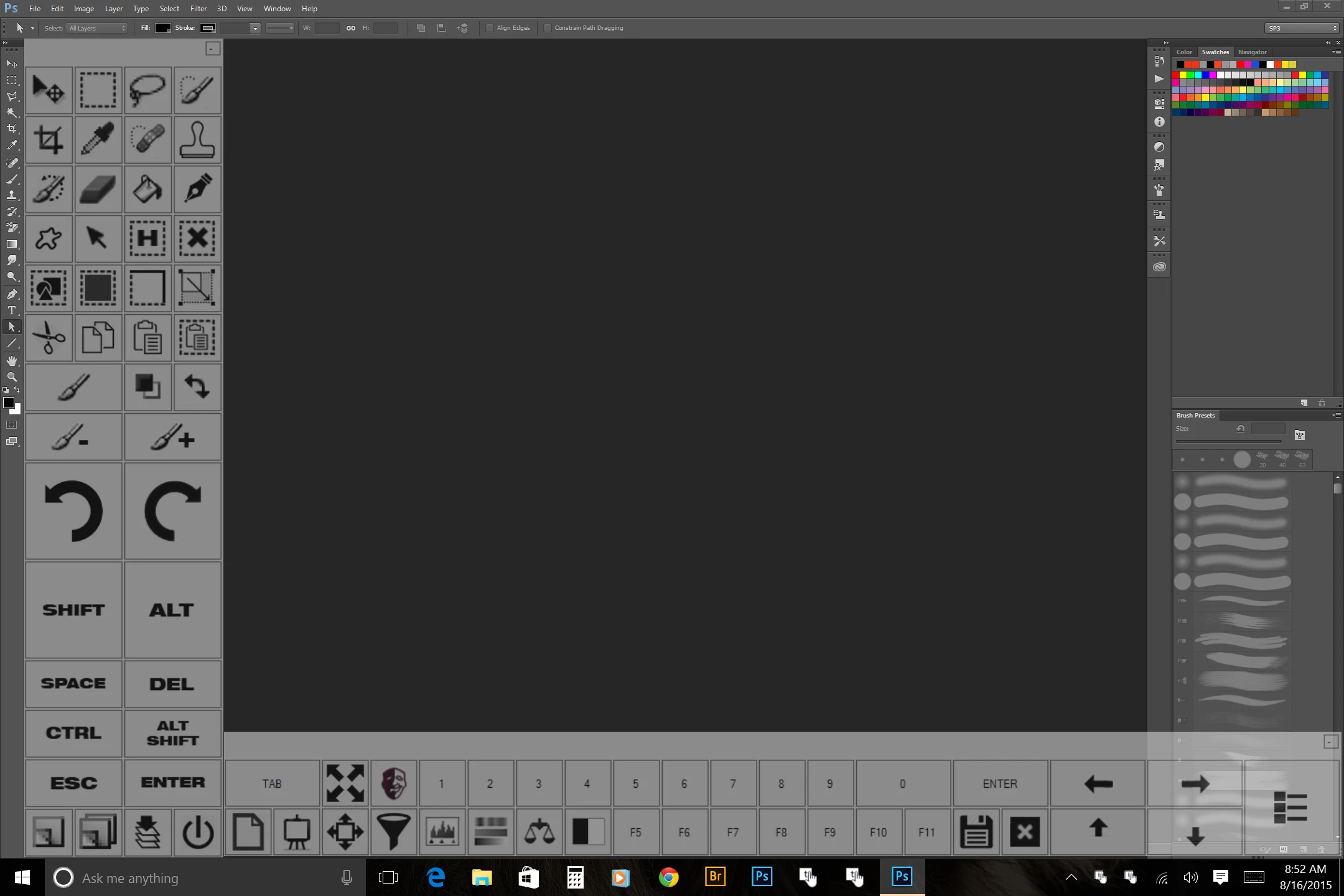
It is quite a task to use Photoshop without a real keyboard  to use shortcuts and the on displays system keyboards are award to use and get in the way.  Photoshop Touch support is not great. You may want to look at a program to use with Photoshop  called Touchkey

Windows 8 / Windows 10 タブレット用 ソフトウェア左手キーボード TouchKey - 幻影の都

1 reply

JJMack
Community Expert
JJMackCommunity ExpertCorrect answer
Community Expert
July 28, 2019

It is quite a task to use Photoshop without a real keyboard  to use shortcuts and the on displays system keyboards are award to use and get in the way.  Photoshop Touch support is not great. You may want to look at a program to use with Photoshop  called Touchkey

Windows 8 / Windows 10 タブレット用 ソフトウェア左手キーボード TouchKey - 幻影の都

JJMack
illuminapple
Participant
July 29, 2019

This is brilliant, thank you!