

Targeting a layer when none is selected.
Hi,
this is probably so easy that I can't see it. Simple document:
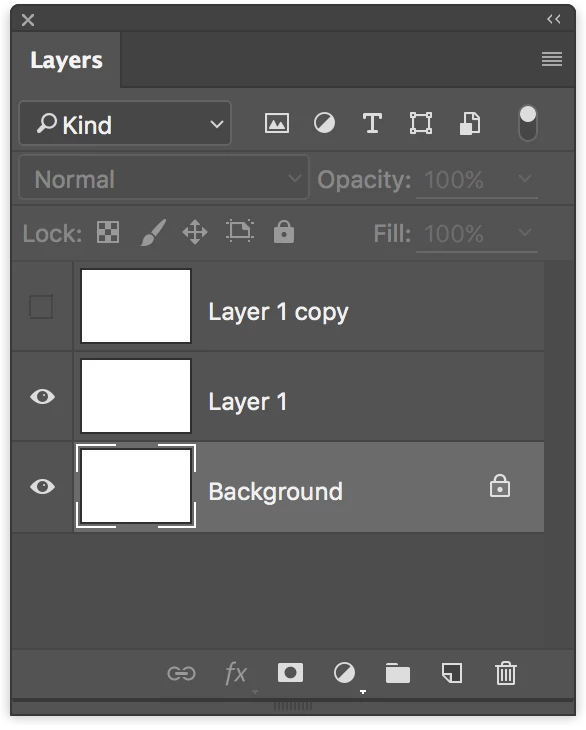
Simple script that loops through layers and deletes the one that's hidden:
var doc = app.activeDocument;
for (var i = 0; i < doc.artLayers.length; i++) {
if (!doc.artLayers.visible) {
doc.artLayers.remove();
}
}
There are better ways I know, but it works.
Now try this as a starting point (no layers actually selected):
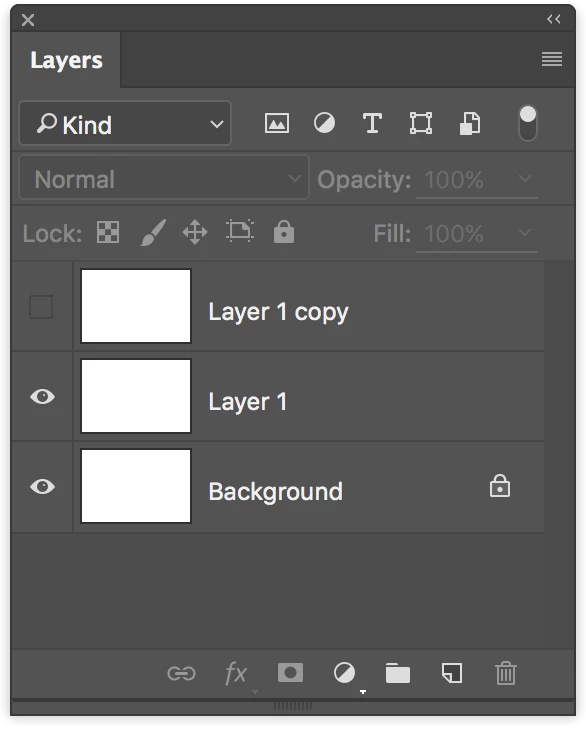
The above script fails with error "The Command Delete is not currently available".
I've added an extra line to make it active, but it doesn't (at least Photoshop CC2015.5, OSX)
var doc = app.activeDocument;
for (var i = 0; i < doc.artLayers.length; i++) {
if (!doc.artLayers.visible) {
app.activeDocument.activeLayer = doc.artLayers;
doc.artLayers.remove();
}
}
Am I missing something here?
Thank you!
Davide
 AdChoices