

neil wilkes
Legend
May 30, 2017
Answered

Text Paragraph - Line Spacing badly broken (CC 2017.1.1)
  • May 30, 2017
  • 3 replies
  • 1559 views

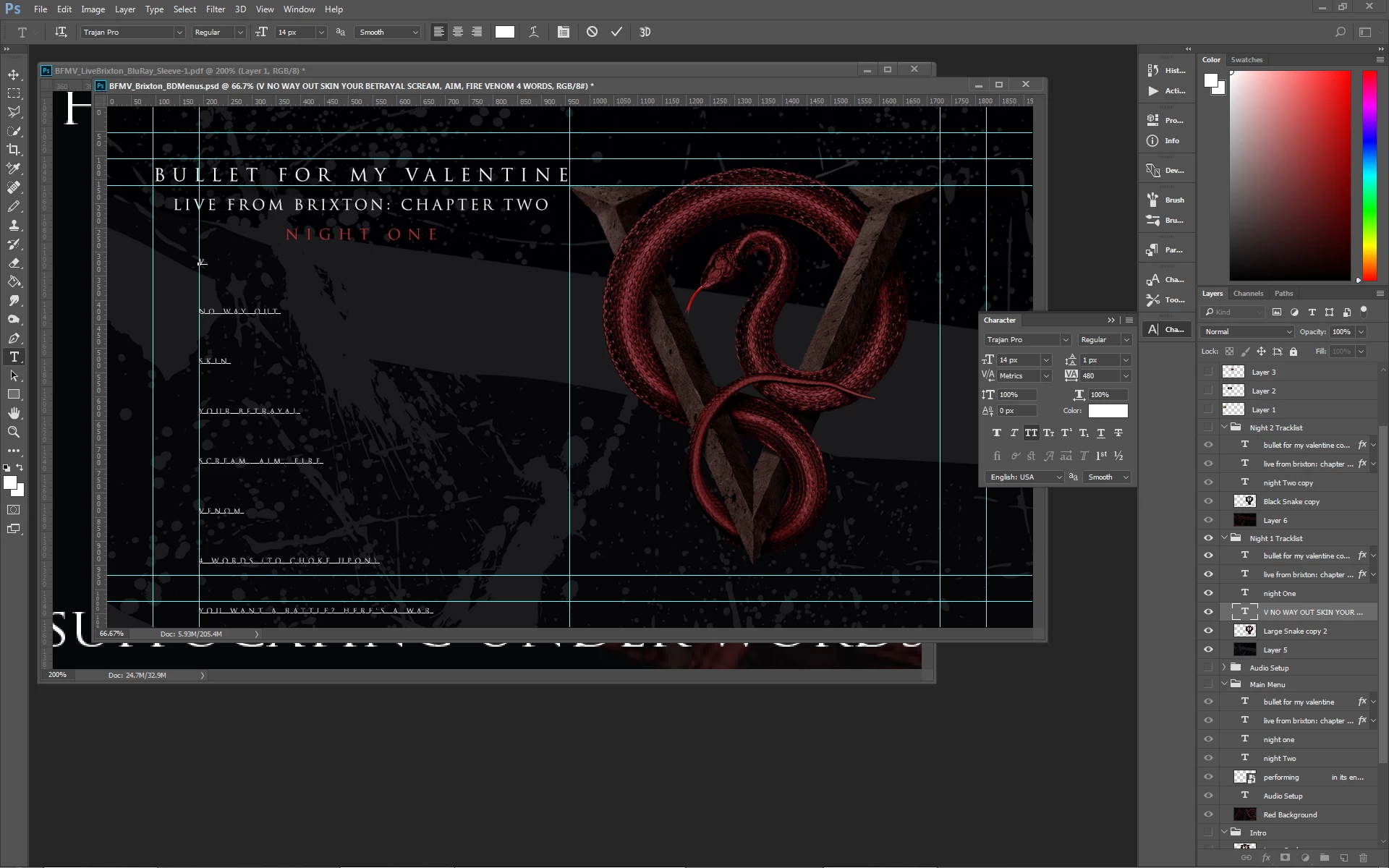
In the above image, I am trying to get the track names sitting underneath each other but it simply does not work.

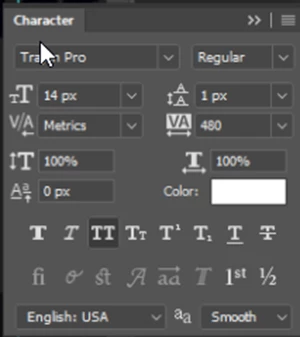
The setting above is at 1 pixel, as you can clearly see, on 12 point text - at that setting the lines should be ion top of each other but as you can see it is impossibly wide and I literally cannot set it smaller. I cannot set negative values and it makes no difference if I copy & paste a block of text or else enter it all directly in the Text Tool.

Photoshop was starting to get it's act together with text but this is dreadful - how can I fix this without having to type in each line separately please?

Making a text box or a smart object also does not help as shrinking that screws with the text size.

I will have to do this one line at a time for this one but please, please fix this bug!! It is making text entry very difficult & a LOT of aggravation as everything must now be done one line at a time.
    This topic has been closed for replies.
    Correct answer Eternal Warrior

    FWIW: I totally appreciate your frustration...

    I am however struggling...

    Firstly - from your screenshot your text is not 12 points > It is 12 Pixels

    Similarly your leading is set to 1 pixel not point.

    As I can see from your screenshot here:

    Also.... Just because I don't understand... Why are you doing this in Photoshop instead of InDesign?

    Sorry

    Best wishes,

    EW

    3 replies

    Trevor.Dennis
    Community Expert
    Community Expert
    May 30, 2017

    Yes that doesn't make any sense. 

    First off try a different (new) document with similar settings.  If the problem persists reset the tool as a first step (I generally reset All Tools when it comes to this sort of thing as there is no real downside).  If that doesn't do it, reset Preferences.

    Eternal Warrior
    Inspiring
    May 30, 2017

    +1

    Eternal Warrior
    Eternal WarriorCorrect answer
    Inspiring
    May 30, 2017

    FWIW: I totally appreciate your frustration...

    I am however struggling...

    Firstly - from your screenshot your text is not 12 points > It is 12 Pixels

    Similarly your leading is set to 1 pixel not point.

    As I can see from your screenshot here:

    Also.... Just because I don't understand... Why are you doing this in Photoshop instead of InDesign?

    Sorry

    Best wishes,

    EW

    c.pfaffenbichler
    Community Expert
    Community Expert
    May 30, 2017

    Can you provide a file with just the Type Layer?

    Please provide one more screens, this time with all the the text selected?

    Could there be spaces or other unnoticeable characters in different sizes within the lines? (As the text does not seem to be selected this is not indicated in the Character Panel.)

    Eternal Warrior
    Inspiring
    May 30, 2017

    +1