
Marko Subotin
Inspiring
August 5, 2020
Answered

That awful gradient that happens with the gaussian blur.

  • August 5, 2020
  • 5 replies
  • 1643 views

So yeah, I hate it when I need to blur something and I do it with gaussian blur, and on 100% you realy rough trasitions with the colors. Does anyone know how to avoid that quickly? Earlier I dont know, I just play with it, add blur with other options, and I get rid of it, but I want to save more time to quickly add blur to a certain part of an image and to have s smooth transition, not those jagged edges.
Thanksfor the help. 🙂
This topic has been closed for replies.
Correct answer c.pfaffenbichler


I notice no banding, 

Is your monitor profile fairly recent? 


But as the others have already mentionsed you can additionally apply Filter > Noise > Add Noise. 

5 replies

D Fosse
Community Expert
Community Expert
August 5, 2020

The reason for banding is always reduced bit depth. 8 bit data will always show banding in smooth shallow gradients like this.


But what most people don't think about is that even with a 16 bit document, your display pipeline is still 8 bit (unless you have a 10-bit capable monitor/video card), and furthermore, there are several components in that pipeline that can introduce banding on their own: 8 bit output from the video card, corrections in monitor calibration, a faulty monitor profile, and the display panel itself.


Most inexpensive panels are actually 6 bit natively (all TN-panels used for gaming and office), and the 2 extra bits achieved by dithering.


All these potential sources for banding are cumulative, they build on top of each other. The final result can be very irregular banding with strong color components because the channels are affected differently.


In short - if you see banding in a 16 bit file, it's in your display system.


Marko Subotin
Inspiring
August 5, 2020

Great job guys thanks you all! 😄

Michael Bullo
Community Expert
Community Expert
August 5, 2020

Excellent.

Participating Frequently
August 5, 2020

You could try adding noise or using the splatter filter and then adding a little more blur or you could use 16 bit instead of 8 bit to lessen the banding.

Marko Subotin
Inspiring
August 5, 2020

Yeah, adding a REALY small amounth of noise and working with 16bit seemes to work. 😄

Michael Bullo
Community Expert
Community Expert
August 5, 2020

I agree with @c_pfaffenbichler.

You could also try adding just a little noise. This can do a great job of breaking up those lines.

c.pfaffenbichler
Community Expert
Community Expert
August 5, 2020

Try working in 16bit. 

Marko Subotin
Inspiring
August 5, 2020

Not working. When I just click IMAGE-MODE-16BIT and apply gaussian blur, its the same.

c.pfaffenbichler
Community Expert
Community Expert
August 5, 2020

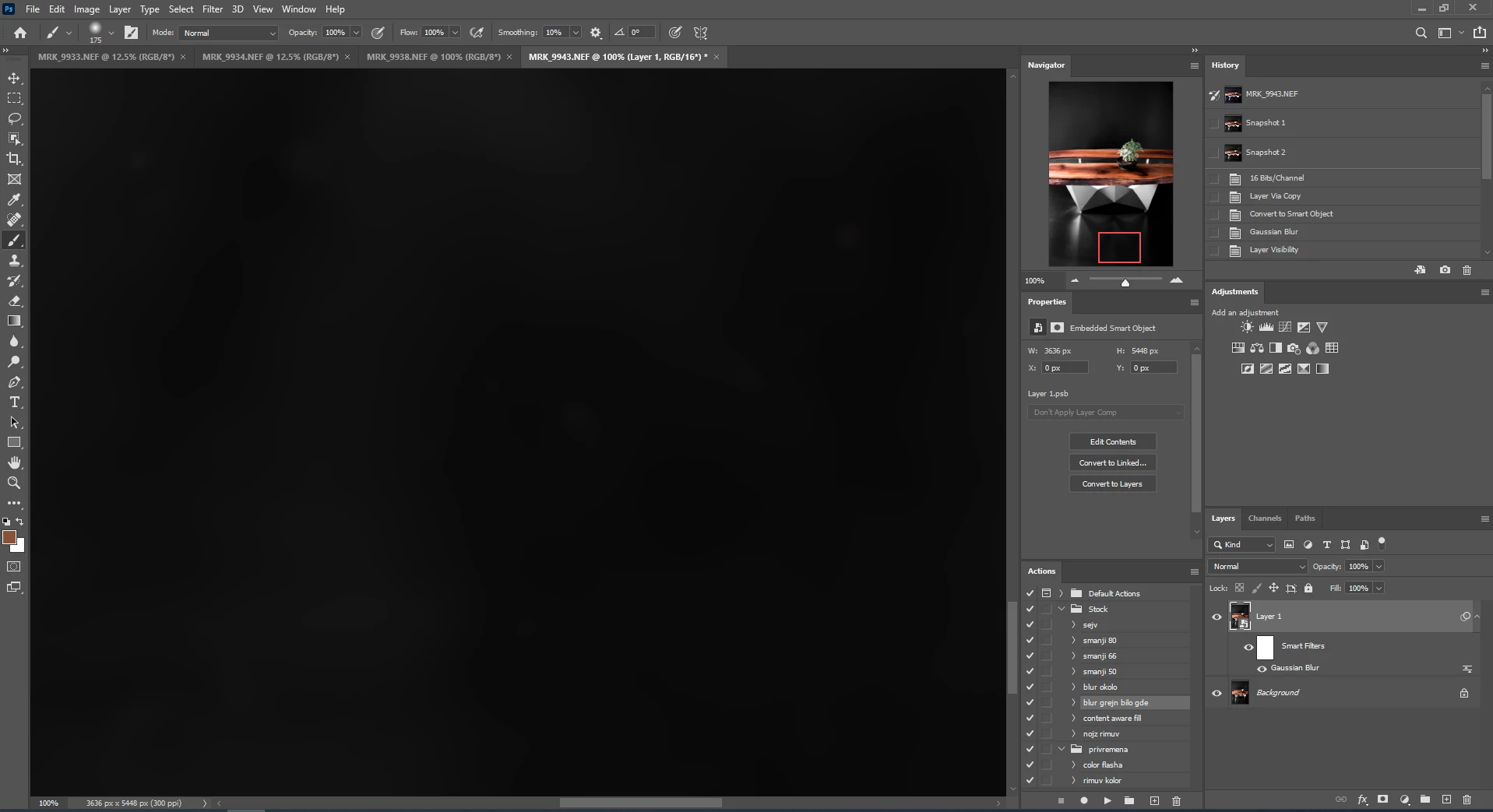
Please post a screenshot taken at View > 100% with the pertinent Panels (Layers, Options, …) visible.