legendary Godzilla
Participant
December 29, 2019
Answered

The '' 'Zoom Tool' '' only increases size, but does not decrease it.

  • December 29, 2019
  • 1 reply
  • 1472 views

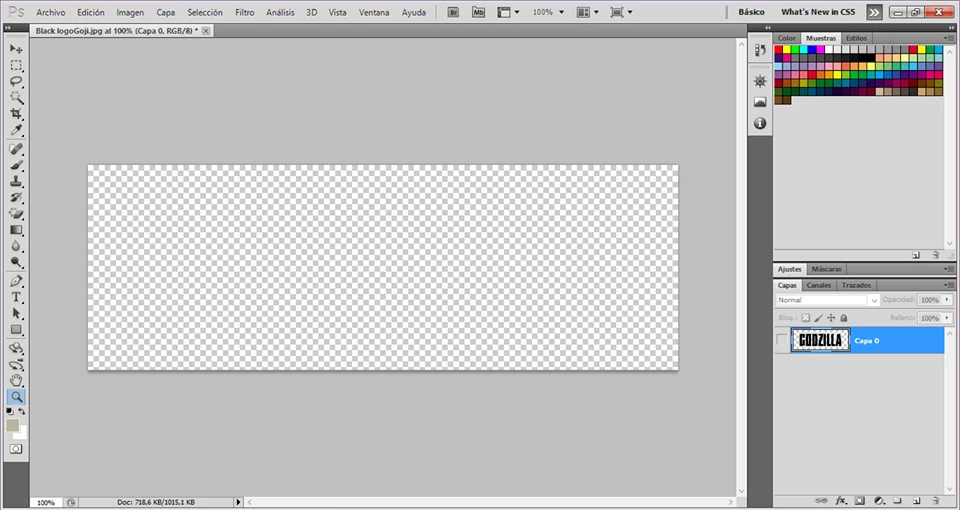
Hello, my photoshop is CS5 and does not work right, cus the Zoom Tool only increases the size everytime I click on the screen. Any help will be appreciated!

 

This topic has been closed for replies.
Correct answer jane-e

Sorry, my english is not so good. But yes, version CS5 has buttons for + and - in Zoom. But somehow they don't appear anymore.


Hi
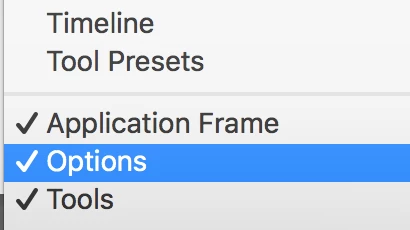
  • Turn on your options bar from the Window menu. The options bar has the + and - icons and you can change the mode there.


    and/or
  • Hold down the Alt key and click with the Zoom tool to zoom out

    and/or
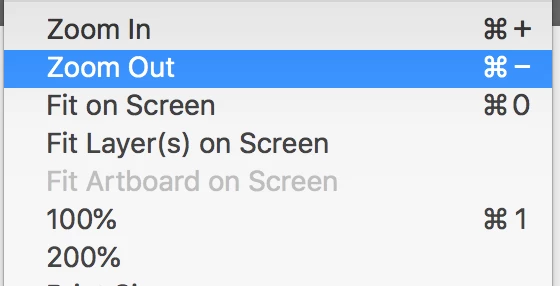
  • The keyboard shortcuts are Ctrl + and Ctrl -  to zoom in or out (not period as was suggested by someone else).

Let me know if you have something that works. And it's okay to type in your native language if you prefer. We can translate! 🙂


~ Jane

1 reply

jane-e
Community Expert
Community Expert
December 29, 2019

You didn't say, so are you holding down Alt with the Zoom tool when you try to zoom out?

~ Jane

legendary Godzilla
Participant
December 29, 2019

No, The '' 'Zoom' '' only increases the picture size, but does not decrease it.

jane-e
Community Expert
Community Expert
December 29, 2019

Hi Godzilla,


Is that "No",  meaning you are not holding Alt? Or "No" to something else?


To zoom out with the Zoom tool, hold down the Alt key with the Zoom tool and click on your image.


Newer versions have buttons for + and - in the options bar. Your options bar isn't showing, and I don't remember if this feature is available in CS5 or not. Try turning on the options bar from the Window menu to check.


~ Jane