


- Home
- Photoshop ecosystem
- Discussions
- Toms Hardware CPU Passmark Thread
- Toms Hardware CPU Passmark Thread
Toms Hardware CPU Passmark Thread


Copy link to clipboard
Copied
If you are looking to upgrade your hardware, or have recently done so, and want to see how it stacks up, one of the Toms Hardware forum mods has started a thread where you can list your results, compare with others. Like the old PPBM5 results table used to be, it gives you an idea on the differences of GPUs and CPUs.
Tom's Hardware Passmark-CPU Benchmark Thread - CPUs
The biggest hassle I had was uploading the screenshot. There's none of that super friendly copy to clipboard and paste directly to the thread, that we enjoy here. You have to upload your screenshot to the likes of imgur and link to it on the TH thread. Imagine if we had to do that here with all the screen shots we use? [shudder] So score one for Jive for all its failings.
AFAICT my CPU, at least, would top their front page results table, but my old GTX970 is well and truly trounced by what look to be gaming machines in the rest of the thread. I used to have clock speed OC on automatic, but that made it shoot round to 4.4 to 4.5Ghz with heavy usage apps like Handbrake, or CPU-Z's stress/benchmark tool, and CPU temperature shot straight up to the high 90°C. I use a single 280mm Cooler Master Liquid Pro radiator with two 120mm fans. The fans ramped ever so slightly for the Passmark test. They go crazy loud when running Handbreak.
The instructions are in the first post as you'd expect, but basically, download and run this scary look .exe file. It took me a moment to work it out, but you have to click precisely on the word Run at the bottom of each window. (mine say rerun now because I have already run them — but you'd worked that out already. Right?)
https://www.passmark.com/ftp/petst.exe




Explore related tutorials & articles
 10
Replies
10
10
Replies
10


Copy link to clipboard
Copied
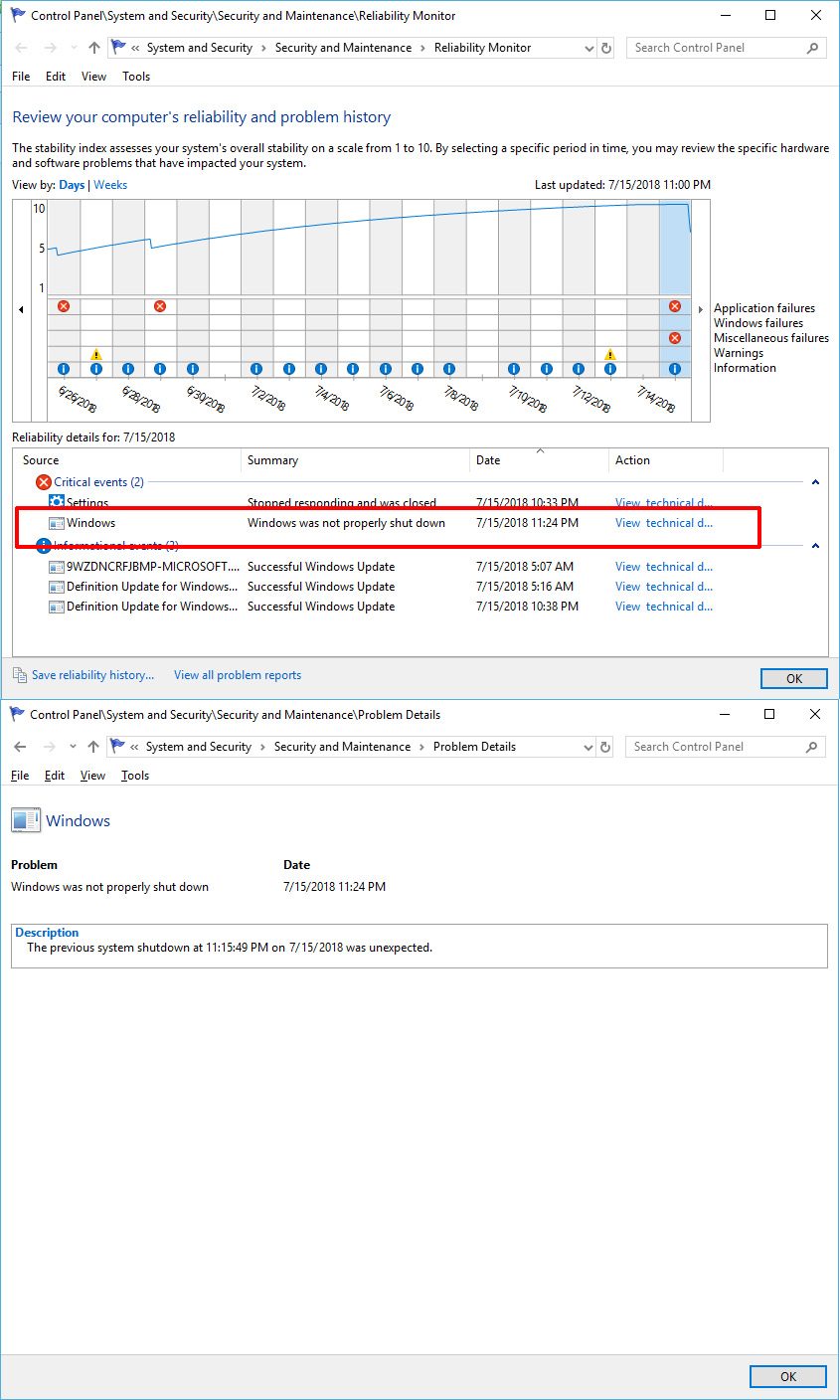
That Pathmark PerformanceTest 9 Crash my workstation in a way that my system rebooted. No Blue/Green screen no crash report just that windows was not properly shut down.

Copy link to clipboard
Copied
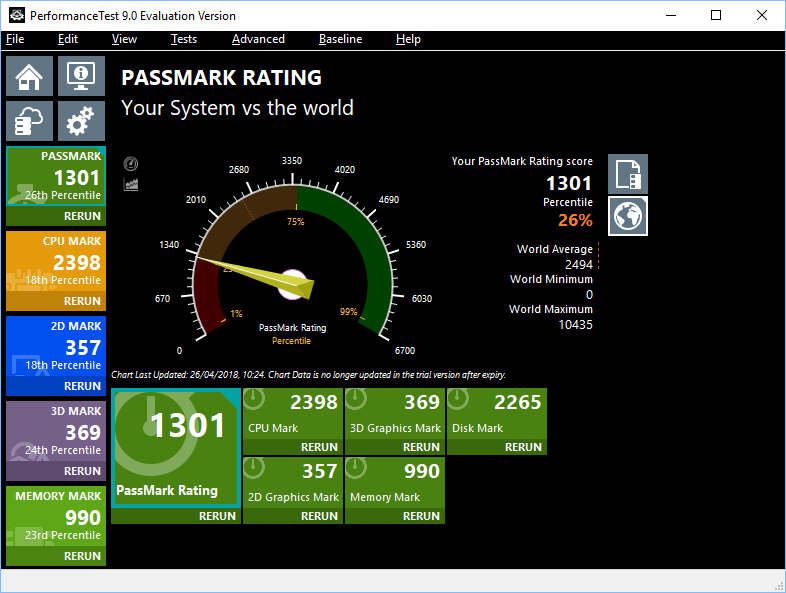
Looks like my work PC is a little slow LOL

Copy link to clipboard
Copied
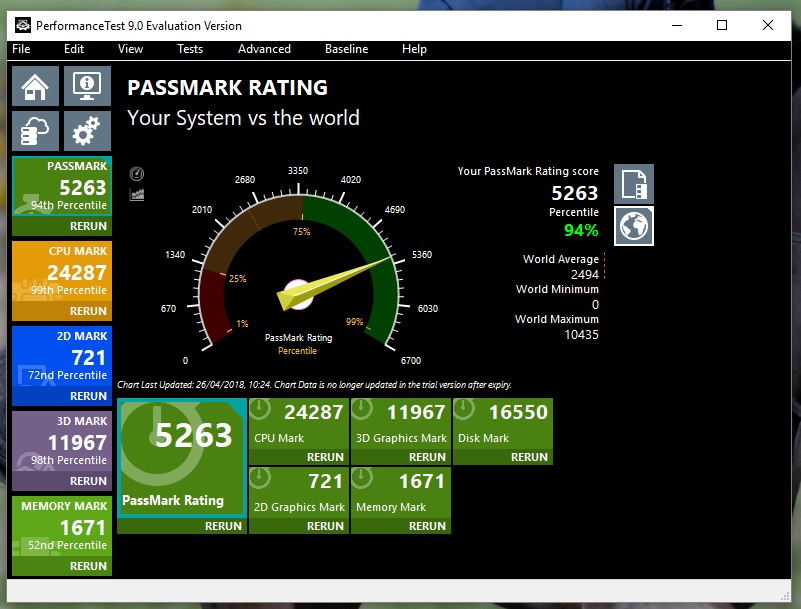
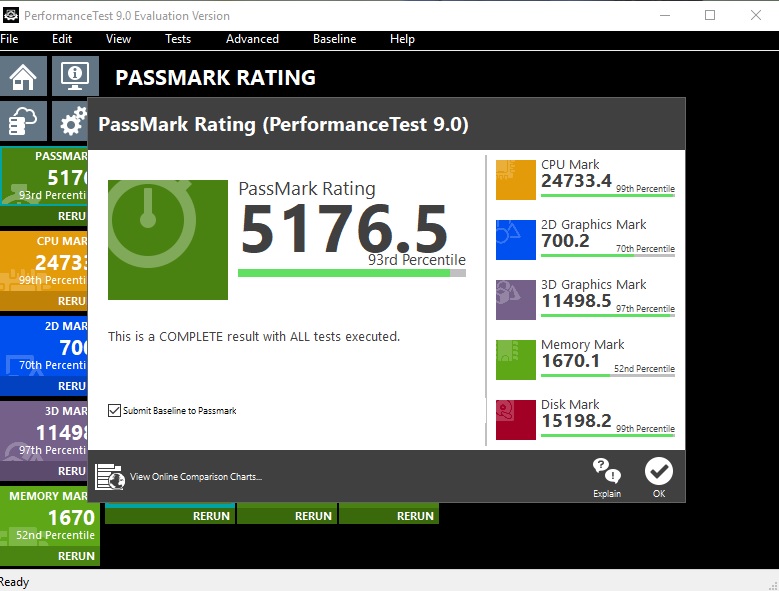
Hi Trevor. Well I run the passmark test and my results are below? A Little disappointing compared to your scores but ah well I must run this again!
Mike

Copy link to clipboard
Copied
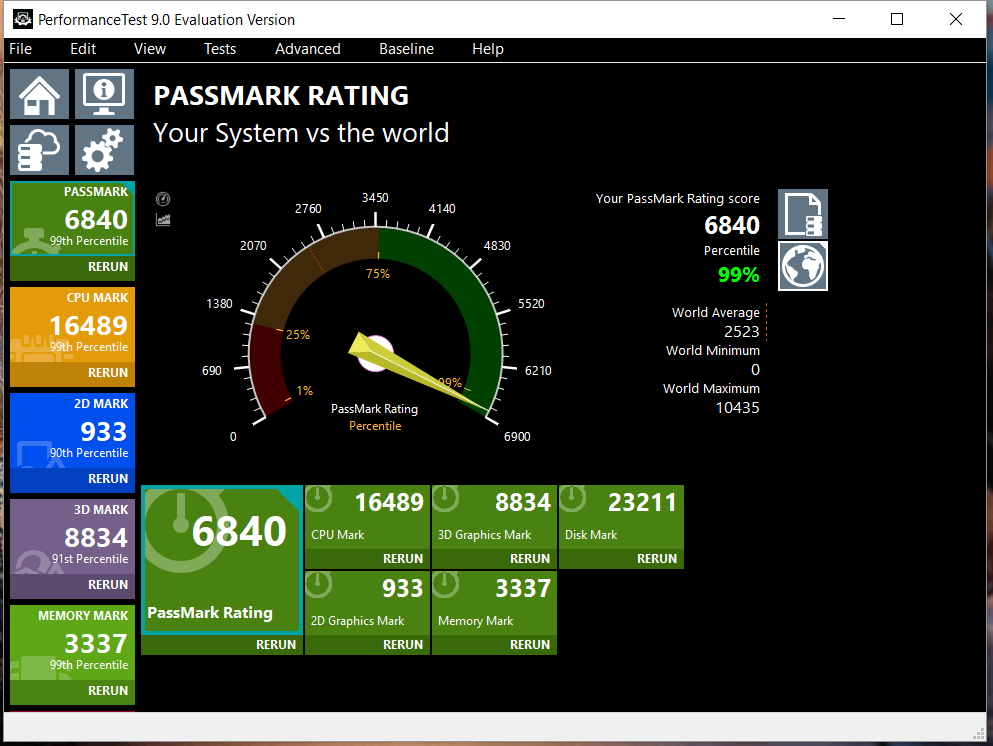
This thread is very timely for me. I just built a new I7 8700K desktop using a new Samsung nvme 970 on Asus Z370 mb. I kept the GTX 970 from my last build due to cost reasons.
I have been very happy with the results in LR CC CL, Photoshop and Premier Pro. Here is my passmark result. I'm happy that I got my $$ worth.

Copy link to clipboard
Copied
And mine:
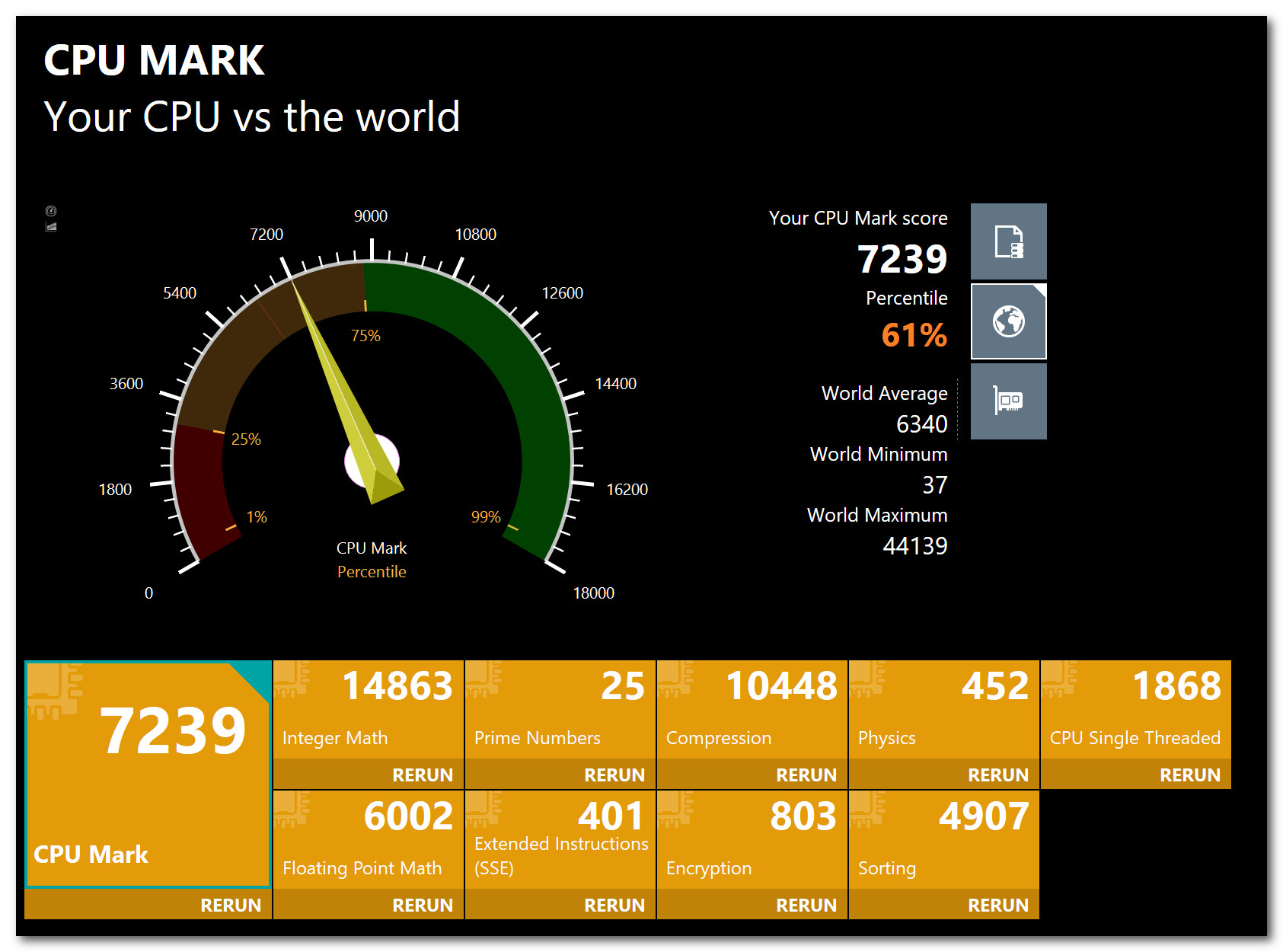
I have a Dell XPS 15 9550 laptop. Above average anyway.
What kind of CPU would you need to score: 44139?
Copy link to clipboard
Copied
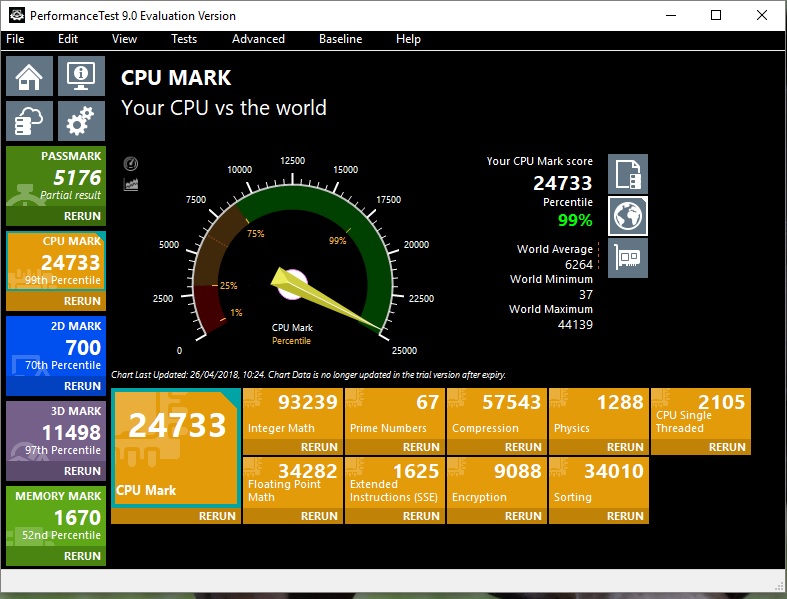
Hi Trevor. Well I rerun the test again today as I forgot that I had the PC on my browsing settings. I am feeling a lot better now about the results I got Yes 3,224 Passmark points above your score
  and the temps never wet over 54c
 . Yes your i9 still beats the AMD 1950x on single threaded scores 2320 / AMD 2115 = 205 of a difference. It would seem that they quite similarly matched in price and performance? What's your thoughts on this Trevor.
Regards.
Mike
Mike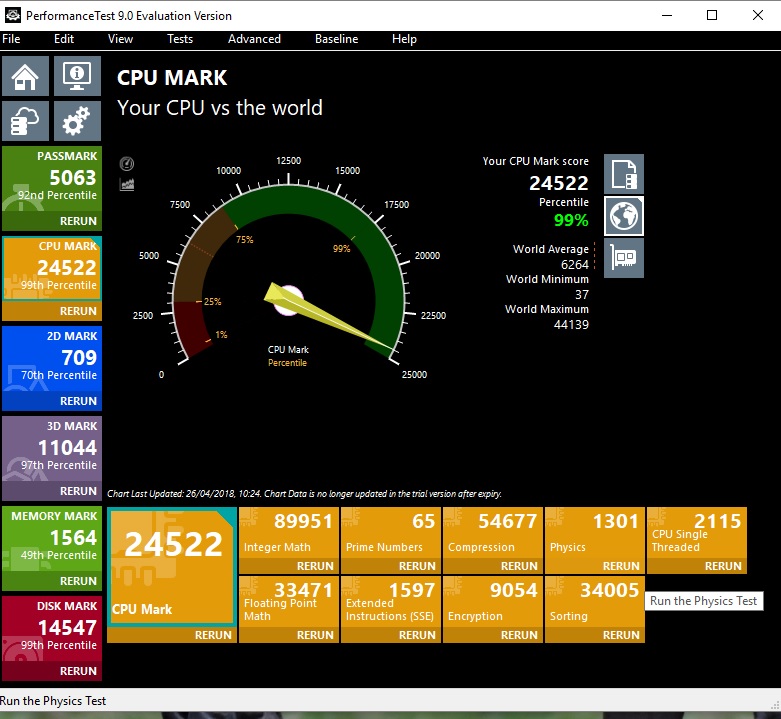

Copy link to clipboard
Copied
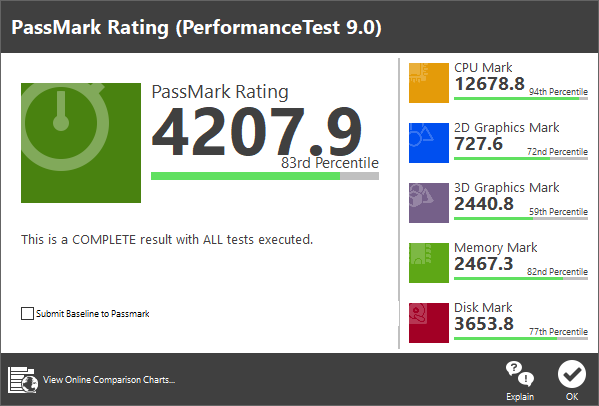
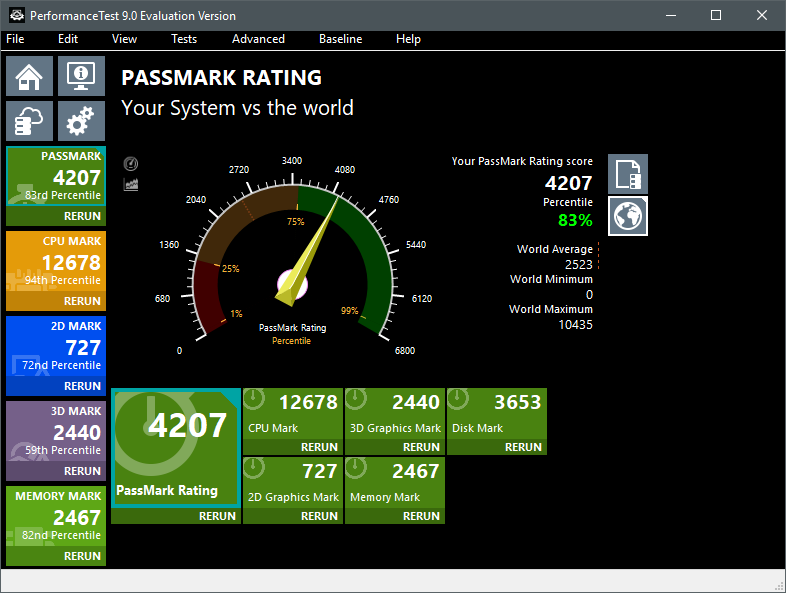
This is kind of a joke. Seriously, docking me 60% of the score in the 3D test? (I mean, seriously, guys. Not everyone games on their PC, nor do I care to.) I'm quite happy with my video adapter (an NVIDIA GT 1030); I chose it because of its form factor and performance for what I need it to do in so small a package.
Still, my mini-ITX system didn't do too bad. I'm quite happy with it, anyway. I plan on upgrading to an M.2 SSD in the near future as well.
Copy link to clipboard
Copied
Hi. Your score is 12678. You need to place your cursor over the yellow CPU box and then you will get your CPU test results. I made the same mistake when I first run the test. Eich time I run the test I get different results?? so you should run the test a couple of times 
Hers is the latest test results I run. It's just for fun .
Cheers.
Mike
Copy link to clipboard
Copied
Oops, just realized that.
Still, the dark green is the overall, isn't it? I'm not worried about it in any case; I already uninstalled it. xD
Copy link to clipboard
Copied
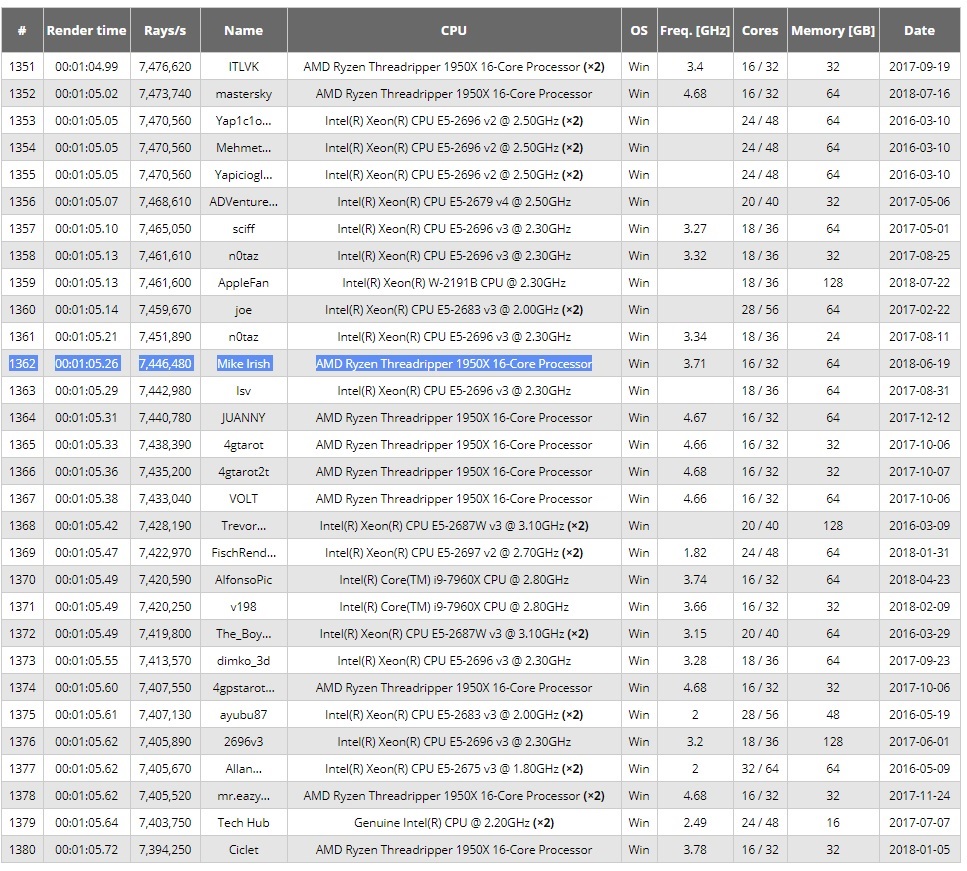
Hi I will also delete the program. A better test is the Corona render test, its free to download. You should try it. Here is where my setup sat compared to others .
Cheers.
Mike


Find more inspiration, events, and resources on the new Adobe Community
Explore Now
 AdChoices