
Trying to modify color and thickness of a path
I have a simple line drawn with the pen tool, and am wanting to change the color and thickness of it.
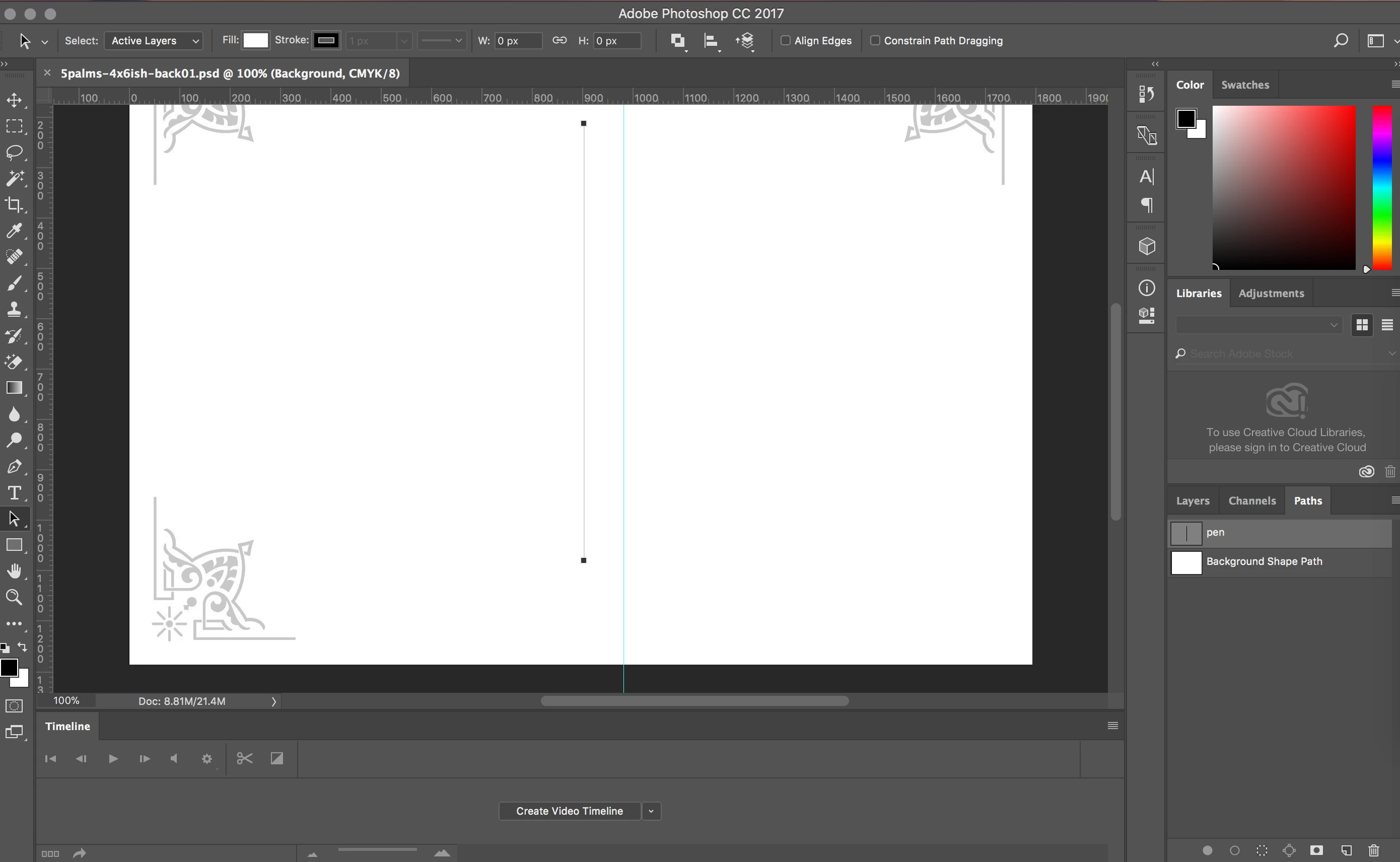
I've been searching for solutions, and found this Edit Paths page
I'm following instructions where it says :
Specify path options
You can define the color and thickness of path lines to suit your taste and for easier visibility.While creating a path—using the Pen tool, for example—click the gear icon () in the Options bar. Now specify the color and thickness of path lines. Also, specify whether you want to preview path segments as you move the pointer between clicks (Rubber Band effect).
However, I'm not seeing the Gear icon in the Options bar, which should give me the option to change color and thickness.
Is there some reason that isn't showing up?
Thank you for any direction.
doug
 AdChoices