
Using Photoshop to correct uneven lighting on a scanned image
Hi again all!
As mentioned in a separate post, I've been scanning a bunch of old newspaper comics using a new scanner I bought. I didn't have money for a flatbed scanner, so I bought a document scanner. It takes pretty nice photos, but the disadvantage is that the scanner itself casts a shadow over top of the image being scanned.
This requires you to turn on an overhead light on the scanner (to get rid of the shadow). However, that then creates the problem of the "center" of your document being lit up too bright, while the edges are too dark.
As you can see in this picture, the center of the comic is very brightly lit, while the left and right sides are much darker:
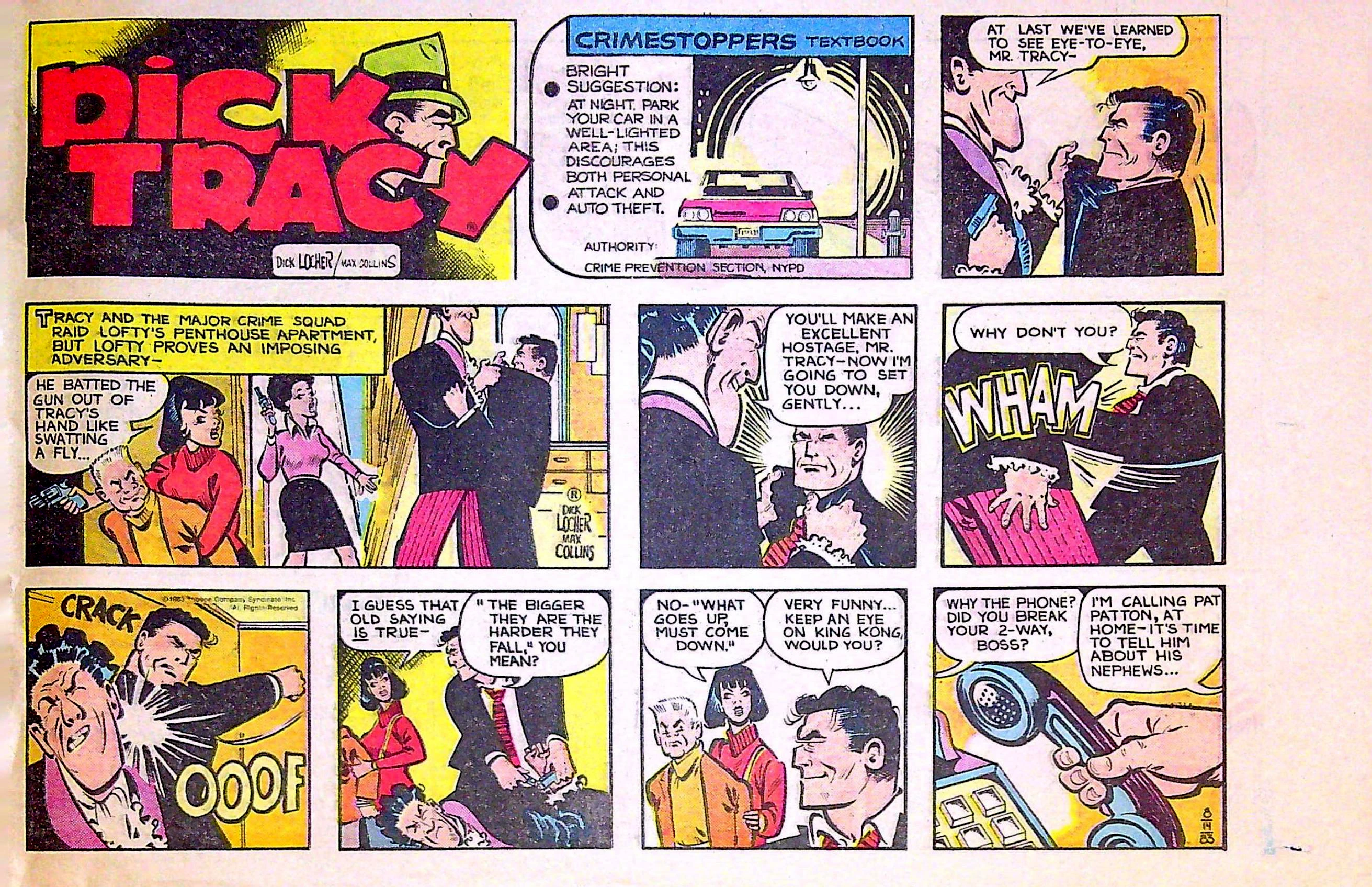
Are there any tools in photoshop that could somehow correct this?
Any help would be greatly appreciated! Thanks so much!
Tony
 AdChoices