Copy link to clipboard
Copied
I'm trying to make a vector path and it is constantly being offset by a factor of 4.17. For example, if I make a line from point 100,100 to 200,200, it acutally makes the line from 417,417 to 834, 834.
I'm guessing this has something to do with the image resolution being 300 dpi versus 72 dpi, because 300/72 = 416.6. However, I have no idea how to communicate to photoshop to actually make the line at 100,100 to 200,200.
Any ideas? Here's some example code I took from the scripting guide that shows what I'm doing:
function drawLine(doc, start, stop) {
var startPoint = new PathPointInfo();
startPoint.anchor = start;
startPoint.leftDirection = start;
startPoint.rightDirection = start;
startPoint.kind = PointKind.CORNERPOINT;
var stopPoint = new PathPointInfo();
stopPoint.anchor = stop;
stopPoint.leftDirection = stop;
stopPoint.rightDirection = stop;
stopPoint.kind = PointKind.CORNERPOINT;
var spi = new SubPathInfo();
spi.closed = false;
spi.operation = ShapeOperation.SHAPEXOR;
spi.entireSubPath = [startPoint, stopPoint];
var line = doc.pathItems.add("Line", [spi]);
line.strokePath(ToolType.PENCIL);
line.remove();
};
drawLine(app.activeDocument, [100,100], [200,200]);
thanks!!

Copy link to clipboard
Copied
function drawLine(doc, start, stop) {
var startPoint = new PathPointInfo();
startPoint.anchor = start;
startPoint.leftDirection = start;
startPoint.rightDirection = start;
startPoint.kind = PointKind.CORNERPOINT;
var stopPoint = new PathPointInfo();
stopPoint.anchor = stop;
stopPoint.leftDirection = stop;
stopPoint.rightDirection = stop;
stopPoint.kind = PointKind.CORNERPOINT;
var spi = new SubPathInfo();
spi.closed = false;
spi.operation = ShapeOperation.SHAPEXOR;
spi.entireSubPath = [startPoint, stopPoint];
var line = doc.pathItems.add("Line", [spi]);
line.strokePath(ToolType.PENCIL);
line.remove();
};
var orig_ruler_units = app.preferences.rulerUnits;
app.preferences.rulerUnits = Units.PIXELS; // Set the ruler units to PIXELS
drawLine(app.activeDocument, [100,100], [200,200]);
app.preferences.rulerUnits = orig_ruler_units; // Reset units to original settings
Copy link to clipboard
Copied
nope, tried that and it didn't work. it's still putting the line at 417,417 to 834, 834. open to any other suggestions! thanks!
Copy link to clipboard
Copied
function drawLine(doc, start, stop) {
var startPoint = new PathPointInfo();
startPoint.anchor = start;
startPoint.leftDirection = start;
startPoint.rightDirection = start;
startPoint.kind = PointKind.CORNERPOINT;
var stopPoint = new PathPointInfo();
stopPoint.anchor = stop;
stopPoint.leftDirection = stop;
stopPoint.rightDirection = stop;
stopPoint.kind = PointKind.CORNERPOINT;
var spi = new SubPathInfo();
spi.closed = false;
spi.operation = ShapeOperation.SHAPEXOR;
spi.entireSubPath = [startPoint, stopPoint];
var line = doc.pathItems.add("Line", [spi]);
line.strokePath(ToolType.PENCIL);
line.remove();
};
var orig_ruler_units = app.preferences.rulerUnits;
var res = app.activeDocument.resolution;
app.preferences.rulerUnits = Units.PIXELS; // Set the ruler units to PIXELS
app.activeDocument.resizeImage(app.activeDocument.width.value,app.activeDocument.height.value,72);
drawLine(app.activeDocument, [100,100], [200,200]);
app.preferences.rulerUnits = orig_ruler_units; // Reset units to original settings
app.activeDocument.resizeImage(app.activeDocument.width.value,app.activeDocument.height.value,res);
Copy link to clipboard
Copied
thanks! however, if I'm going to resize the document then I should probably just convert the points instead.
point = point * (72 / app.activeDocument.resolution);
it just worries me because it feels like there is a setting I should be changing. There's nothing in the documentation at all about paths only lining up at 72 dpi. It means the script may not work on other computers where settings may be different.
Copy link to clipboard
Copied
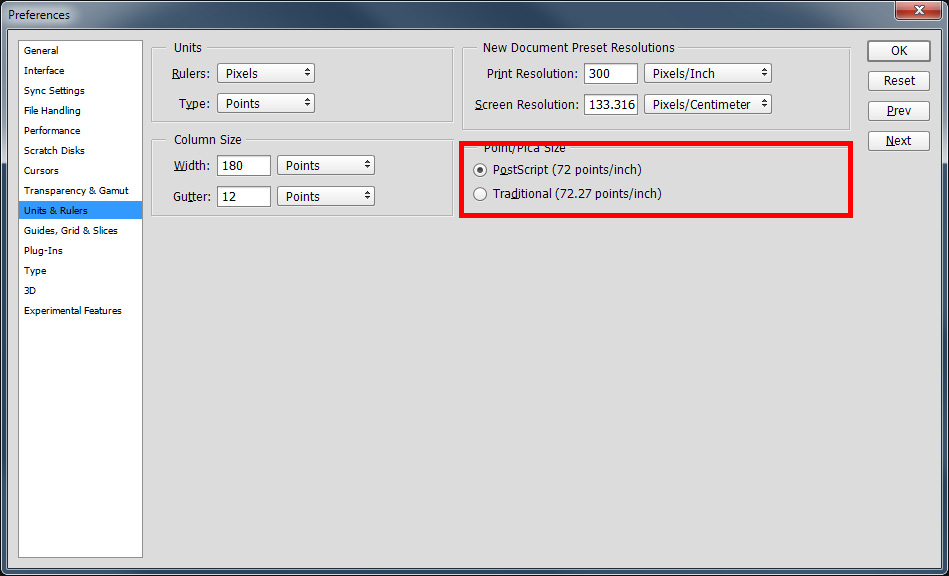
I just tried 72 because I had problems in the past trying to use font size and found using resolution around the proverbial 72DPI help me to get things to work like I calculated. The document is not resized the pixels are not interpolated only the DPI resolution setting is change a couple of times to 72 the back to what it was. Seems related to Photoshop points being 72 points per inch or 72.27 points per inch
activeDocument.resizeImage(null, null, 72, ResampleMethod.NONE);
activeDocument.resizeImage(null, null, res, ResampleMethod.NONE);

Get ready! An upgraded Adobe Community experience is coming in January.
Learn more