
Participating Frequently
January 19, 2018
Answered

Vertical Typing

  • January 19, 2018
  • 2 replies
  • 4783 views

Hi,

I would like to type some text vertically like this:

T

E

X

T

But whatever I do (reseted all settings, deleted settings, uninstalled PS CC, re-installed it etc...) it shows like that:
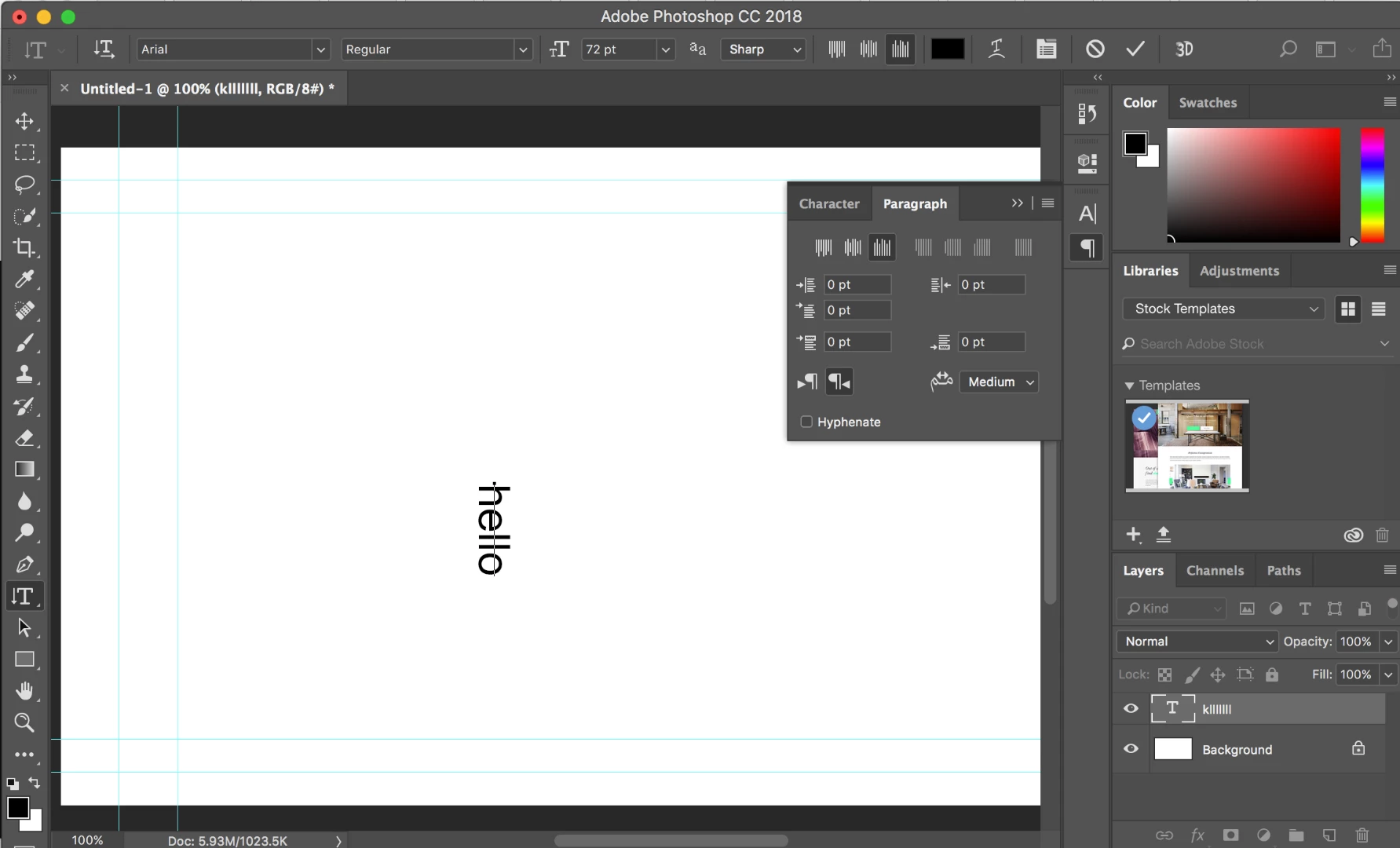
I do not know what else to do...

Please help
This topic has been closed for replies.
Correct answer Jeff Arola

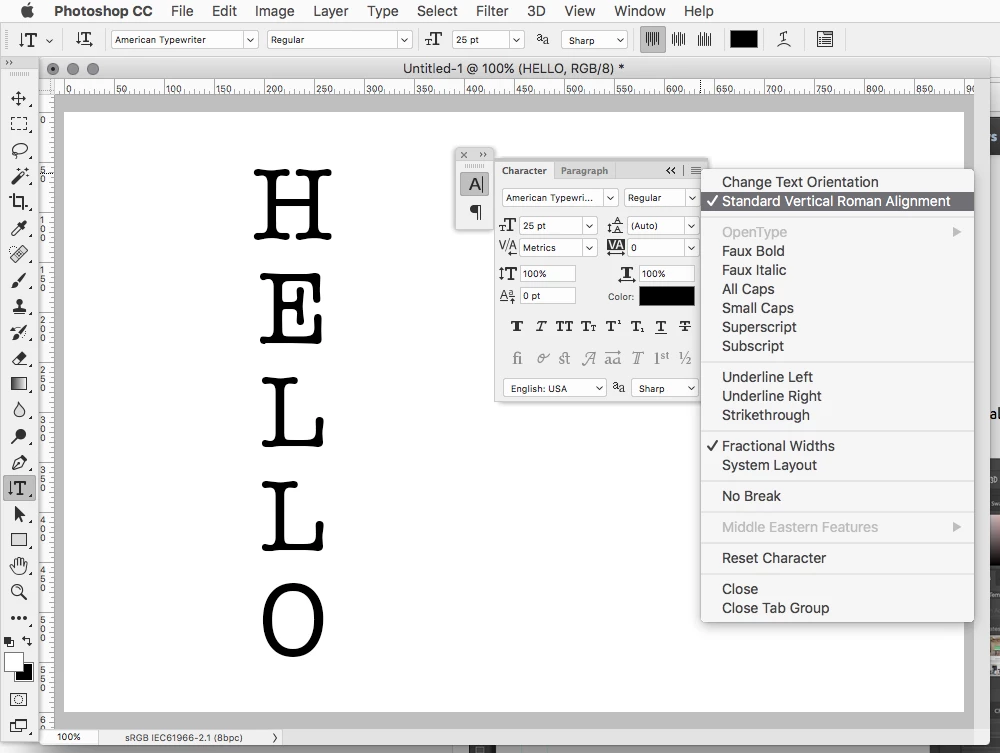
Select the Character panel and in the fly-out menu click on Standard Vertical Roman Alignment.

2 replies

Jeff Arola
Community Expert
Jeff ArolaCommunity ExpertCorrect answer
Community Expert
January 19, 2018

Select the Character panel and in the fly-out menu click on Standard Vertical Roman Alignment.

Participating Frequently
January 19, 2018

Hi Jeff,

done that... still not working...

c.pfaffenbichler
Community Expert
Community Expert
January 19, 2018

Did you select the Type Layer?

c.pfaffenbichler
Community Expert
Community Expert
January 19, 2018

The Layer’s name seems to be different from its actual text, so did you deliberately rename it?

Did you rest the Vertical Type Tool, too?

Does the regular Type Tool work as expected?

Participating Frequently
January 19, 2018

Hi!

If I type regularly it works (horizontal), I just added another layer. It keeps on writing in a way as if it rotates the text, but the letters do not appear above each other...