
Participant
July 6, 2018
Question

When opening an image: "Could not complete your request because of a program error"

  • July 6, 2018
  • 1 reply
  • 1219 views

Hi,

I've spent a lot of time trying to figure out how to open my image. I've looked at several tutorials, but have been unsuccessful in solving the issue.

Upon first opening Photoshop, I see this error:
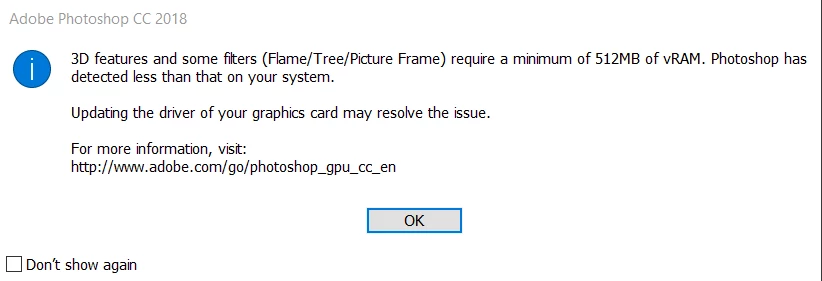
I'm not quite familiar with vRAM, but in order to get more space I deleted many photos from my computer. This didn't help, but I'm not sure whether or not that affects the second error that I receive when actually trying to open an image:
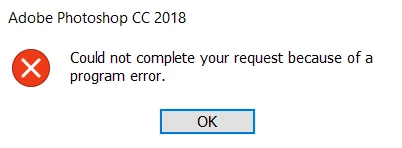
I'm not sure which issue I should fix or if I need to fix both in order to open my image, but I'd really appreciate if someone could help me.

Thanks in advance.

This topic has been closed for replies.

1 reply

c.pfaffenbichler
Community Expert
Community Expert
July 6, 2018

I'm not quite familiar with vRAM, but in order to get more space I deleted many photos from my computer.

vRAM is a feature of the GPU so freeing space on your hard drive is useless to address this issue. (edited)

Troubleshoot Photoshop graphics processor (GPU) and graphics driver issues

As for the other issue:

What have you done for trouble-shooting so far?

Restoring Preferences after making sure all customized presets like Actions, Patterns, Brushes etc. have been saved might be a good starting point:

https://helpx.adobe.com/photoshop/kb/basic-trouble-shooting-steps.html

vsherr842Author
Participant
July 6, 2018

I tried both of those things, however neither of them solved any issues. Do you have any other ideas?

c.pfaffenbichler
Community Expert
Community Expert
July 8, 2018

Which »both things«?

What is your GPU? Is it listed on the list of tested ones?

Are Photoshop and OS fully updated?

Please read this (in particular the section titled "Supply pertinent information for quicker answers"):

https://forums.adobe.com/docs/DOC-7044