Participant
October 29, 2020
Answered

Where are my 3rd party plugins? PS 22.

  • October 29, 2020
  • 2 replies
  • 9560 views

Started using Photoshop 22, and I come to a quick halt - my workflow includes the use of Neat Image (normally found under "Filters").


There are others missing as well.


Mark

This topic has been closed for replies.
Correct answer JJMack

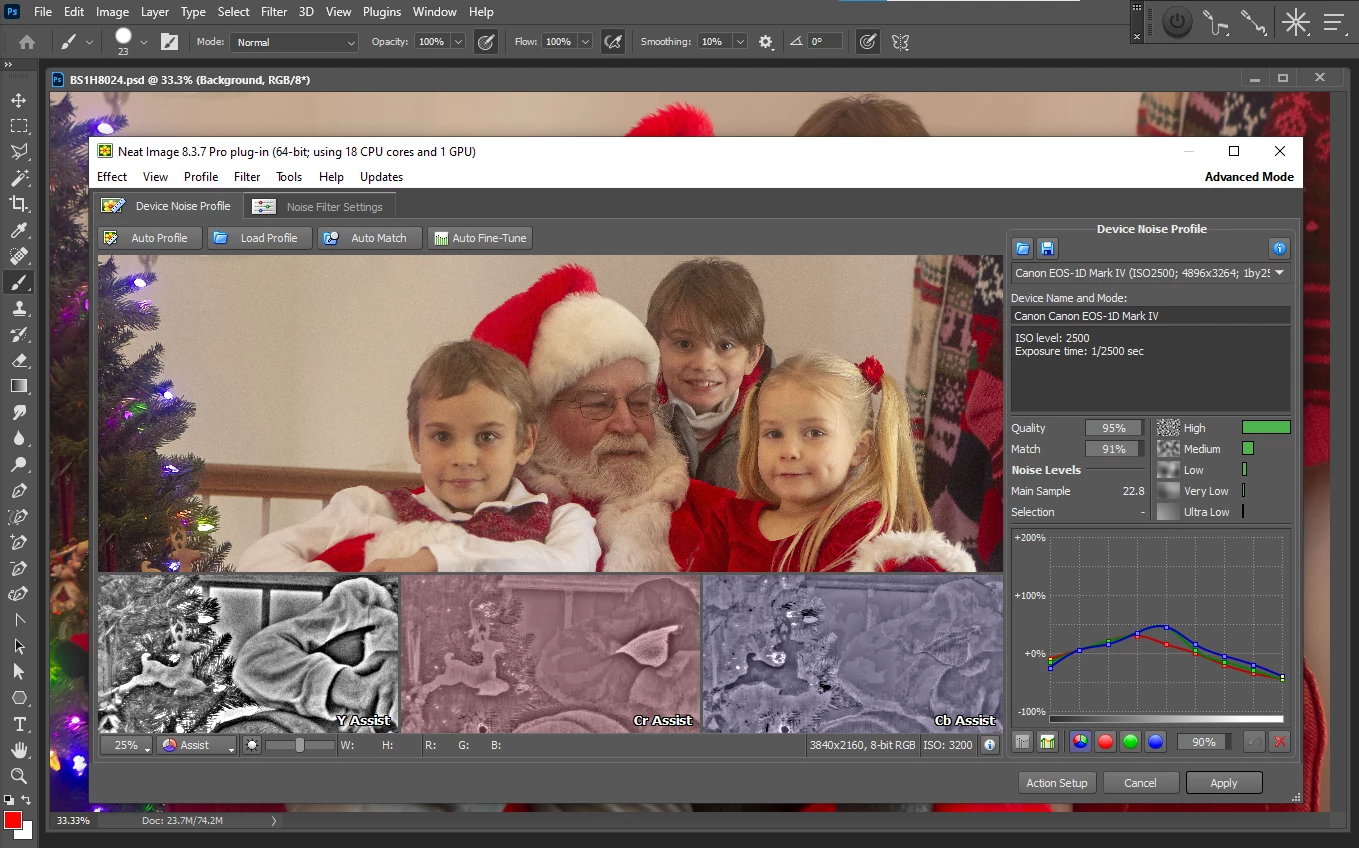
Adobe Photoshop installer does not migrate third party Plug-in you need to install the into each version of Photoshop when you install a new version.  The last Neat Image I updated to was 8.3.7.  When I installed it into Photoshop 2021 it works.
2 replies

Participant
October 30, 2020

If you already have a working copy of Neatimage installed, copy the 'Neatimage(version).8bf ' file and place it in the plug-ins folder.
Folder location should be something similar to Program Files\Adobe\Adobe Photoshop2021\Plug-ins.

Participant
January 10, 2022

C:\Program Files\Adobe\Adobe Photoshop 2021\Required\CEP\extensions


gener7
Community Expert
Community Expert
October 29, 2020

Neat Image 8.5 is updated for Photoshop 2020. So first contact them to see if it's 2021 ready and what you must do to tranfer it over. Same would go for any filter or plugin bundled with an installer.


In one case, Vuescan plugin did not go from 2020 to 2021. I had to move the plugin.

JJMack
Community Expert
JJMackCommunity ExpertCorrect answer
Community Expert
October 29, 2020

Adobe Photoshop installer does not migrate third party Plug-in you need to install the into each version of Photoshop when you install a new version.  The last Neat Image I updated to was 8.3.7.  When I installed it into Photoshop 2021 it works.

JJMack
mzahra1
Participating Frequently
February 6, 2021

I also upgraded to PS2021 and lost my 3rd part plug in filters, Neat Image Version 8.6 now.  I upgraded and it put it in the PS2021 folder ok.  Thanks!