dinukapj
Participant
June 24, 2020
Answered

Why are my shapes pixelated when zoomed in?

  • June 24, 2020
  • 5 replies
  • 24655 views

I'm starting out with illustrating in Photoshop (beginner) and I simply created some art using the basic square, circle marquee tools, and filling them with colors. When zoomed in, these shapes are pixelated. But my image resolution is high if I'm not mistaken. What am I missing here? How do I get these to be vector shapes? I appreciate your support.


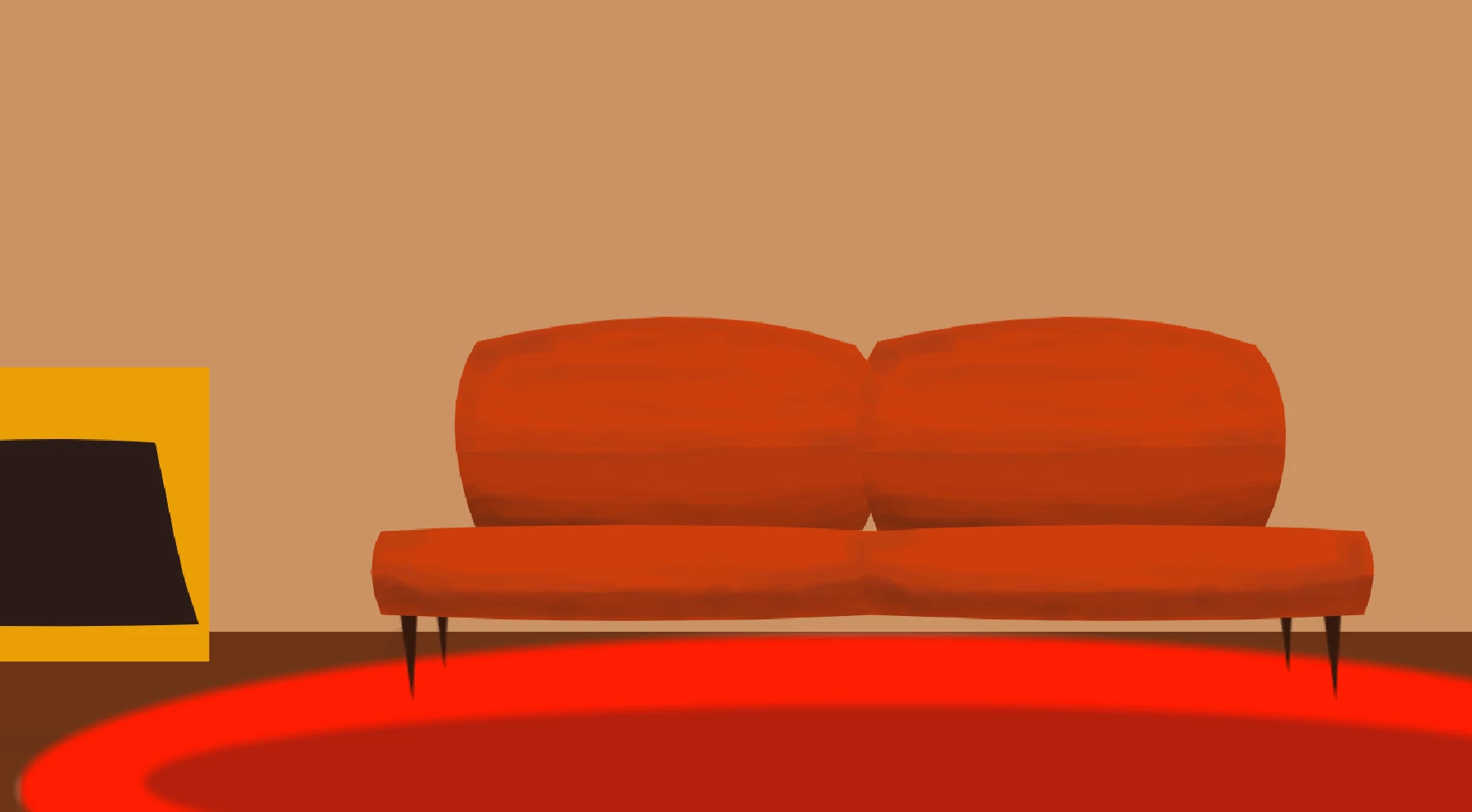
This is without zooming in:


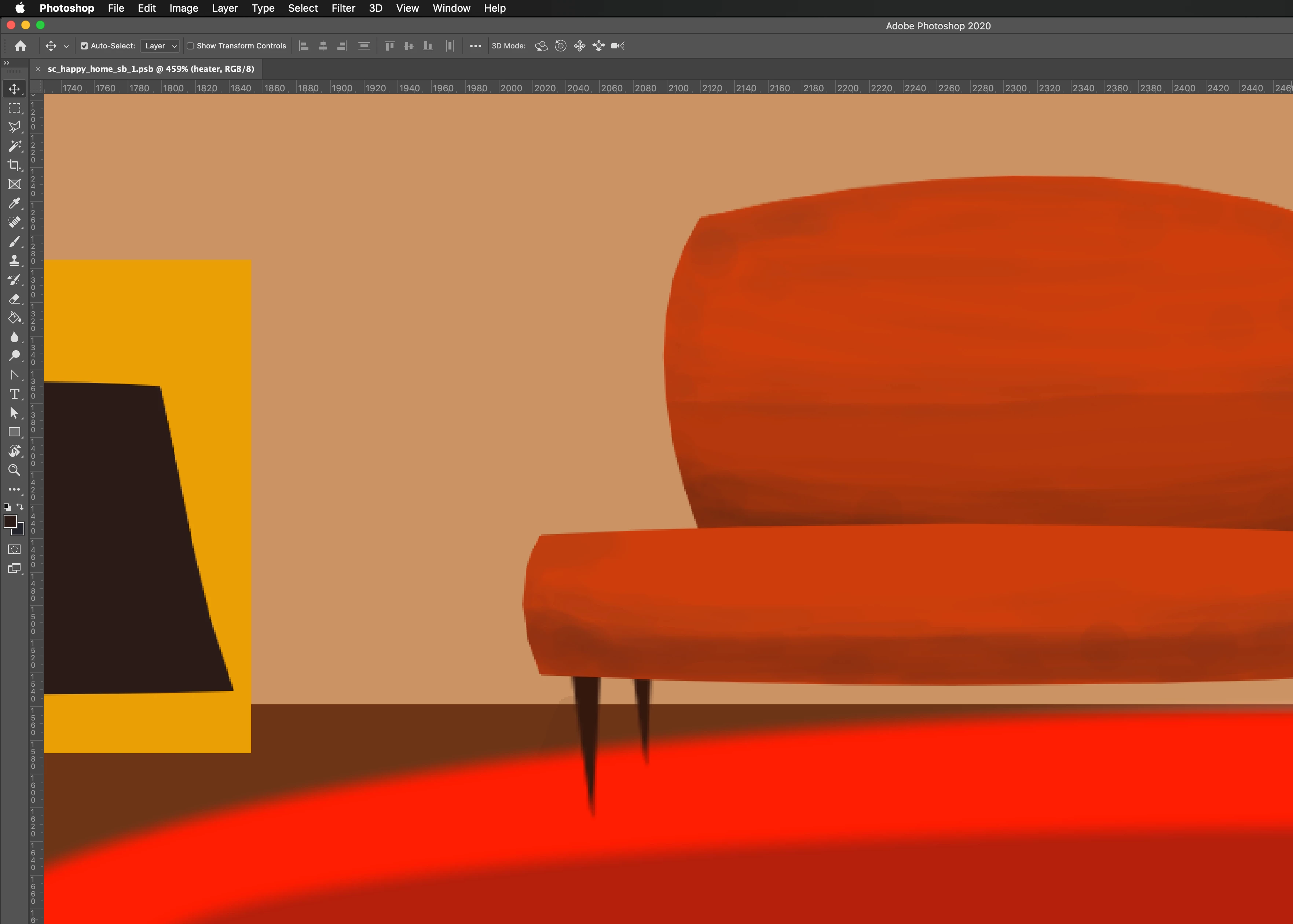
This is after zooming in, shapes are pixelated:


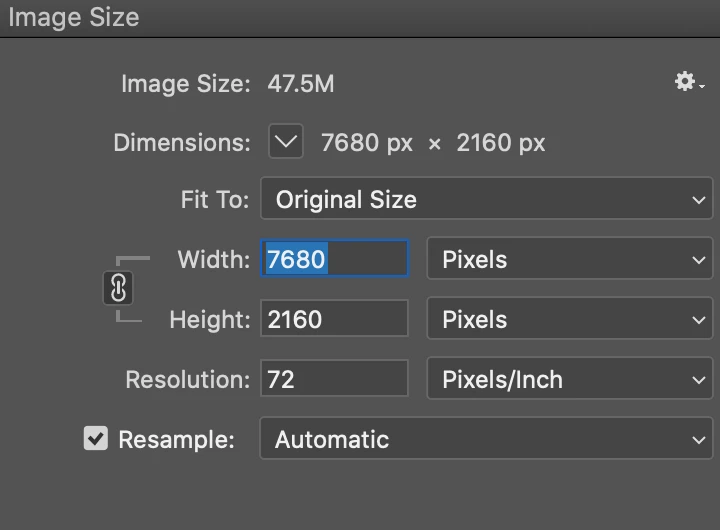
Settings:

This topic has been closed for replies.
Correct answer Conrad_C

It pixelates because Photoshop, as a pixel-based image editor, is always limited by the dimensions you entered when you created a new document, which you see there in the Image Size dialog box. 7680 x 2160 px is a relatively high resolution document. But it still isn’t infinite, so how far you can enlarge is still limited by the pixel dimensions. In a photo editor, higher resolution just means you get to enlarge further before pixelation happens.


Your screen shot shows that you have zoomed in over 400% At 100%, you see one image pixel for every display pixel. At 400% every pixel of the image is now 4 display pixels tall and wide, so of course they become more visible.


In a vector-based application such as Illustrator, that doesn’t happen because the vectors are constantly rendered to use all the pixels available at the current level of magnification or enlargement. Although you can also set an Illustrator document to be a specific number of pixels tall and wide, that’s just to have a reference for final output — the resolution of the Illustrator vector objects themselves is not limited, and you see that when you zoom in.


dinukapj wrote:

How do I get these to be vector shapes?


You can use the shape tools in Photoshop, because they create vector-based shape layers. For example, use the Rectangle tool instead of the Rectangular Marquee tool. As in Illustrator, shape layers don’t have a limited resolution, but in Photoshop they are still limited by the pixel dimensions of the document, so zooming in far enough will still pixelate shape layers in Photoshop. You can increase the document pixel dimensions, but all that does is push out the limit; pixelation will still be possible if you enlarge the image enough.


5 replies

Zesty_wanderlust15A7
Known Participant
June 15, 2023

Somewhat related, I haven't tested or seen demos of this new option in Preferences yet...

Results are usually "dirty," I guess. It's better to make clean paths from scratch.

Participant
June 15, 2023

Hey

When I draw a shape it appears that the edges are blur instead of sharp


Derek Cross
Community Expert
Community Expert
June 15, 2023

A screenshot of your image (taken at 100%) might help us see the issue.

Have you read through the previous posts in this thread?

Conrad_C
Community Expert
Conrad_CCommunity ExpertCorrect answer
Community Expert
June 24, 2020

It pixelates because Photoshop, as a pixel-based image editor, is always limited by the dimensions you entered when you created a new document, which you see there in the Image Size dialog box. 7680 x 2160 px is a relatively high resolution document. But it still isn’t infinite, so how far you can enlarge is still limited by the pixel dimensions. In a photo editor, higher resolution just means you get to enlarge further before pixelation happens.


Your screen shot shows that you have zoomed in over 400% At 100%, you see one image pixel for every display pixel. At 400% every pixel of the image is now 4 display pixels tall and wide, so of course they become more visible.


In a vector-based application such as Illustrator, that doesn’t happen because the vectors are constantly rendered to use all the pixels available at the current level of magnification or enlargement. Although you can also set an Illustrator document to be a specific number of pixels tall and wide, that’s just to have a reference for final output — the resolution of the Illustrator vector objects themselves is not limited, and you see that when you zoom in.


dinukapj wrote:

How do I get these to be vector shapes?


You can use the shape tools in Photoshop, because they create vector-based shape layers. For example, use the Rectangle tool instead of the Rectangular Marquee tool. As in Illustrator, shape layers don’t have a limited resolution, but in Photoshop they are still limited by the pixel dimensions of the document, so zooming in far enough will still pixelate shape layers in Photoshop. You can increase the document pixel dimensions, but all that does is push out the limit; pixelation will still be possible if you enlarge the image enough.
dinukapj
dinukapjAuthor
Participant
June 25, 2020

Thanks so much for this! Very helpful 🙂

Derek Cross
Community Expert
Community Expert
June 24, 2020

Check out the characteristics and difference between vector and bitmapped images.


https://etc.usf.edu/techease/win/images/what-is-the-difference-between-bitmap-and-vector-images/


By the way, the image resolution (PPI) is irrelevant for screen use, for printing, rule of thumb, is it should be around 300PPI -- you can change yours from 72 to 300 in Resize Image in Photoshop.

dinukapj
dinukapjAuthor
Participant
June 24, 2020

You are right! Having it at 300 worked for now. Cheers 🙂

D Fosse
Community Expert
Community Expert
June 24, 2020

Short answer: because you are zooming in. It's pixels.


Photoshop is a pixel editor, and not the right application for something like this - unless you understand the implications and take precautions. Nothing in Photoshop is really vector. It will always be treated and output as pixels, and always rendered on screen as pixels. Yes, there are vector tools, but they are mainly aids for pixel-based selections and masks.


This is something you would do in Illustrator.

dinukapj
dinukapjAuthor
Participant
June 25, 2020

Thanks for this! Helped 🙂