
Why does my photoshopped flower look unnatural please?
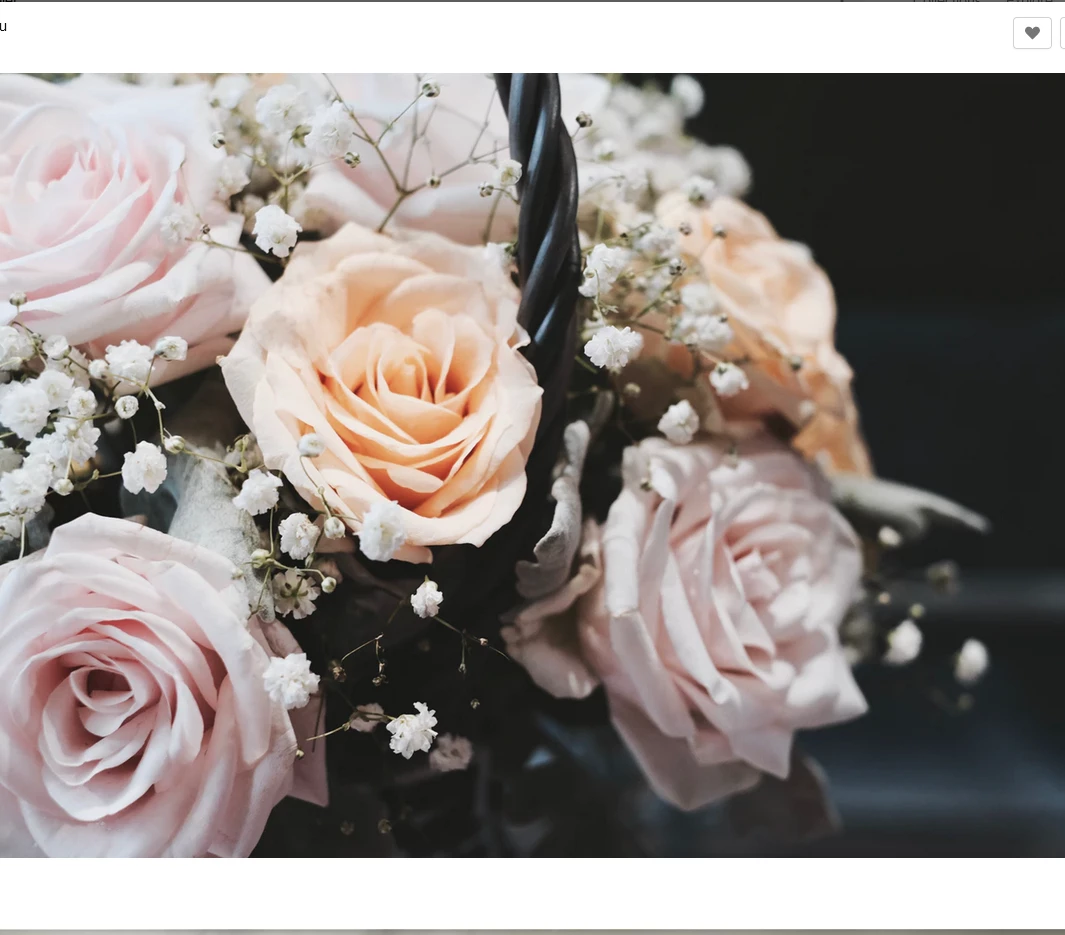
In this photo i have photshopped the flower that is circled. It was a more orange colour and for some reason the end result doesn't look natural like the other flowers.
The following are the steps that i used:
*Created new layer
*Isolated the flower roughly with polyglonal lasoo so other areas would not be affected
*Used the colour dropper on the pink flower next to it to select from
*Painted over the flower i wanted to change
*chnaged from normal to colour (right side of screen)
Image -adjustment-curves and saturation etc
Thew end result looks somehow like decolourised black and white photo or something?
But, if i increase the saturation it just turns an unnatural gharish shades of pink.
Somehow all my attempts always look either gharish colours or faded -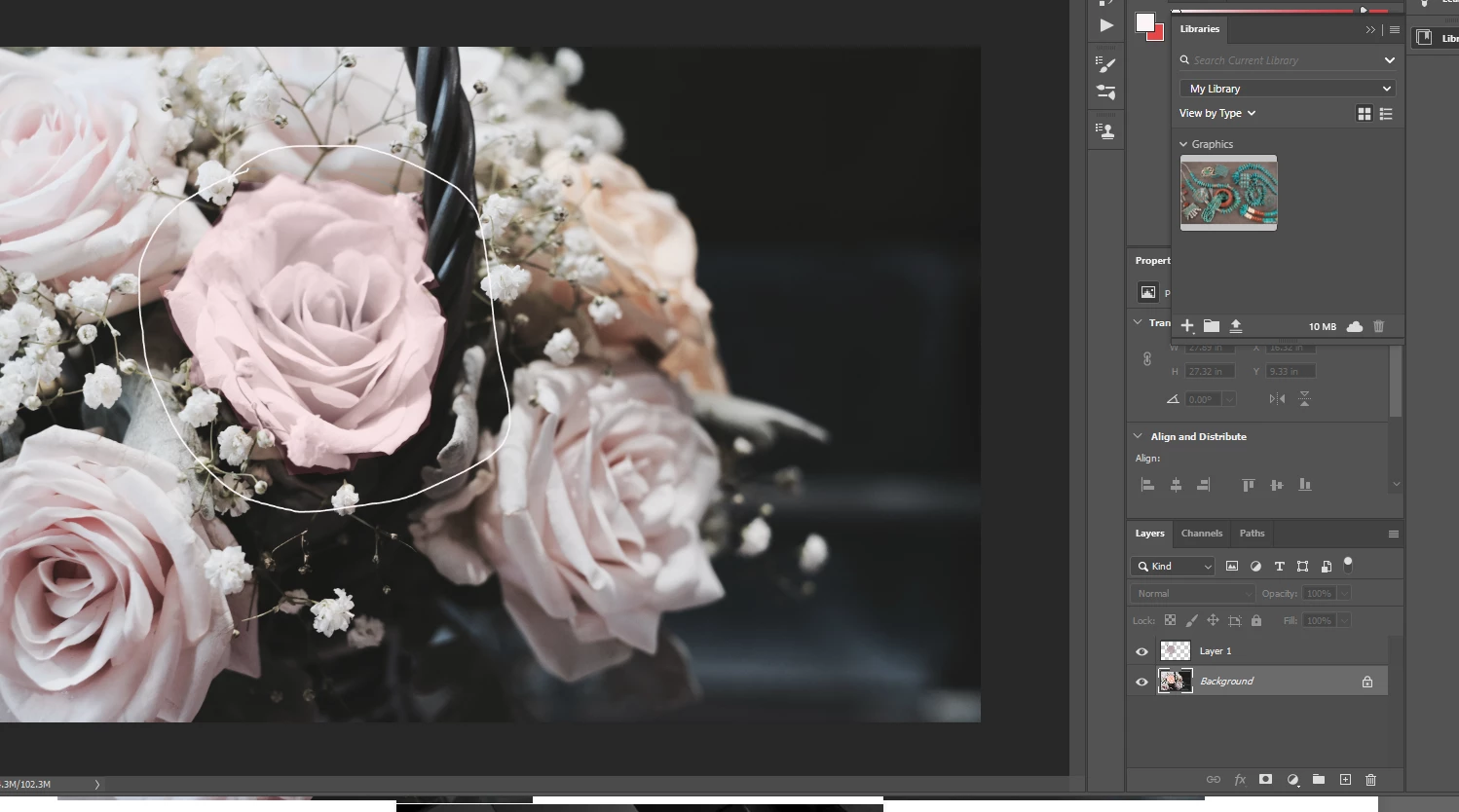 like look.
Photoshop is harder and more of an artform then i realised it would be!
Thanks!
(original photo below)
 AdChoices