Participating Frequently
February 15, 2017
Answered

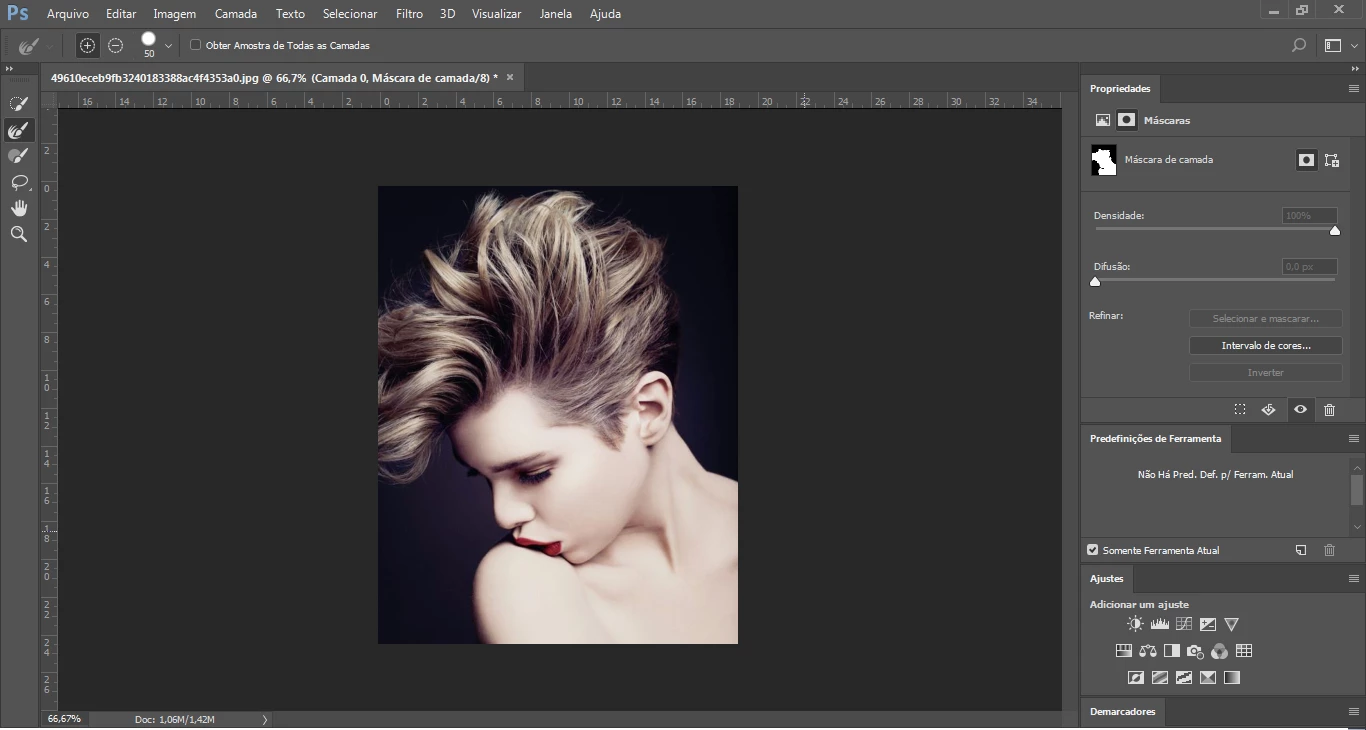
Why does not my select and mask properties window appear?

  • February 15, 2017
  • 7 replies
  • 13014 views

When I use select and mask the properties window does not appear

This topic has been closed for replies.
Correct answer marliton

This?


Seems like you're in the "Select and Mask" interface. In this Window you can access two differents Properties panel: the standard and the Properties panel for this interface (I know, is weird). Please try this: click the arrow in the upper right (close to the loupe icon) and select "Reset select and mask", this will close the incorrect Properties panel and open the correct Properties panel.

7 replies

Participating Frequently
October 8, 2020

Thank you!

Participant
March 21, 2018

THANK YOU SO MUCH ... I was going crazy wondering where it went.  Must have reset when I upgraded last round   Perfect solution

Participating Frequently
July 13, 2017

it will not let me select the mask

JJMack
Community Expert
Community Expert
July 13, 2017

Try unlocking the layer first Mac may be different than windows Id can target either locked or not

JJMack
Participating Frequently
July 13, 2017

heres another screen print

JJMack
Community Expert
Community Expert
July 13, 2017

The white frame shows you have targeted the layer's content. You need to target the layer mask not the the layer's cpmtemy the white frame needs to be around the layer mask.

JJMack
Participating Frequently
July 13, 2017

what do i need to do to correct this?

marliton
Community Expert
Community Expert
February 15, 2017

If the Properties panel is close you need to open it first (Window > Properties) then if you select a mask the Properties panel will show the options for this mask. Another option is double click over the mask, this open the Properties panel.

Marlon Ceballos
Participating Frequently
February 15, 2017

The properties panel is open but shows something else

marliton
Community Expert
Community Expert
February 15, 2017

This is because the Properties panel is context sensitive, you need to select the mask if you want to see the properties in the panel.

Marlon Ceballos
JJMack
Community Expert
Community Expert
February 15, 2017

Is it grayed out do you have a layer targeted can you post a screen capture when it fails to open?

JJMack
Participating Frequently
February 15, 2017