
muhammadfaizan
Participating Frequently
January 17, 2018
Question

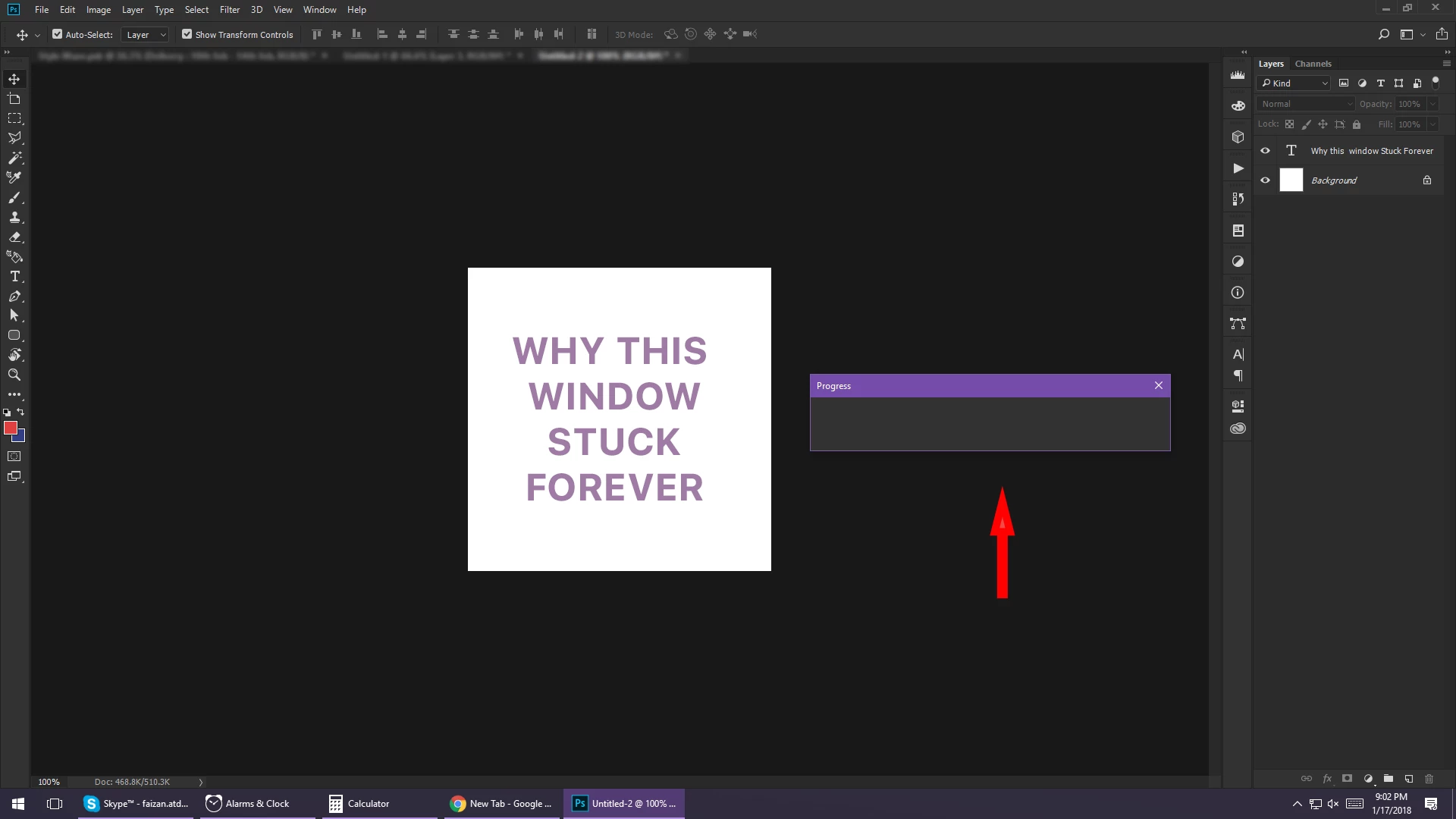
Why in Photoshop progress windows stuck?
  • January 17, 2018
  • 14 replies
  • 11352 views

Can anyone explain why the progress windows stuck when there is no progress going on?
Even it is not closing on clicking the close button.

Performed some action, for eg - applied gaussian blur

  • Progress window open & shows the progress of applying blur
  • Progress completed
  • Blur effect applied
  • Window still remains there
This topic has been closed for replies.

14 replies

Known Participant
November 16, 2020

The problem on my computer finally dissapeared. I presume the update to the latest version of Photoshop and Lightroom did the trick. There were some Mac OS updates as well. That said, if not installed the latest Big Sur OS and probably will wait a bit longer to see how that all pans out. Thanks for all the help. 

Participant
November 16, 2020

Come to think of it, mine disappeared as well!  Must have been a bug that the update fixed.


Participant
February 23, 2021

I have not had the issue until today. Latest iOS for iMac- latest update for Photoshop. Began today after several regular days of use, after sending photo from LR Classic to Photoshop 2021. The response from Adobe in these forums is abysmal. 

Participant
September 25, 2020

It doesn't take much searching to discover that this problem has been affecting adobe users for a few years.  Come on Adobe, show some willingness to fix this.

Participant
October 6, 2020

Yet another person with this issue.  I have elected to move it to the corner of my second monitor and try to pretend it doesn't exist.  Can't believe this is not resolvable.

Convergnt
Inspiring
August 31, 2020

this continues to be a problem on 21.2.2 with mac and pc. Opening images from Lightroom in PS presents this progress bar; lending weight to the observation that this is an issue with filters completing (raw processing in this most common case)

Participant
September 8, 2020

Exact same symptoms on my Mac running Mojave.  Just hoping to upvote this issue to the PTB!

Participant
August 10, 2020

Glad to know I am not the only one!

It will jump to the back of the screen so not a huge issue, but a bug that needs to be sorted Adobe!


p2molvaer
Inspiring
August 31, 2020

I just updated my PS and the bug is still there. It pops up when I choose to edit from LR.

Known Participant
August 9, 2020

I'm having the same problems and have posted earlier in the forum about this. I reformatted my hard drive and re-installed the Creative suite on my IMac, but the problem still persists. There should be enough people posting now about this problem to have Adobe do something about it! 

Participant
August 7, 2020

I'm dealing with the same issues on my Mac. 

joshuap46213399
Participant
July 26, 2020

So it seems everyone is having the same issue with no solution. Does anyone from adobe monitor these forums or is just a bunch of people saying they have the same issue and no fix is either presented here or in some sort of update?

Participant
July 28, 2020

Same here. From lightroom to photoshop. I wish someone from Adobe would chime in. This needs to be addressed.


Participant
July 24, 2020

Glad to see I'm not alone here, this started for me a few weeks ago when I go from Lightroom to Photoshop. Progress window will not go away, nor can I close it.

Participating Frequently
July 17, 2020

Same here. I want to thank everyone for posting since in seeing that others have the same problem is most helpful in knowing that it's not just me!

Participant
July 14, 2020

Same here (except I'm using a Mac and 21.2.0 version) A progress bar appears on initial loadup that ...just sits there - it won't close ... doesn't seem to stop me working but it IS annoying. I am flat out and taking time to reset/re-install or dig into the plumbing of Adobe products isn't likely unless this stupid hang/glitch/bug whatever is costing my time more than it does presently