Inspiring
June 4, 2019
Answered

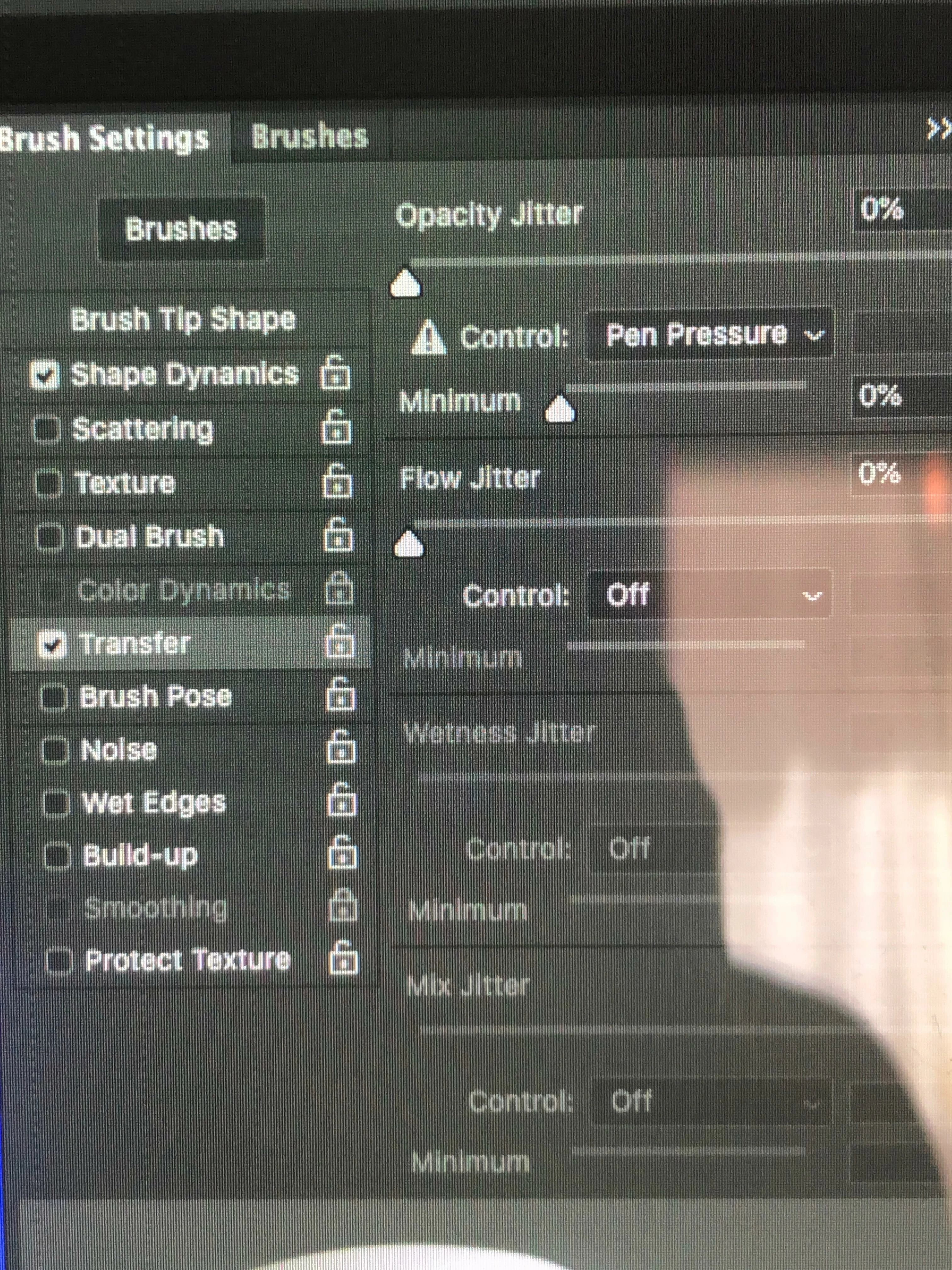
Why is my control default in brush settings/transfer set to "pen pressure"?

  • June 4, 2019
  • 2 replies
  • 2595 views

I have a problem that Adobe help could not solve for me.  For a long time, my brush size is smaller than my cursor, by about half.  See first image below.  (That was using a clone stamp, but it is the same will all brushes.)  The Adobe person, and I myself, wondered if it might have to do with the fact that in brush settings/transfer, dynamic control for opacity, the default is "pen pressure".   The agent conjectured that I might have a pen tablet driver installed on my computer.  Years ago, I did.  It was a Waco Graphire tablet.  I haven't used the tablet in years, and I have checked and find nothing left on my computer that says "Wacom" or "graphire".  Can it be that something is still present that maintains that default "pen pressure"?  I have tried to change that control to "none" but it always changes it back to "pen pressure".  Can anyone help me?  Thanks! -Jim Cox

    This topic has been closed for replies.
    Correct answer coxpix1

    I tried that.  Still not solved.


    I solved it.  Unbelievably simple in the end.  My cursor size on my Mac was set at something "larger than normal".  I did system preferences/accessibility/display/cursor size.  Moved the slider back to normal.  Problem solved.

    Thanks for your help Michael!

    2 replies

    Trevor.Dennis
    Community Expert
    Community Expert
    June 5, 2019

    Hi Jim

    Glad you fixed the cursor problem.  From memory, when the new brush management system was introduced in CC2017, a lot of people initially found their available brush sets in a bit of a mess.  IMO the best fix was to delete all the open groups and start again.

    There you go.  I have just done it on my system.  Nothing

    It's important to remember that if you have made any new groups or presets, deleting the group will lose them for ever.  So you need to open the Preset Manager.  Select and save the preset or group.  That makes an .abr file that can be reloaded.

    Then load the Legacy set from the right click menu, and you are back to what you got when you reset your brushes in pre-CC2017 versions. 

    You are right that resetting the Brush tool defaults it to Pen Pressure.  This seems to be the case even if you rest and restart Photoshop. You see the warning symbol next to Pen Pressure until you touch down with the tablet.  That does seem to be strange behaviour — it's not like 'soft round pressure size' is the first preset in the default list.

    Michael Bullo
    Community Expert
    Community Expert
    June 4, 2019

    With a brush selected, have a look in the options bar running across the top of Photoshop. Is this button turned on? If so, does turning it off solve your problem?

    coxpix1Author
    Inspiring
    June 4, 2019

    Thanks for the reply!  I just turned off that button.  And now the default says off.  But the problem is not yet solved.

    coxpix1Author
    Inspiring
    June 4, 2019

    So there must be some other issue that causes my problem with the brush/cursor sizes.  I am curious why the Adobe person was not at least able to try your suggestion, to see that "pen pressure" was not the problem.