
Why placing one image into another looks unnatural?
Hi,
Is anybody able to tell me why my end results of image replacement look very unnatural?
For example, when i try to photoshop a person from one image into a different photo the end results look obviously photoshopped and like the person is standing in front of/seperate from the background image.
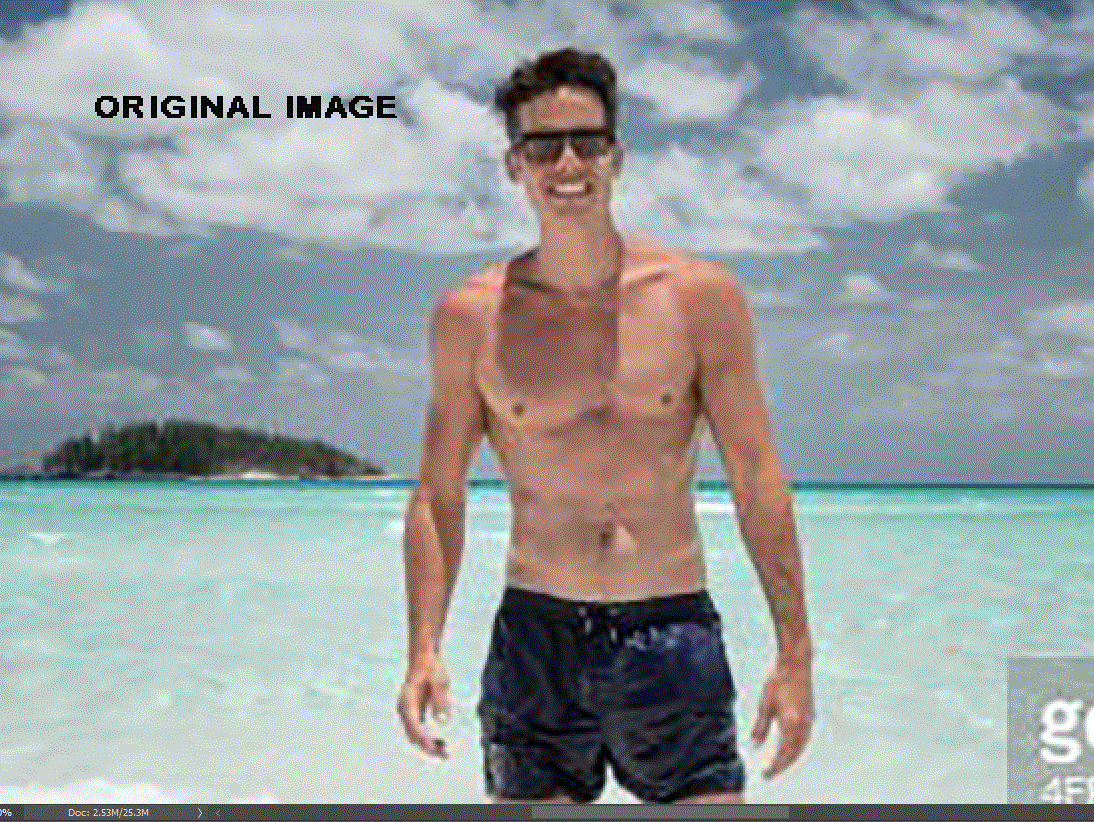
For example I have quick selected this guy and put him in other image of the beach. I have put the man twice next to each other so sorry for any confusion:)
I think the attempt on the right looks abit more natural then left one, but it came with a lot of flaws on clothing, face etc.
The one on the left looks very obvious that this was not the original image he was photograpped in.
I have tried to use blur which looked awful, .refine edges, change contrast, shift edges, feather, gradient map then multiple ...but they both still look unnatural/obviously photoshopped and like they are in front of the image insted of realistically blended into it.
I would like my result to look seamless like in the original photo.
Can anyone provide any advice regarding how to have more natural results,particulary the edges and to look blended in with "new image"?
(I'm not sure if it is as obvious here but it is very obvious in photoshop or when i look at the image on my ipad).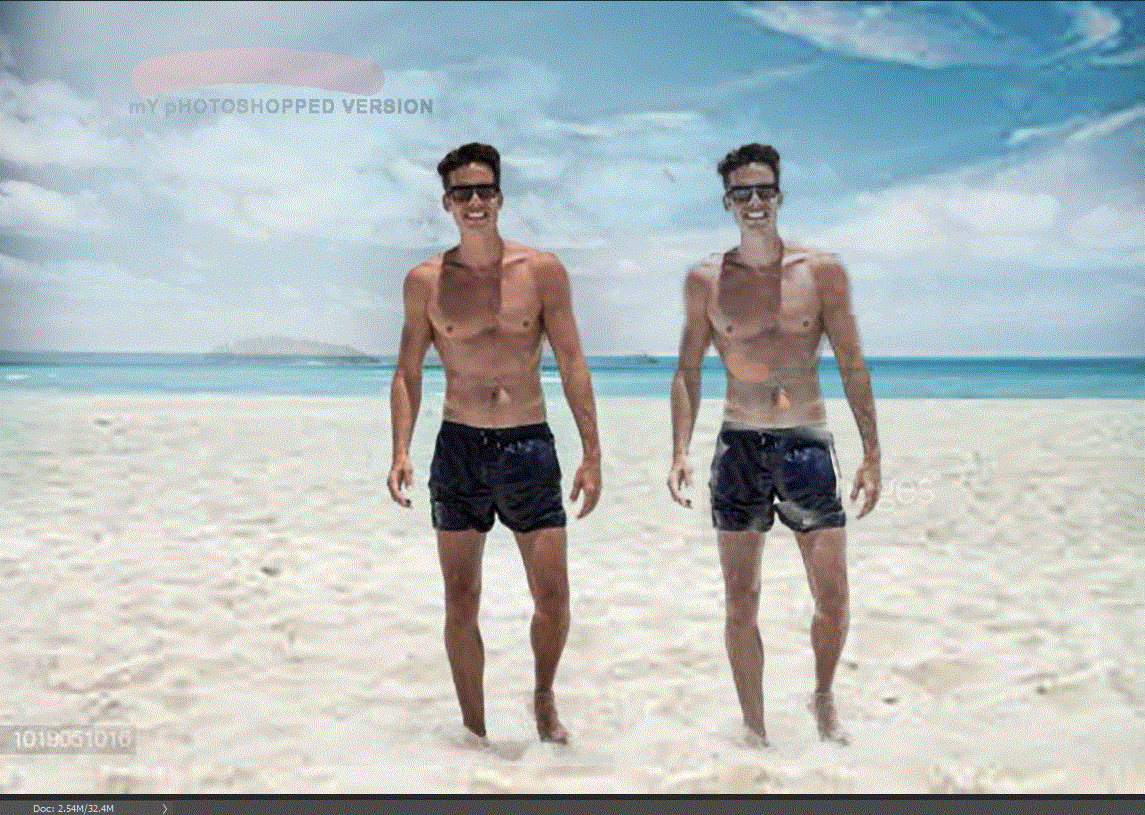
 AdChoices