
Known Participant
June 15, 2021
Answered

Why rotating and translating a duplicated layers in a loop tend towards the center of the image?

  • June 15, 2021
  • 1 reply
  • 1924 views

The code below should duplicate, rotate and translate layers at random positions on the screen each one in a loop with given iterations. Duplicating of layers is executed well, but rotation and translation is giving me very strange results, and that instead of rotating as well as translating randomly it tends to do that towards the center of the image:

doc = app.activeDocument;

function random(min, max) {
	const num = Math.floor(Math.random() * (max - min + 1)) + min;
	return num;
};

function duplicateCurrentLayer(iter){
	for(i=0;i<iter;i++){
		doc.activeLayer.duplicate();
		doc.activeLayer.translate(random(-256,256),random(-256,256));
		doc.activeLayer.rotate(random(20,50),AnchorPosition.MIDDLECENTER);
	}
}

doc.suspendHistory("duplicate","duplicateCurrentLayer(30)");

Please find the image belo as an example to see what I mean:
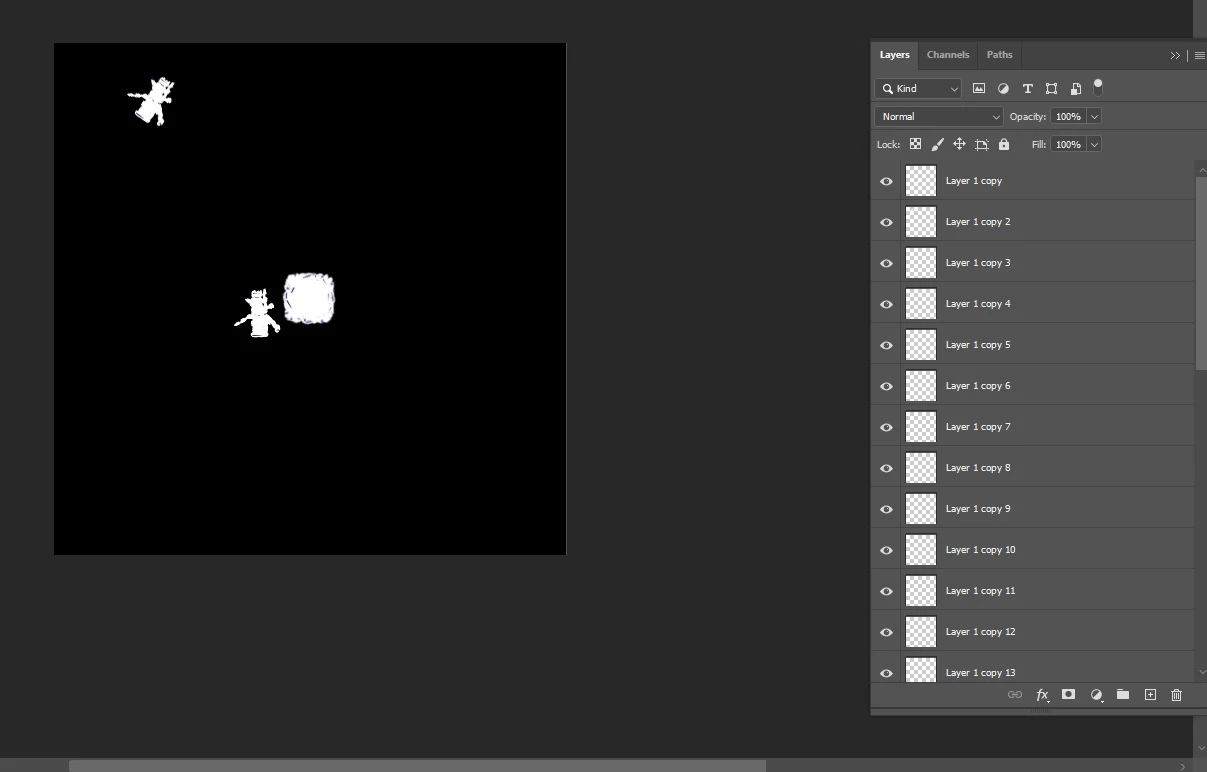


The first two duplicates are fine translated and rotated, but the others tend towards the center of the image.


Thanks.


This topic has been closed for replies.
Correct answer r-bin

You always move and rotate the same original layer. This spoils the image.

Also, according to the theory of probability (I cannot prove it), it will often return to its original position.


Units of measure are not specified for you. The behavior of the script also depends on this.


Check out this code.


doc = app.activeDocument;

function random(min, max) {
    const num = Math.floor(Math.random() * (max - min + 1)) + min;
    return num;
};

function duplicateCurrentLayer(iter){
    var layer0 = doc.activeLayer;    
    for(i=0;i<iter;i++){
        doc.activeLayer = layer0;
        var layer1 = doc.activeLayer.duplicate();
        doc.activeLayer = layer1;
        doc.activeLayer.translate(random(-256,256),random(-256,256));
        doc.activeLayer.rotate(random(20,50),AnchorPosition.MIDDLECENTER);
    }
}

doc.suspendHistory("duplicate","duplicateCurrentLayer(30)");

1 reply

r-binCorrect answer
Legend
June 15, 2021

You always move and rotate the same original layer. This spoils the image.

Also, according to the theory of probability (I cannot prove it), it will often return to its original position.


Units of measure are not specified for you. The behavior of the script also depends on this.


Check out this code.


doc = app.activeDocument;

function random(min, max) {
    const num = Math.floor(Math.random() * (max - min + 1)) + min;
    return num;
};

function duplicateCurrentLayer(iter){
    var layer0 = doc.activeLayer;    
    for(i=0;i<iter;i++){
        doc.activeLayer = layer0;
        var layer1 = doc.activeLayer.duplicate();
        doc.activeLayer = layer1;
        doc.activeLayer.translate(random(-256,256),random(-256,256));
        doc.activeLayer.rotate(random(20,50),AnchorPosition.MIDDLECENTER);
    }
}

doc.suspendHistory("duplicate","duplicateCurrentLayer(30)");
Makary84Author
Known Participant
June 15, 2021

I am not sure, but this looks like a bug. When the object exits out of the boundaries of the image, it returns it to the center and every object out of the boundaries of the image are also centered and rotated in a sequence.

Legend
June 15, 2021

Yes indeed. If you duplicate a layer in PS2020 that is completely outside the canvas, then the new layer will be in the center of the document.


This is pure BUG. If you want, please report it on the photoshop feedback site.


It's not in CS6. 🙂