Participant
June 16, 2020
Answered

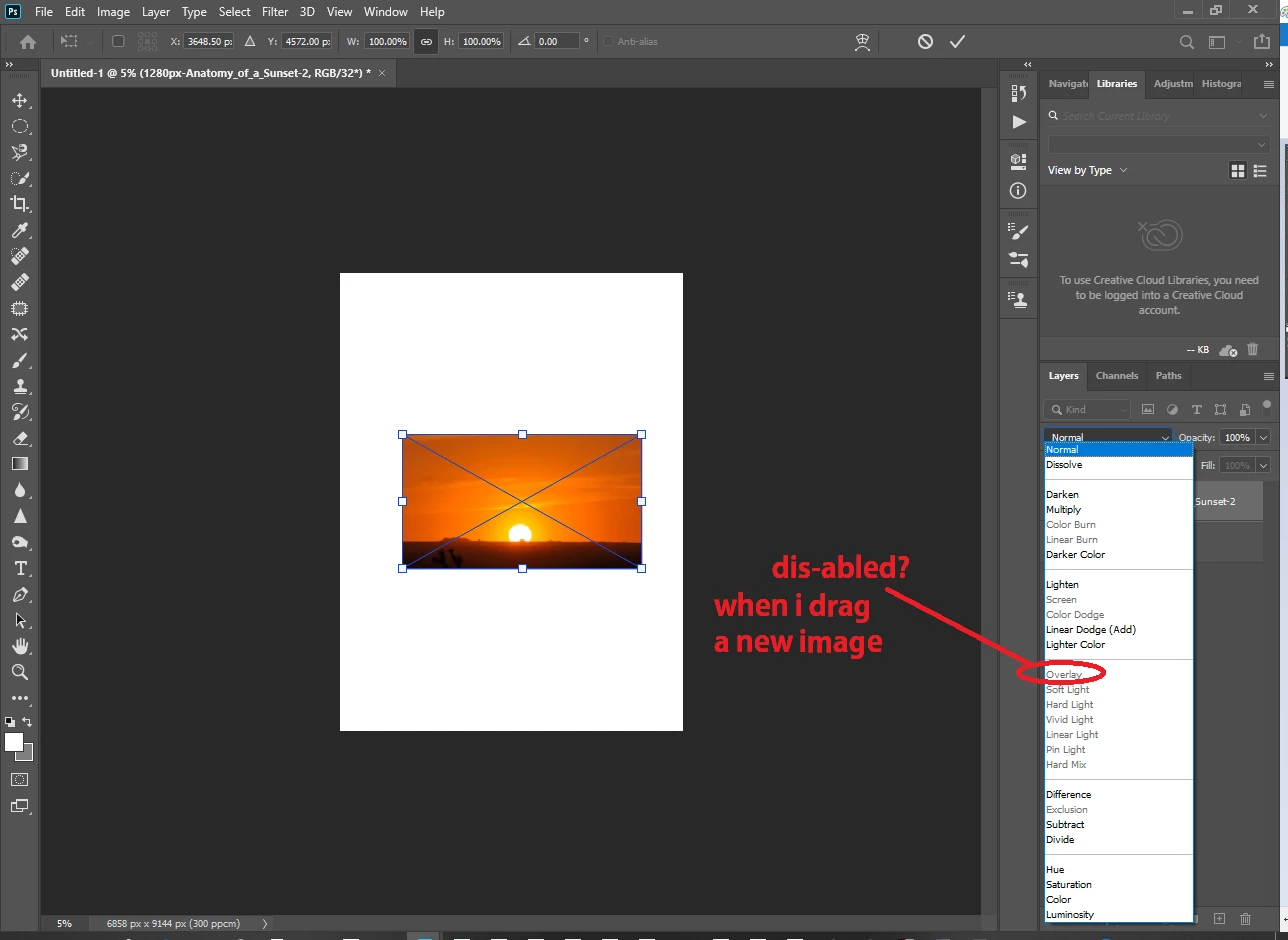
why soft light option (in blending mode) will be disable when i drag new image to my working window?

  • June 16, 2020
  • 2 replies
  • 2902 views

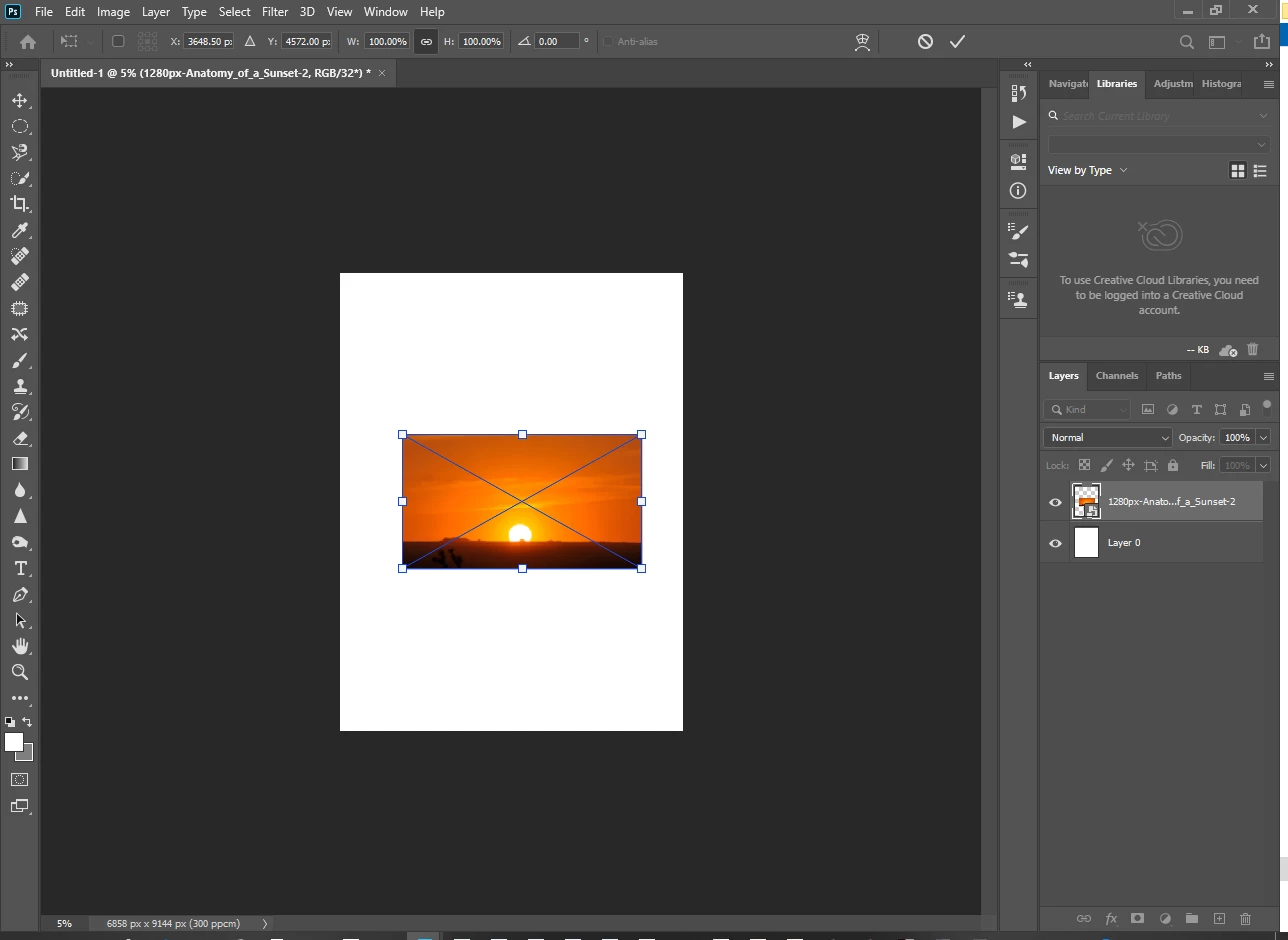
why soft light option (in blending mode) will be disable when i drag new image to my working window in photoshop 2020? but in lower version  like CS3, this concern is working..many thanks for the answer 🙂
 

    This topic has been closed for replies.
    Correct answer EuanWilliamson

    Your base untitled image is set at 32bits per channel.

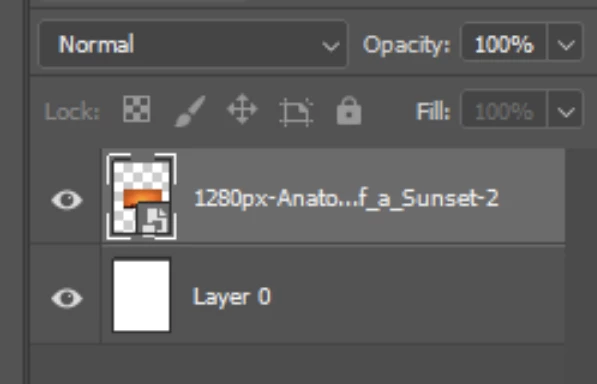
    The dragged image is not 32 bit thus it is set to be a smart object.

    Can you see the symbol for this in the layer thumbnail at the bottom right?


    From the top menu, choose: Image > mode > 8bits per channel.

    You will now have your blending modes returned.


    2 replies

    davescm
    Community Expert
    Community Expert
    June 16, 2020

    Hi
    Euan is correct in that the cause is the use of 32 bits/channel, however I would advise going from  32 bit to 16 bit rather than 8

    Dave

    EuanWilliamson
    Community Expert
    EuanWilliamsonCommunity ExpertCorrect answer
    Community Expert
    June 16, 2020

    Your base untitled image is set at 32bits per channel.

    The dragged image is not 32 bit thus it is set to be a smart object.

    Can you see the symbol for this in the layer thumbnail at the bottom right?


    From the top menu, choose: Image > mode > 8bits per channel.

    You will now have your blending modes returned.


    Best regards, Euan.
    Participant
    June 17, 2020

    Hi Ryan and Davescm,

    I'm satisfied with your advice!

    Problem solved!


    SoftI light (blend mode) are now working to me...I'll just followed your instructions.

    Many thanks guys!!!

    Thanks for helping me and the world to be better😊

    More power to both of you!


    EuanWilliamson
    Community Expert
    Community Expert
    June 17, 2020

    You're welcome. Thanks for letting us know it's working for you 🙂


    Best regards, Euan.