

Wind Filter Glitch in Photoshop CC 2019
I have been trying to edit a photo with a wind filter effect in the stylize filter group, inside that filter I will use "Blast" and create it "From the Left". When I select the settings I want I would look into the preview window and it shows exactly what I want the image to look like, but when I hit done it looks completely different. It still does what it is technically saying it will do but the lines that it says it will stagger arent staggered as much and the image looks more blurry than staggered when I repeat the process using (control + command + F) it reapplies it but really only makes it look whiter and brighter. I have performed this filter multiple times in the past on different images where it actually looks the way its supposed to in the preview but lately every once in a while it does this.
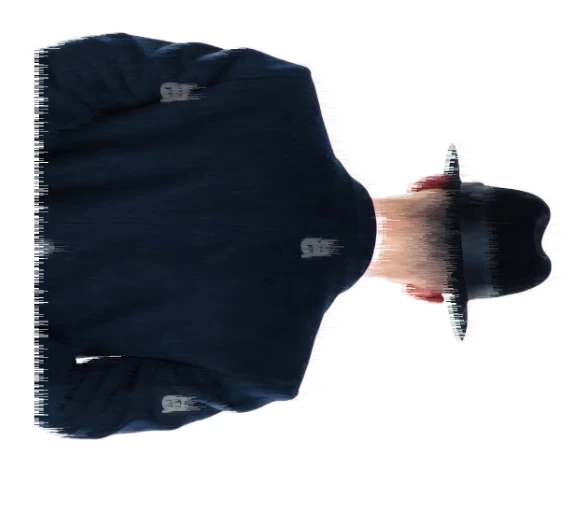
Is there a way I can fix this issue or does completely depend on the image itself, I have attached images to show examples of this issue. The image/layer I am using does not contain a layer mask but still seems to have the same issue even if it did, and the issue happens on text as well as images.
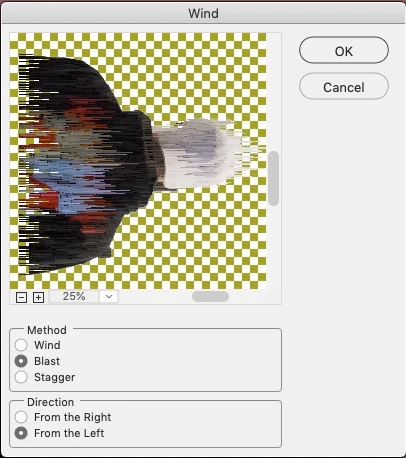
The image above shows the settings I am using for the filter and the preview screen shows exactly what I want the image to turn out as
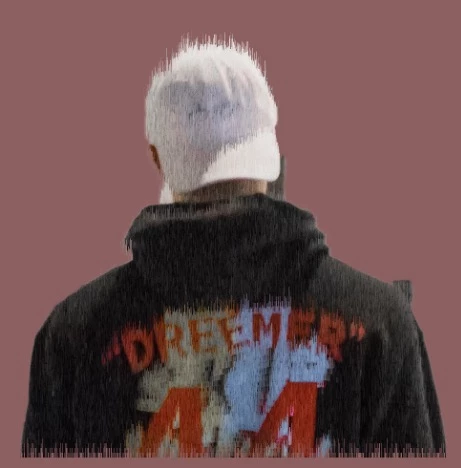
The image above shows what it looks like when I press done, it looks more blurry than staggered.
 AdChoices